Collections
-
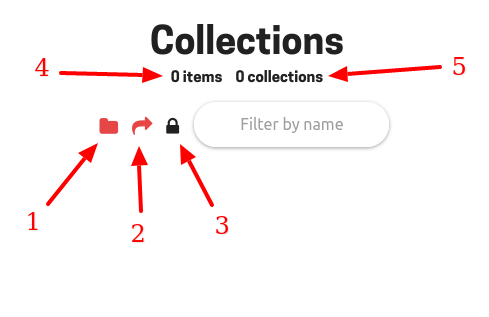
Click here to create a new collection. A collection contains items and can have nested collections.
-
Click here to generate a link to this page if you wish to share it (see Visibility page)
-
Show the visibility of the collection (see Visibility page)
-
The total number of items in this collection, including nested collections items.
-
The total number of nested collections in this collection.
-
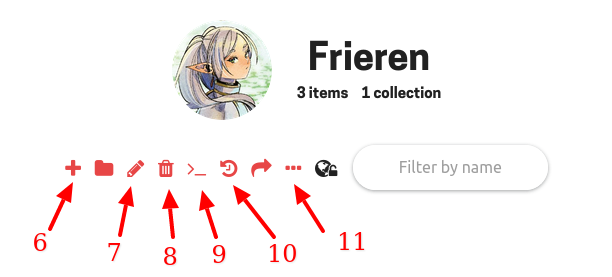
Add a new item to the collection (see Items page)
-
Edit the collection.
-
Delete the collection (:warning: This will remove all items and nested collections contained inside the collection)
-
Apply tags to all collection items (see Tags page)
-
See modification history concerning this collection.
-
Display all items inside the collection and its nested collections on the same page.
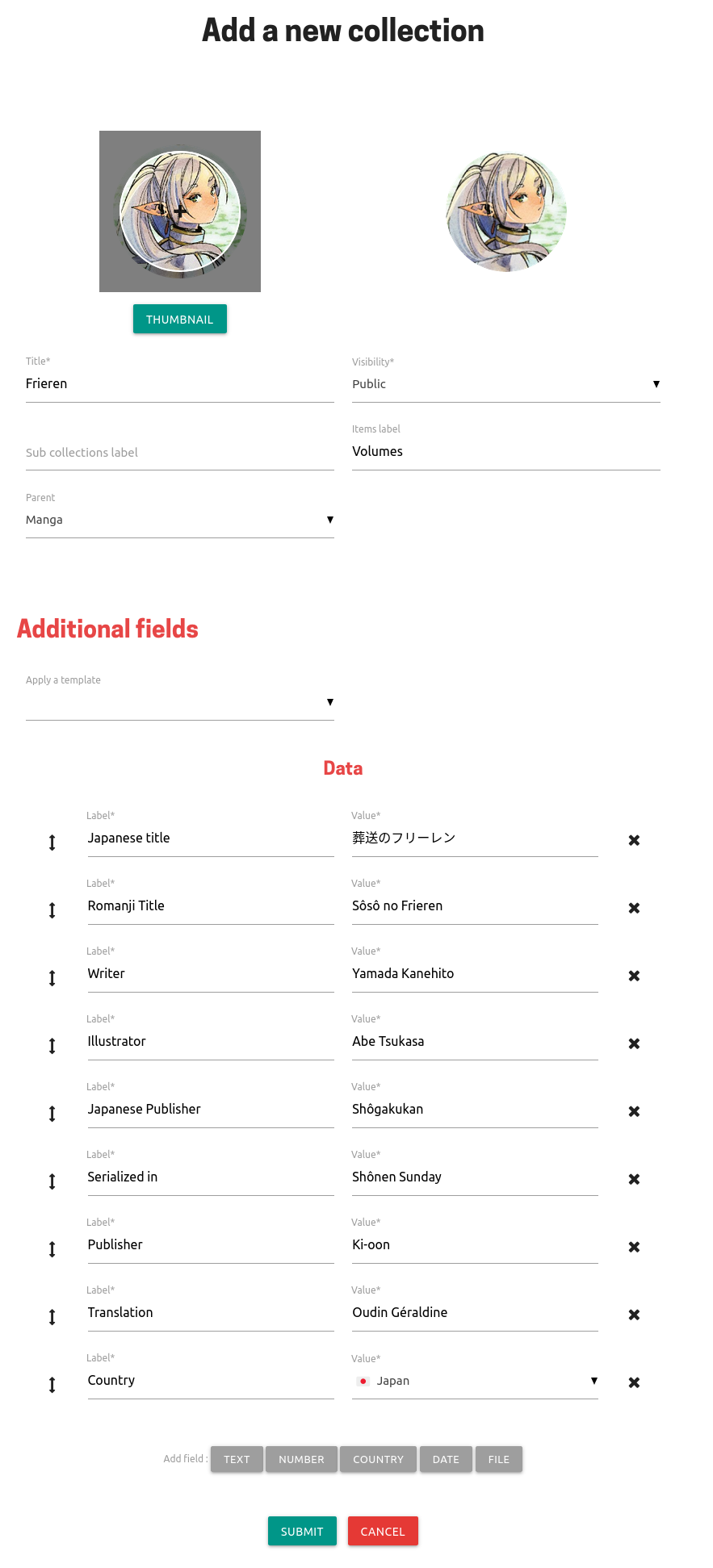
The form to add a new collection looks like this:
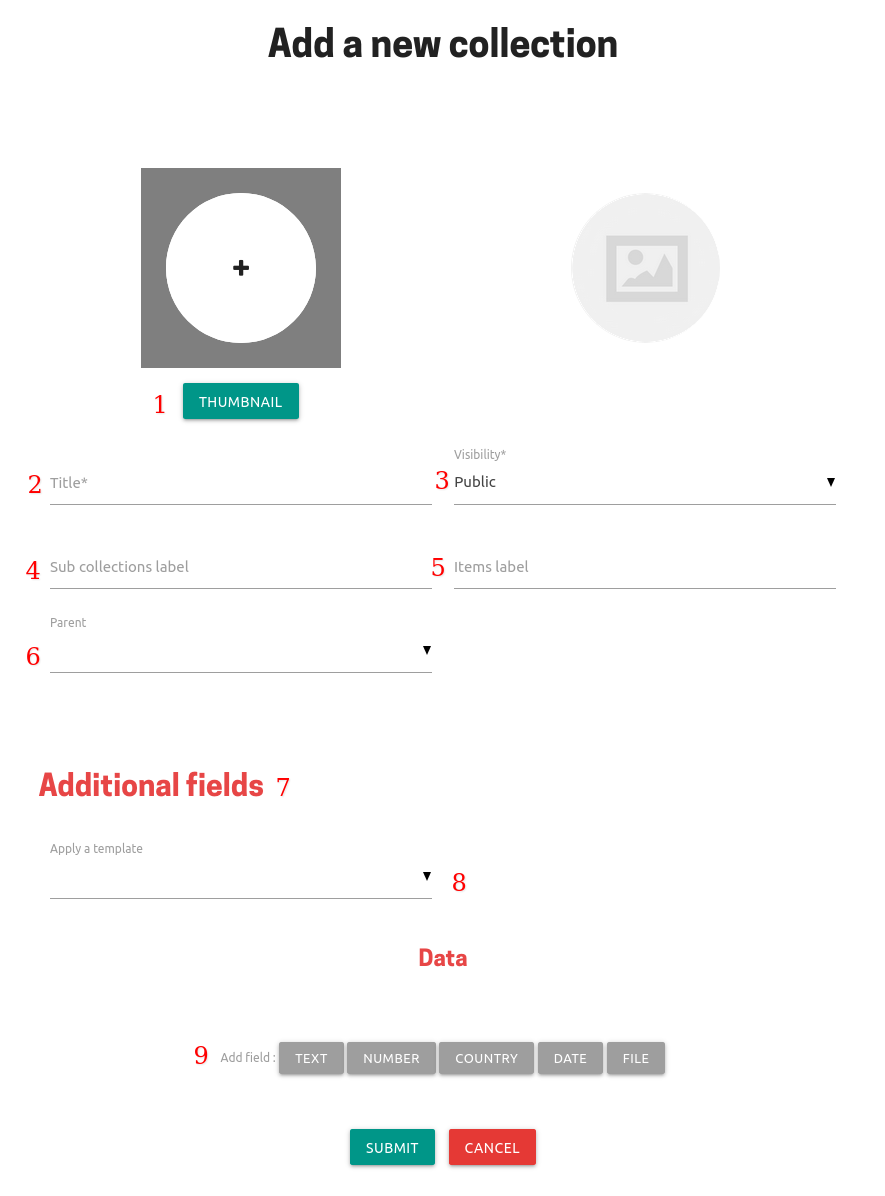
- The thumbnail for your collection. Can be left empty.
- Its name
- Choose if other users can see your collection (see Visibility page)
- Give a custom name to the nested collections section (defaults to
Sub-collections) - Give a custom name to the items section (defaults to
Items) - If your collection is nested into another one
- Section to add custom fields (metadata) to your collection
- Apply a template (see Templates page)
- Add a custom field (see Fields page)
Here is an example of a filled form:
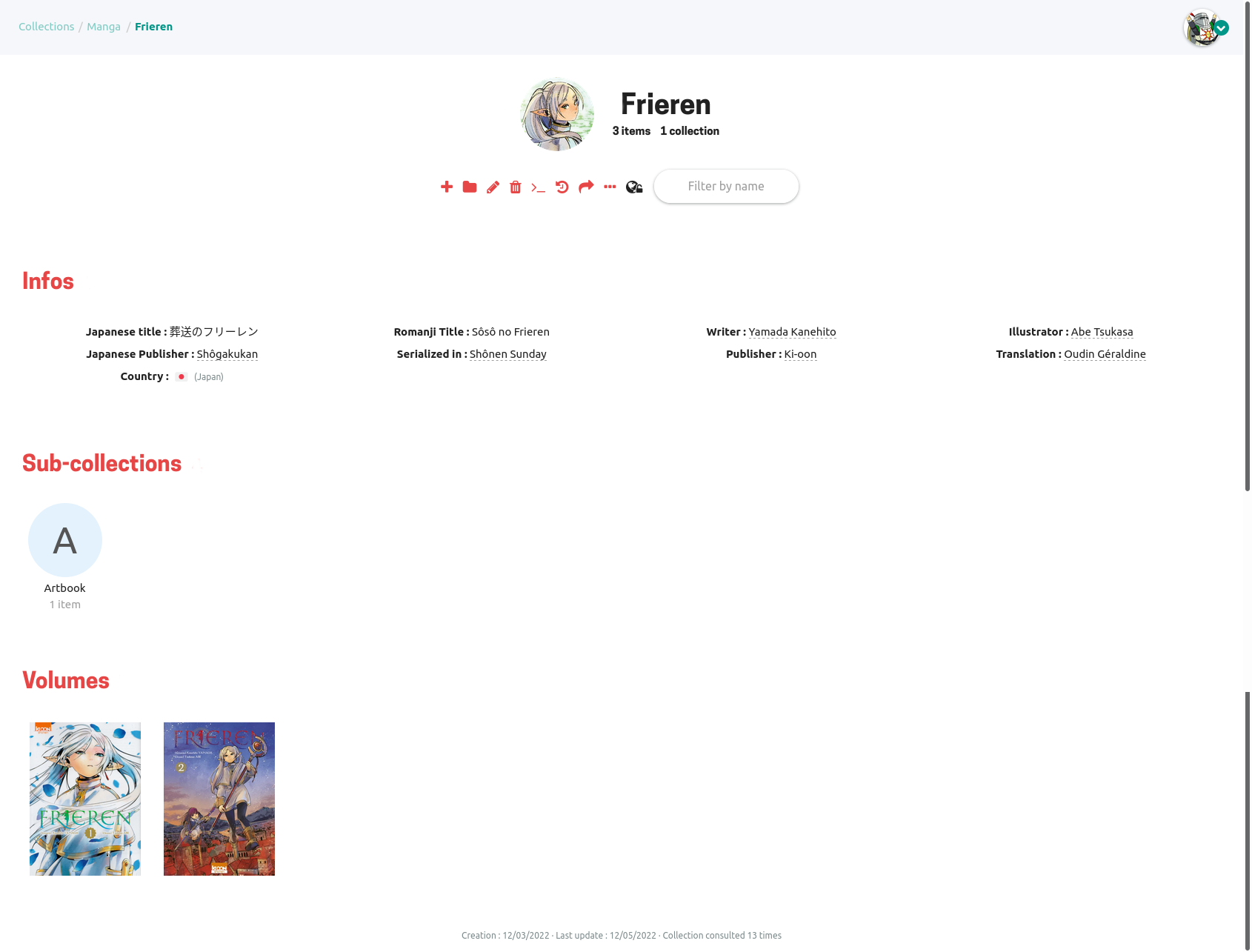
And the final result (after adding some items):