
This project is to document my journey to read data from the new smart power meters that now are being deployed all around Sweden as well as many other countries in Europe and send this data over https to a collection tool. Note that the script can easily be modified to collect the data in any other form. The included script is reading the data everytime the meter is sending it (atleast every 10 seconds according to Swedish regulation) and then parsing it before sending it via HTTPS.

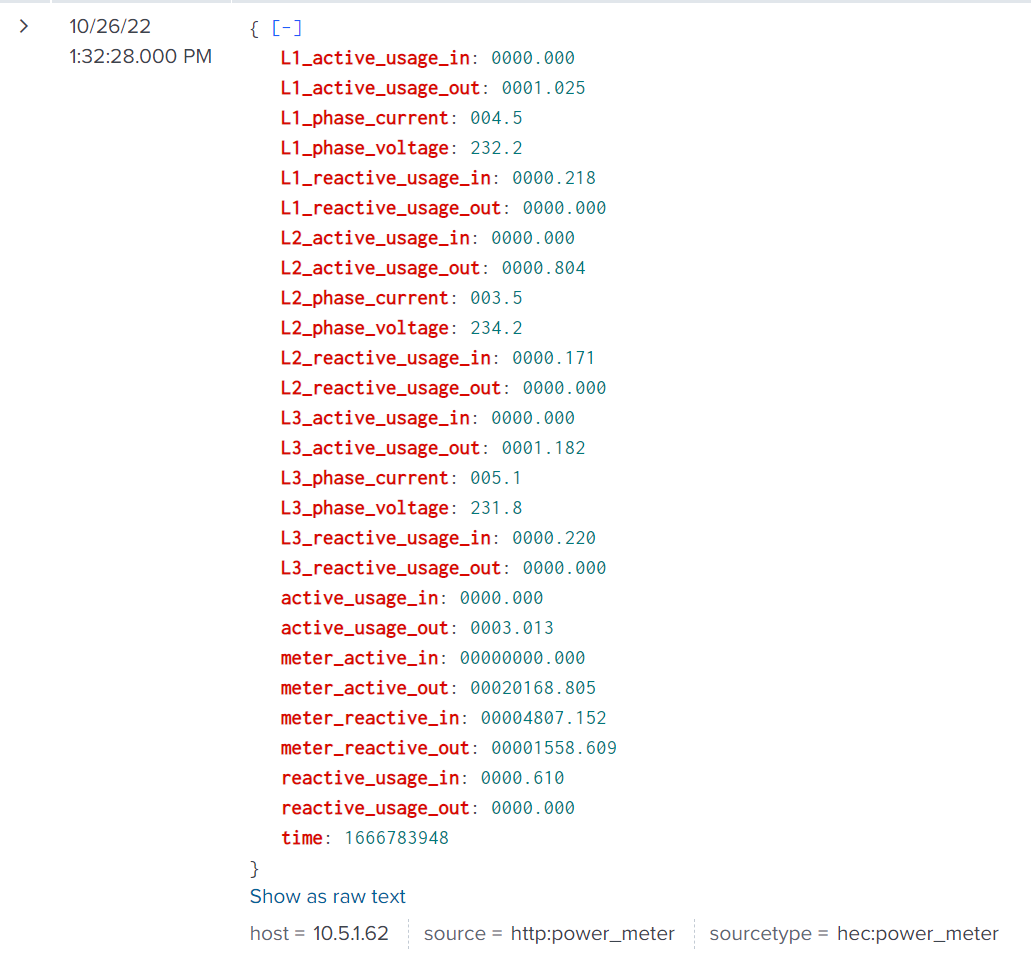
Current version is written to send it's data to Splunk via HTTP Event Collector. https://docs.splunk.com/Documentation/Splunk/9.0.1/Data/UsetheHTTPEventCollector
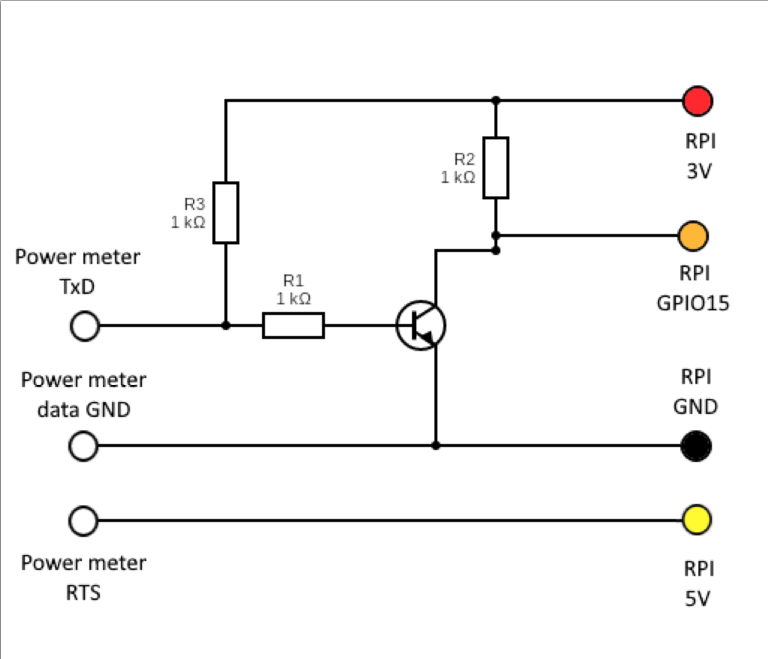
- A power meter with a P1/HAN port and the port enabled
- A Raspberry Pi 2,3 or 4 (might be possible to use a Zero as well, not tested)
- R11 or RJ12 contact that can be connected to the powermeter
- 1 NPN transistor
- 3 1k resistor
- Solder or wire the components according to this diagram.
- Download or clone the power_meter.py script
- Modify the script and update the included variables such as serial port and collector details.
- Install the required Python packages
- Run power_meter.py
Watch as data is coming in and make some nice graphs! You may even be able to lower your power usage based on the data.