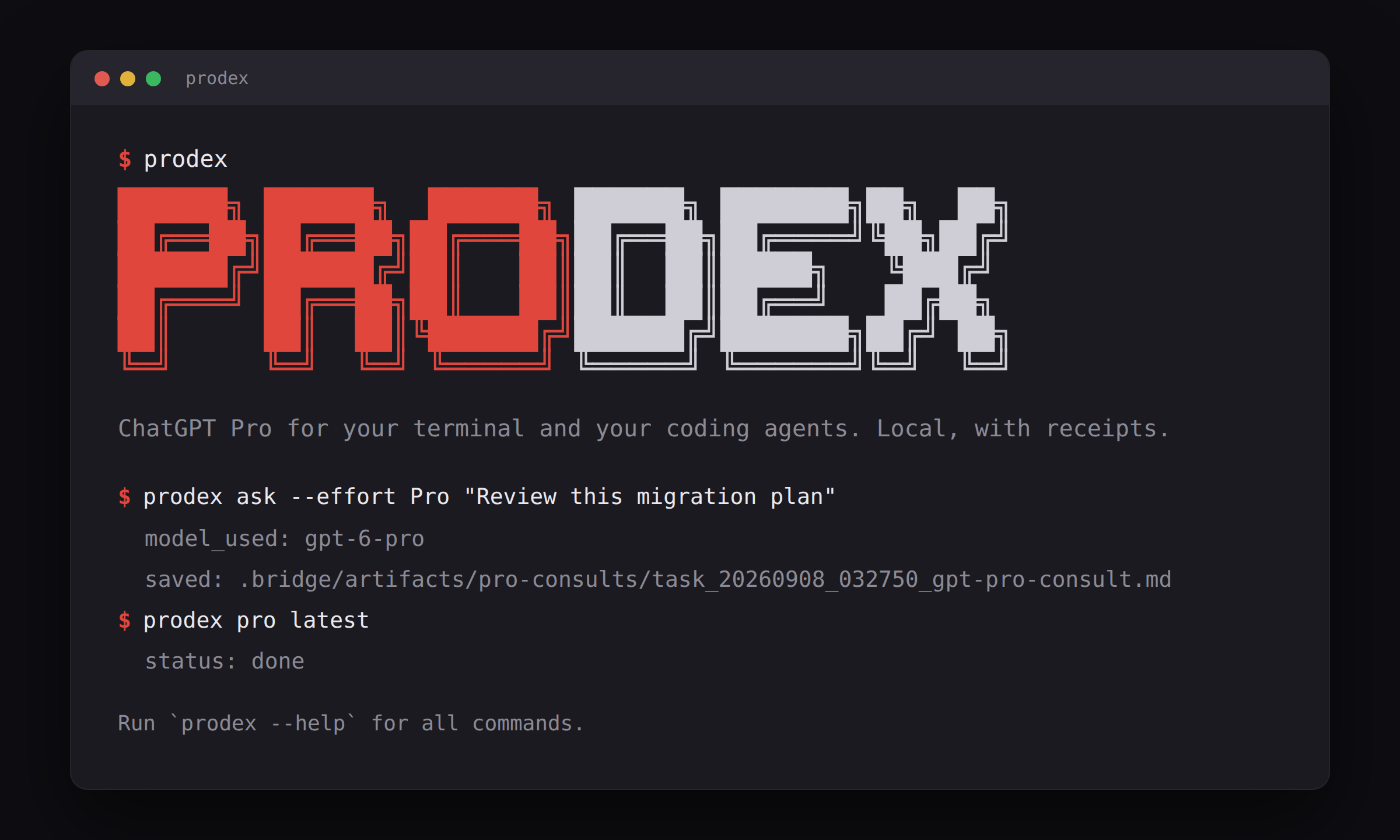





You pay for ChatGPT Pro. The reasoning that makes it worth paying for lives behind a web page, and the coding agent you actually spend the day with cannot reach it. prodex closes that gap without an API key, a proxy, or a stealth bot: it drives a real, visible Chrome that you logged into once, types into the same composer you would, and reads the answer back from the conversation transcript.
$ prodex ask --new-chat --effort Pro "A CLI drives a logged-in browser over the Chrome DevTools Protocol and holds a cross-process file lock while a send is in flight. What failure modes must the lock's expiry rule handle, and which single rule would you ship? Under 150 words."
progress: connecting to browser (port 9333)
progress: applying selection (effort=Pro project=set)
progress: prompt sent, waiting for answer (budget 20 min)
progress: waiting 1m 21s (generating)
progress: answer received after 2m 32s (transcript (1235 chars))
model_used: gpt-6-pro

Handle slow legitimate sends, hung or suspended owners, sleep/reboot, clock jumps,
crashes leaving stale files, PID reuse, incomplete metadata, competing reclaimers,
...
I'd ship: reclaim only a provably dead original owner's lock - never expire a live
or unverifiable owner by age.

saved: .bridge/artifacts/pro-consults/task_20260908_032750_gpt-pro-consult.md
That is a real run, timings included. Every consult lands as a task, a result and an HMAC-signed receipt under .bridge/ in your repo, so prodex pro latest re-prints it, your agent can fetch it over MCP, and a week later you can still answer "what did Pro say about the lock?".
- Ask from the terminal.
prodex askwith a question, a file's contents (--file), an uploaded pdf, deck, sheet or image (--attach), or anything piped in (--stdin). Deep research, web search and image creation are one flag away (--tool). - Let your agent ask.
prodex mcpis a stdio MCP server with apro_consulttool; Claude Code, Codex, Cursor and Gemini CLI call it like any other tool. ChatGPT Projects can hand work back the other way over a loopback HTTP MCP bridge. - Pick the model and effort per ask. The picker ChatGPT shows is the picker prodex drives:
--effort Proreaches the top rung,--projectsends inside a sidebar project, andprodex setuppins defaults per repo. - Keep every answer. Tasks, results, sessions and receipts are versioned JSON on disk, signed with a local key. Nothing is stored anywhere else.
- Run it with no window at all. One headed login, then a virtual display: a real browser that Cloudflare treats as one, and nothing on your desktop.
- Stop where a person should. Login, captcha, Cloudflare, usage limits and permission prompts halt the send with a named blocker and a next step. prodex solves none of them for you.
Node 20 or newer, git, and ripgrep (rg) on PATH. A Chromium-family browser for the visible adapter: Chrome, Chromium, Edge or Brave on PATH, in the standard macOS and Windows locations, or on the Windows host under WSL are all found automatically; anything else via PRODEX_CHROME=/path/to/browser.
npm install -g @youdie006/prodexNote the scope: the unscoped prodex on npm is an unrelated package.
prodex pro browser login          # opens a dedicated Chrome; sign in once, it waits until READY
prodex ask "Explain this stack trace"
prodex ask --file src/auth.ts "Review this for security holes"
git diff | prodex ask --stdin "Review this diff"
prodex pro latest                 # re-print the last answer
prodex ask is the short form of prodex pro browser ask; every flag works on both. The login opens its own Chrome profile (~/.local/share/prodex/chrome-chatgpt-pro), never your daily browser, and in a terminal it keeps watching the window and names the manual step still missing (sign in, clear a check, open a chat) until it reports READY.
While Pro thinks, progress goes to stderr: connecting, prompt sent, elapsed time while generating. A Pro selection raises the send budget to twenty minutes on its own; --timeout-ms overrides it. The answer is read from the conversation transcript rather than scraped off the page, so tables and fenced code arrive intact and citations keep their links. If the dedicated browser is not running, an interactive ask starts it, waits for your saved session, and retries once (--no-auto-login turns that off; scripts opt in with --auto-login).
Useful flags on every send:
| Flag | What it does |
|---|---|
--new-chat |
Send into a fresh chat. Recommended for repeated consults; very long threads eventually confuse send detection. |
--file path |
Inline a text file's contents into the prompt. Repeatable. |
--attach path |
Upload the file itself: the only way to hand ChatGPT a pdf, pptx, xlsx or image. Paths must live inside the repo. |
--tool deep-research |
Run a browsed report; the budget rises to thirty minutes and the full report comes back through the transcript. Also web-search, create-image, or any label the menu shows. |
--project "name" |
Send inside an existing sidebar project. --project-new creates one first. prodex pro browser projects lists exact names. |
--temporary |
A ChatGPT Temporary Chat: nothing in your chat list, but the answer is read off the page and cannot be recovered later. |
--json |
Structured output on stdout, progress on stderr. |
--target-url url --confirm-target |
Send into a specific thread the dedicated browser already has open. |
Prefer prompts to flags? prodex ui (or a bare prodex in a terminal) asks what to send and where, shows a progress bar, and prints the equivalent command so the flags are learnable.
Claude Code, Codex, Cursor, Gemini CLI talk to prodex over stdio. For Claude:
prodex claude config --cwd /absolute/path/to/your/repoprints a token-free config that points Claude at prodex mcp --cwd /absolute/path/to/your/repo:
{ "mcpServers": { "prodex": { "command": "prodex", "args": ["mcp", "--cwd", "/absolute/path/to/your/repo"] } } }The server exposes pro_consult (a visible-browser send, with the same model, effort, project and tool choices as the CLI), pro_recover (fetch an answer that finished after a timeout), the bridge ledger tools (bridge_create_task, bridge_list_tasks, bridge_fetch_result, receipts, sessions), bounded repo_read_file and repo_search, and a receipt-gated write path: repo_write_file_dry_run first, repo_write_file_apply only while git HEAD and the file's preimage hash still match, repo_stage_reviewed_paths for applied receipts only. No shell tool, no ungated write. prodex claude prompt prints a paste-ready prompt that verifies the wiring. docs/claude.md covers Claude Desktop and Claude Code; docs/clients.md covers the others, including the per-call approval and tool_timeout_sec Codex needs.
An MCP server usually starts without --cwd, so a per-repo default can be missed. For defaults that apply from any directory, set PRODEX_DEFAULT_PROJECT, PRODEX_DEFAULT_MODEL, PRODEX_DEFAULT_EFFORT or PRODEX_DEFAULT_PRO_MODE in the agent's MCP env block; a per-repo config still wins field by field.
ChatGPT Projects can hand structured tasks back to your machine over a loopback-only HTTP MCP bridge. Token-bearing MCP URLs are secrets: the URL authorizes every enabled tool, so it is printed only on request and belongs only in your own trusted Project configuration.
prodex setup --token-ttl-hours 24
prodex start
prodex status --show-token --url-only   # the paste-ready URL, token included
prodex project prompt                   # a paste-ready verification prompt for the Project
The listener binds loopback only; put your own tunnel in front of it if ChatGPT cannot reach 127.0.0.1, and only with a short-lived token (prodex tunnel url --public-url https://... --show-token --url-only formats the URL). docs/http-mcp.md has the full flow and the safety notes.
ChatGPT's composer picker is one slider that walks model and effort together. prodex drives that slider, and reads it back before every send:
$ prodex pro browser models
Model menu options in the visible ChatGPT tab (read-only; nothing was selected):
* Latest
  GPT-5.6 Sol
  GPT-5.5

Power slider on this account (the slider was walked and put back):
  1/5  Latest  -  Instant
  2/5  Latest  -  Medium
  3/5  Latest  -  High
  4/5  Latest  -  Extra High
* 5/5  6  -  Pro
--effort 즉시|중간|높음|"매우 높음"|Propicks a rung; English aliasesinstant,medium,high,extrahighandmaxare accepted, and--model Proreaches the same top rung. Korean and English (US) ChatGPT labels are both matched; on another display language, pass the exact labelmodelsshows.- ChatGPT now has two surfaces, Chat and Work, with different pickers; Work's ladder ends in Max and Ultra and offers no Pro. prodex puts the browser back on Chat before a send (and says so on the receipt), so a drifted browser cannot quietly send on the wrong picker.
MaxandUltraare accepted for a browser already on Work. - The model rows themselves (Latest, GPT-5.6 Sol, GPT-5.5) cannot be clicked by automation in the current picker; the slider is the lever, and prodex says so rather than pretending a row was chosen.
- Selection is guarded: a control that is covered or off screen is not clicked, a menu that stays open after a pick counts as a failed pick, and any failure backs out with Escape and reports a blocker instead of sending with the wrong model. What was applied is recorded on the receipt (
metadata.selection, project name redacted).
Pin defaults once per repo so routine asks need no flags; a per-ask flag always wins:
prodex setup --effort Pro --project "your-project"
prodex setup --clear-project
prodex setup --interactive        # a short wizard instead of flags
prodex status # shows the saved defaultsprodex pro browser login # once, headed: sign in
prodex pro browser login --virtual-display # from then on: no window anywhere--virtual-display (or PRODEX_VIRTUAL_DISPLAY=1, which the MCP server and its auto-recovery honour too) starts an X virtual framebuffer and runs the dedicated Chrome on it. It is a real headed browser, so Cloudflare treats it as one: measured end to end, the signed-in profile loaded chatgpt.com with no challenge and a Pro send returned normally, with nothing on the desktop. Linux and WSL; needs xvfb and xauth, and the display is protected by a per-display xauth cookie rather than opened to every process.
--minimized keeps a window but minimizes it. Under WSLg a minimized Chrome still reports itself visible and consults keep working; a normal Linux desktop marks it hidden, and prodex refuses to send into a tab it cannot read, restores the window, and tells you.
--headless exists and is not usable against ChatGPT today: measured on a signed-in profile, headless Chrome stays on Cloudflare's interstitial past sixty seconds. Only the window is optional; the login is not.
A browser that stops answering its control port mid-send is ended and started fresh before the send, and the receipt says so (PRODEX_NO_AUTO_CLEAR=1 turns that off). A browser that is merely slow is left alone.
Everything a consult touches is written under .bridge/ in the repo it ran from:
.bridge/
  tasks/        what was asked, by whom, with which files and tools
  results/      the answer's summary and the artifacts it produced
  sessions/     preview, running, done or blocked, per consult
  receipts/     HMAC-signed records of every action, keyed by .bridge/receipt-key.local
  artifacts/    pro-consults/ answers, results/ handoff artifacts, repo-writes/ staged text
  diagnostics/  screenshots and page-shape snapshots from failed sends, when enabled
prodex init creates the ledger (a browser send creates it on first use too). prodex pro latest, pro show, results show, results artifact, receipts show and sessions show read them; --json on the list commands gives structured output. Result artifacts are checked against the sha256 recorded when they were finalized. A blocked consult is completed as blocked with its code and next step, so pro latest shows what happened even when nothing was sent. prodex receipts rotate-key signs new receipts with a fresh key while older ones stay verifiable; prodex results reseal <task-id> --confirm-current-result re-signs a legacy result you have reviewed.
Two sibling tools read the same ledger, found through the bridge registry prodex keeps in ~/.local/share/prodex/bridges.json: sessionwiki indexes every consult as a searchable session, and swapdex lists recent consults after an account switch. Neither is required.
you / prodex ask ---------+
                          |          Chrome DevTools Protocol (loopback)
Claude, Codex, Cursor ----+--> prodex ------------------------------------> dedicated Chrome, your login
   stdio MCP: pro_consult |        |                                              |
                          |        | tasks, results, sessions, receipts           | chatgpt.com, the same
ChatGPT Projects ---------+        v                                              | composer you would use
   loopback HTTP MCP           .bridge/  (in your repo, HMAC-signed)              v
                                                                                ChatGPT Pro
The browser is a real Chrome launched with --remote-debugging-port on 127.0.0.1, live only while that window is open. prodex checks the page state, confirms the tab is on a ChatGPT conversation it can read, applies the picker selection, types the prompt, waits for the answer to finish, and reads it from the transcript. Sends are paced to human speed (one every ten seconds by default, PRODEX_MIN_SEND_INTERVAL_MS tunes it) and take a cross-process lock, so two agents on one machine queue rather than fight over the composer.
- No hidden ChatGPT endpoints, no cookie, token, localStorage or sessionStorage extraction. It never reads a credential; the browser holds your login.
- No captcha solving, Cloudflare bypass, proxies or stealth. Login, captcha, verification, usage and model limits stop the send with a named blocker.
- No batch prompting or recurring loops. It is built for the occasional consult a person would make, and the pacing enforces that.
- No shell tool and no ungated write over MCP. Reads and searches are bounded to the repo and refuse
.bridge,.git,.env*,node_modules,distand common credential files. - Nothing leaves your machine except what you type into ChatGPT. Bridge endpoints bind loopback; exposing them is your call and your tunnel.
Automating a paid ChatGPT account is your responsibility under OpenAI's terms; prodex keeps it visible and slow so that it looks like what it is.
prodex drives a web UI that changes underneath it, so the tooling assumes it will.
prodex pro report-issue              # a GitHub issue drafted from the blocked consult's receipt
prodex pro report-issue --confirm    # files it through gh; the prompt and the answer never travel
PRODEX_BROWSER_DIAGNOSTICS=1 prodex ask "..."   # leaves a screenshot and a page-shape snapshot in .bridge/diagnostics/
node scripts/ui-watchdog.mjs         # a real round trip that says ok or broken; --file-issue reports it
Reports are deduplicated by blocker code, so something that stays broken adds to one issue. Captures stay on your machine.
A send failed with send_ui_changed. ChatGPT redesigned the composer or send control. Update (npm i -g @youdie006/prodex@latest); if it persists, prodex pro report-issue, and paste the prompt by hand meanwhile.
It stopped with tab_not_visible. A tab counts as watchable only while its window is not minimized and it is the active tab. Leave the dedicated window behind your editor and it sends in the background; prodex never steals focus (PRODEX_ACTIVATE_TAB=1 if you want the tab pulled forward on a stopped send).
Why the pause before sending? Pacing: send_pacing: waiting Ns on stderr. PRODEX_MIN_SEND_INTERVAL_MS=0 disables it.
The answer timed out. Pro can take many minutes; the send_timeout blocker prints a rerun command with a doubled budget, and a partial answer is kept with an answer_incomplete warning. If the thread finished after the timeout, prodex pro browser recover --target-url <thread> fetches it, deep research reports included.
Sends started failing after many consults in one chat. Long threads confuse prompt-acceptance detection. Use --new-chat (new_chat: true on the MCP tool).
Every send says "still generating" and nothing is being written. ChatGPT parked the thread on "which response do you prefer?". prodex reports response_choice_pending and names the buttons; pick one, or send with --new-chat.
Does it read my cookies or tokens? No. It talks to the browser only over the loopback DevTools port, and only while that browser is open.
Windows and macOS? All three platforms are targeted; the visible-browser adapter is exercised most on Linux and WSL. Open an issue with details if a browser step misbehaves elsewhere.
npm install
npm run build
npm test                   # 1000+ tests; none of them touch a real browser
npm run release:verify     # tests, typecheck, build, package smoke, doctor
The npm package is CLI-only: the prodex command, the stdio MCP server and the HTTP MCP server are the supported surfaces, and deep imports are blocked on purpose. docs/cli-reference.md carries the full operational detail: every command in installed and source-checkout form, the first login step by step, the HTTP bridge setup, and the local smoke tests. docs/releasing.md describes the tag-driven publish (npm trusted publishing, no long-lived token) and the release checks.
MIT. See LICENSE.