Open-source finance terminal. Fast, keyboard-driven and extensible.
Available as a desktop app or TUI.
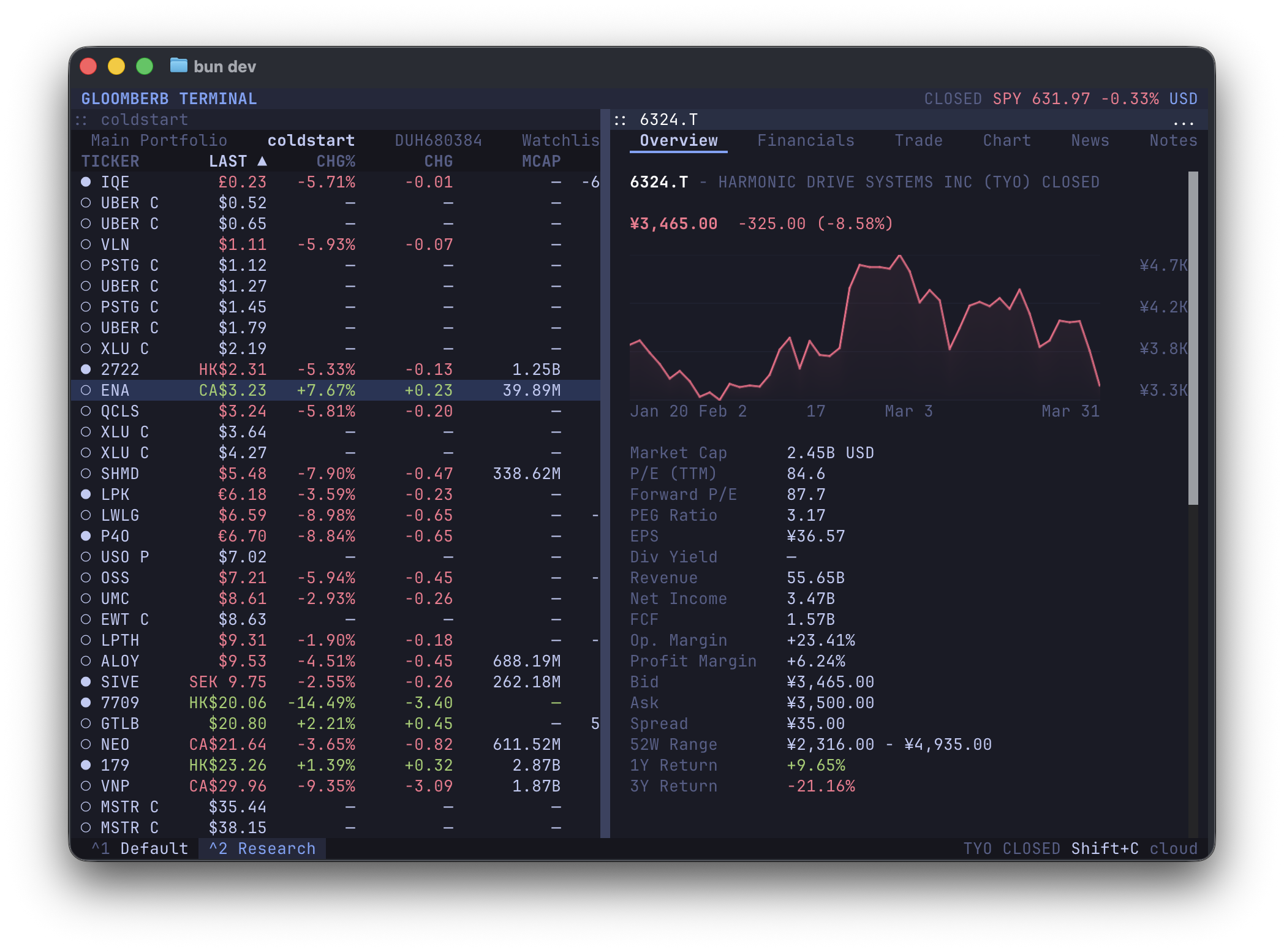
macOS desktop app + terminal command:
brew install --cask vincelwt/tap/gloomberb
# or
curl -fsSL gloomberb.com/install | bash
Both install Gloomberb.app and a gloomberb terminal command that runs the TUI through the app bundle, so the Bun runtime is stored once.
Desktop-only download:
Terminal-only install:
bun install -g gloomberbThen run:
gloomberbOn macOS, app updates replace the app bundle in place and keep the terminal command pointing at the updated bundle. Homebrew users can also update through brew upgrade --cask gloomberb.
For the best terminal experience, use a Kitty-compatible terminal such as Ghostty, Kitty, or WezTerm.
Open command mode with Ctrl+P, then type a command. Press ` to open ticker search directly.
| Try | Opens |
|---|---|
DES AAPL |
Security details |
GP NVDA |
Price chart |
TOP |
Ranked market stories |
MOST |
Market movers |
PF |
Portfolios and watchlists |
HELP |
Full in-app shortcut list |
- Research companies with quotes, charts, financials, filings, holders, insiders, options, analyst ratings, events, and relative valuation.
- Follow markets with top stories, breaking news, sector feeds, Substack subscriptions, global indices, FX, macro events, yield curves, market movers, and fear/greed.
- Track portfolios and watchlists, connect brokers, set alerts, keep notes, run AI screens, browse prediction markets, and use Gloom Cloud chat.
Running gloomberb with no arguments launches the terminal UI. Normal commands run through a headless CLI path; use gloomberb launch-ui when a script should explicitly open the UI.
Human-readable output is the default. Automation can opt into structured output with --json, --csv, or --ndjson. JSON output favors the richest fetched model available and includes display-column metadata when a command has table columns; CSV and NDJSON use the command's tabular row view. Common global flags include --limit, --refresh, --quiet, --no-color, --dry-run, and --yes.
| Command | Use |
|---|---|
gloomberb |
Launch the terminal UI |
gloomberb launch-ui |
Explicitly launch the terminal UI |
gloomberb help |
Show all CLI commands |
| `gloomberb api list | get |
gloomberb quote <symbols> |
Fetch current quotes |
gloomberb search <query> / provider-search <query> |
Search tickers and provider symbols |
gloomberb ticker <symbol> |
Show quote, ownership, and financials |
| `gloomberb history | financials |
| `gloomberb news | filings |
| `gloomberb movers | indices |
| `gloomberb econ | fred |
| `gloomberb compare | correlation |
gloomberb portfolio [action] |
Manage manual portfolios |
gloomberb watchlist [action] |
Manage watchlists |
| `gloomberb notes | alerts [action]` |
| `gloomberb broker | ibkr [action]` |
| `gloomberb ai providers | ask |
gloomberb rss fetch <url> |
Fetch an RSS feed |
| `gloomberb buildout | congress |
gloomberb provider status |
Inspect enabled data providers |
| `gloomberb config | cache |
gloomberb fn [...] |
Run a pane-backed report command |
gloomberb shot [...] |
Capture a pane-backed screenshot |
gloomberb predictions [...] |
Launch Prediction Markets |
gloomberb plugins |
List installed plugins |
gloomberb install <user/repo> |
Install a plugin from GitHub |
gloomberb remove <name> |
Remove an installed plugin |
gloomberb update [name] |
Update plugins |
Commands that need a signed-in cloud session may return auth_required; sign-in, account management, and chat workflows are still handled in the app UI for now.
Everything from the portfolio list to broker integrations is a plugin. Plugins can add panes, tabs, columns, command bar commands, CLI commands, status bar widgets, and data providers.
Core plugin areas include:
- Portfolios, watchlists, manual entry, and broker connections
- Ticker details, quotes, charts, options, filings, holders, insiders, and research
- News, Substack reader feeds, market movers, global indices, sectors, FX, earnings, macro data, and yield curves
- Prediction markets, alerts, notes, chat, AI screeners, and external plugins
See PLUGINS.md for the plugin API and the shared UI surface available through gloomberb/components.
| Key | Action |
|---|---|
Ctrl+P |
Open command mode |
` |
Open ticker search |
Ctrl+, |
Open focused pane settings |
Ctrl+W |
Close focused pane |
Ctrl+Shift+M |
Move focused window (WIN resize starts resize mode) |
Ctrl+Shift+D |
Dock or float focused pane |
Ctrl+Shift+L |
Layout actions |
Ctrl+Shift+G |
Gridlock all windows |
Tab |
Switch panes |
j / k |
Navigate lists |
h / l |
Switch tabs |
m |
Cycle chart mode |
q |
Quit |
Desktop builds also accept Cmd/Ctrl+K for the command bar, the matching Cmd shortcuts on macOS, Cmd/Ctrl+Shift+O to pop out a pane, and Cmd/Ctrl+Shift+C to copy a focused pane screenshot.
Use HELP inside Gloomberb for the live shortcut list. The common command-bar prefixes are listed here for quick scanning.
| Shortcut | Function |
|---|---|
DES <ticker> / T <ticker> |
Security details for a ticker |
FA <ticker> |
Financial statement view |
GP <ticker> |
Price chart |
GIP <ticker> |
Intraday price chart |
HP <ticker> |
Historical OHLCV prices |
GF <tickers> |
Fundamental statement graph |
GE <tickers> |
Valuation multiple graph |
GR <tickers> |
Security relationship graph |
EE <ticker> |
Events view with earnings and revenue estimates |
EM [tickers] |
Earnings monitor |
SRCH <query> |
Provider symbol search |
QQ <tickers> |
Ticker quote monitor |
CMP <tickers> |
Ticker charts |
CORR <tickers> |
Ticker return correlations |
ANR <ticker> |
Analyst targets and ratings |
SEC <ticker> |
SEC filings and company disclosures |
OMON <ticker> |
Options monitor |
HDS <ticker> |
Institutional holders |
13F [fund/ticker/CIK] |
13F fund filings and holdings |
INS <ticker> |
Insider activity |
EVT <ticker> |
Corporate actions, earnings, and estimates |
RV <tickers> |
Relative valuation |
| Shortcut | Function |
|---|---|
TOP |
Ranked market stories |
MOST |
Top gainers, losers, most active, and trending tickers |
PM <query> |
Polymarket and Kalshi prediction data |
N |
News feed |
CN <ticker> |
Ticker news |
NI |
Sector news |
SUB |
Authenticated Substack reader feed |
FIRST |
Breaking news |
TWIT <query> |
Ticker-related market posts |
TBO |
TheBuildout infrastructure intelligence |
CG |
Congress trading disclosures |
WEI |
Global equity indices |
ECON |
Economic events and releases |
GC |
Yield curve |
ERN |
Earnings calendar |
BI / SP |
S&P 500 sector performance |
FXC |
Major FX cross rates |
FNG |
Fear and greed market gauge |
| Shortcut | Function |
|---|---|
PF |
Portfolio and watchlist workspace |
PORT |
Portfolio risk and sector exposure |
ALRT |
Price alerts |
SA <symbol condition price> |
Create a price alert |
AI <prompt> |
AI screener |
CHAT [channel] |
Gloom Cloud chat |
DM @user [@user...] |
Open or start a direct or group chat |
ACM |
Gloom Cloud account settings |
NOTE |
Notes |
IBKR |
IBKR trading pane |
BR |
Broker connections |
CHG |
Changelog |
HELP |
Open shortcut and layout help |
AW / AP <ticker> |
Add a ticker to the active watchlist or portfolio |
RW / RP <ticker> |
Remove a ticker from the active watchlist or portfolio |
PS |
Open focused pane settings |
LAY <action> |
Open layout actions |
WIN move|resize |
Move or resize the focused window |
GL |
Gridlock all visible panes |
SB |
Toggle the status bar |
VF |
Toggle quote value flashing |
TH <theme> |
Change color theme |
CR |
Cycle chart renderer |
PL <plugin> |
Manage plugins |
MIT
- OpenTUI for the layout engine