

Parnas is an extensible tool to manage configuration parameters that are kept in various storage systems.
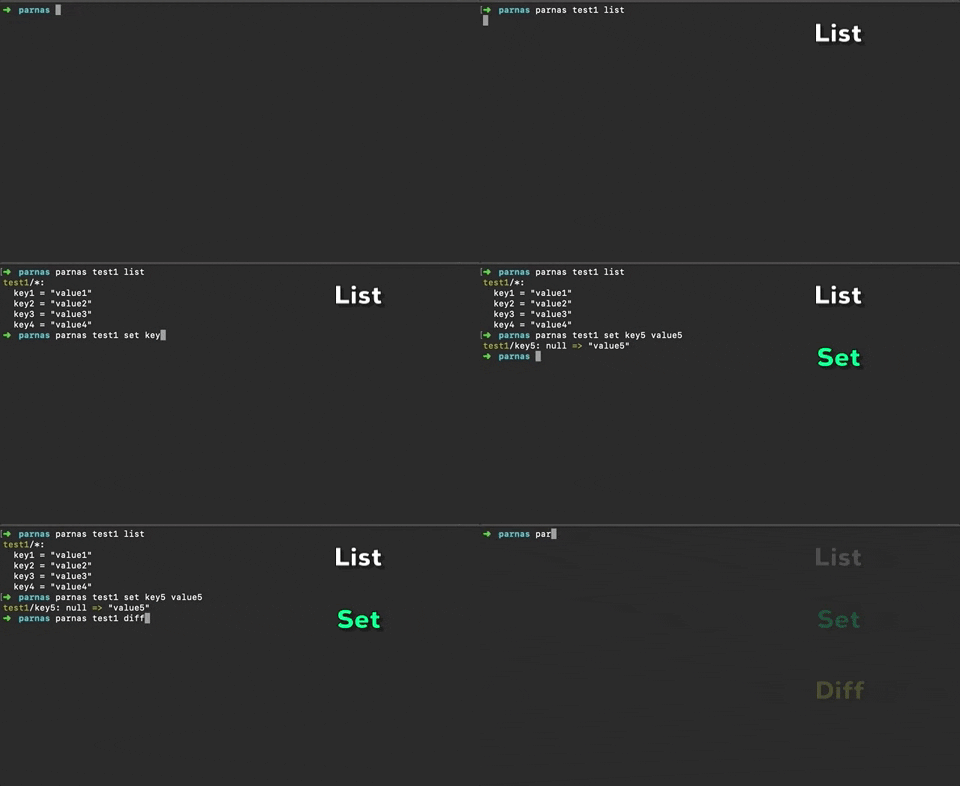
- Files
- TOML
- KeePass (kdbx)
- AWS Parameter Store (ssm)
Getting Parnas up and running is easy: download and run a wrapper script that will check your environment and install the latest suitable Parnas version.
Wrapper script requires java and curl.
Commands to install:
curl -s 'https://raw.githubusercontent.com/sndl/parnas/master/install.sh' -o ./install.sh
chmod +x install.sh && ./install.sh && rm ./install.sh
To finalize installation restart your terminal, and you should be able to use parnas from the command line.
Parnas includes a Claude Code skill that teaches Claude how to use the CLI — commands, storage backends, guardrails for destructive operations, and common workflows.
To install the skill globally on your machine:
parnas install-skill
This writes the skill to ~/.claude/skills/parnas/SKILL.md, making it available across all your projects.
The skill is also included in this repository under .claude/skills/parnas/SKILL.md and is automatically available to anyone working in this project.
To check for newer versions and update:
parnas check-updates
To install a specific version:
parnas install-version v0.2.10
Parnas configuration is stored in an INI file parnas.conf, which default location is assumed to be the current working
directory. If you want to use a different location, pass --config option to the script.
Configuration example:
[storage-name]
    tags = tag1, tag2, tag3
    type = storage-type
    path = local-storage
Where storage-name should be unique per configuration file.
Applicable for any storage:
typepossible values areplain,toml,ssm,keepass. This parameter is required for any storagetagsarbitrary string identifier that can be used for grouping and filtering purposes
Applicable for plain:
pathpath to local file with configuration parameters (required)
Applicable for toml:
pathpath to local file with configuration parameters (required)prefixparameter hierarchy specifier (optional)
Applicable for ssm:
regionAWS region (required)profileAWS Account name (required)prefixparameter hierarchy specifier. In AWS CLI it'spath(optional)kms-key-idKMS key id forSecureStringdatatype (optional)separator-to-replacewhen set then all.in uploaded keys will be replaced with/(optional)
Applicable for keepass:
pathpath to local file with configuration parameters database (required)passwordmaster key forkeepassdatabase (optional)password-from-filekey file forkeepassdatabase (optional)
parnas [OPTIONS...] <STORAGE|TAG> COMMAND [ARGS...]
-c, --config   Location of Parnas configuration file
    --debug    Debug mode
    --version  Show version number and quit
-t, --by-tag   Tag that will be used to filter storage systems
-h, --help     This help text
-o, --output   Preferred output method: "pretty" or "silent"
               Default is "pretty"
get          Get a value by key
set          Set specific value for a specific key, use --value option if you have value containing "="
rm           Remove a parameter by key
list         List all parameters
diff         Print difference between two storages
update-from  Updates all parameters that are not present or differ in this one storage storage to another
destroy      Remove ALL parameters. IMPORTANT! This action cannot be reverted
init         Initialize storage, i.e. create a database file (for "plain", "toml", or "keepass")
-f, --force            Attempt to remove/update parameters without confirmation
                       Supported commands: update-from, destroy, rm, set
    --value            Value of parameter
                       Supported commands: set
-p, --prefix           Parameter hierarchy that is applicable for ssm and toml storages
                       Supported commands: update-from, diff, list
    --permit-destroy   Permit to delete all parameters from storage
                       Supported commands: destroy
    --prevent-destroy  Protect parameters in storage from destroy
                       Supported commands: destroy
Let's take a look at usage of Parnas with the following configuration file parnas.conf
[local1]
    type = plain
    path = local1.properties

[local2]
    tags = non-prod
    type = plain
    path = local2.properties

[local3]
    type = toml
    path = local3.toml

[keepass1]
    tags = non-prod
    type = keepass
    path = keepass1.kdbx
    password = somepassword

[ssm1]
    tags = prod
    type = ssm
    region = eu-west-1
    profile = sandbox
    prefix = /sndl/parnas/test
    kms-key-id = 111a1aa1-a11a-1a1a-1aa1-1111111111a1
    separator-to-replace = .
List all parameters:
parnas local1 list
List all parameters by a prefix:
parnas local1 list --prefix /prefix/example/
Set a parameter:
parnas local1 set newParamName newParamValue
or
parnas local1 set newParamName --value newParamValue
Get a parameter:
parnas local1 get newParamName
Update parameters from one storage to another:
parnas ssm1 update-from local2
or
parnas ssm1 update-from local2 --force --silent
Remove parameter:
parnas local1 rm newParamName
Diff between parameters in two storages:
parnas keepass1 diff ssm1
Remove ALL parameters in a storage, must pass --permit-destroy flag for command to succeed:
parnas local1 destroy --permit-destroy
Set parameter in multiple storages with the same tag:
parnas --by-tag non-prod set newParamName2 newParamValue2
Config validation(Implemented)Sync parameters from one storage to another(Implemented)Secure config file or think about providing credentials a different way(Implemented)Support tags and add ability to set parameters to multiple storages simultaneously(Implemented)Use GraalVM to build executable(Not Implemented: due to problems with reflection)- Suppport Consul storage
- Add JSON output
- Add daemon mode and thin client in order to reuse SSM or any other remote storage connections