




This project is about building a web application to translate languages using language translator API from external services like Libre Translate. Here you will be able to translate between multiple languages and whenever you type something it will be automatically translated in the side panel. To use the app, choose the source language and target language from select options and then type anything in the text area and it will automatically translate it to the targeted language.

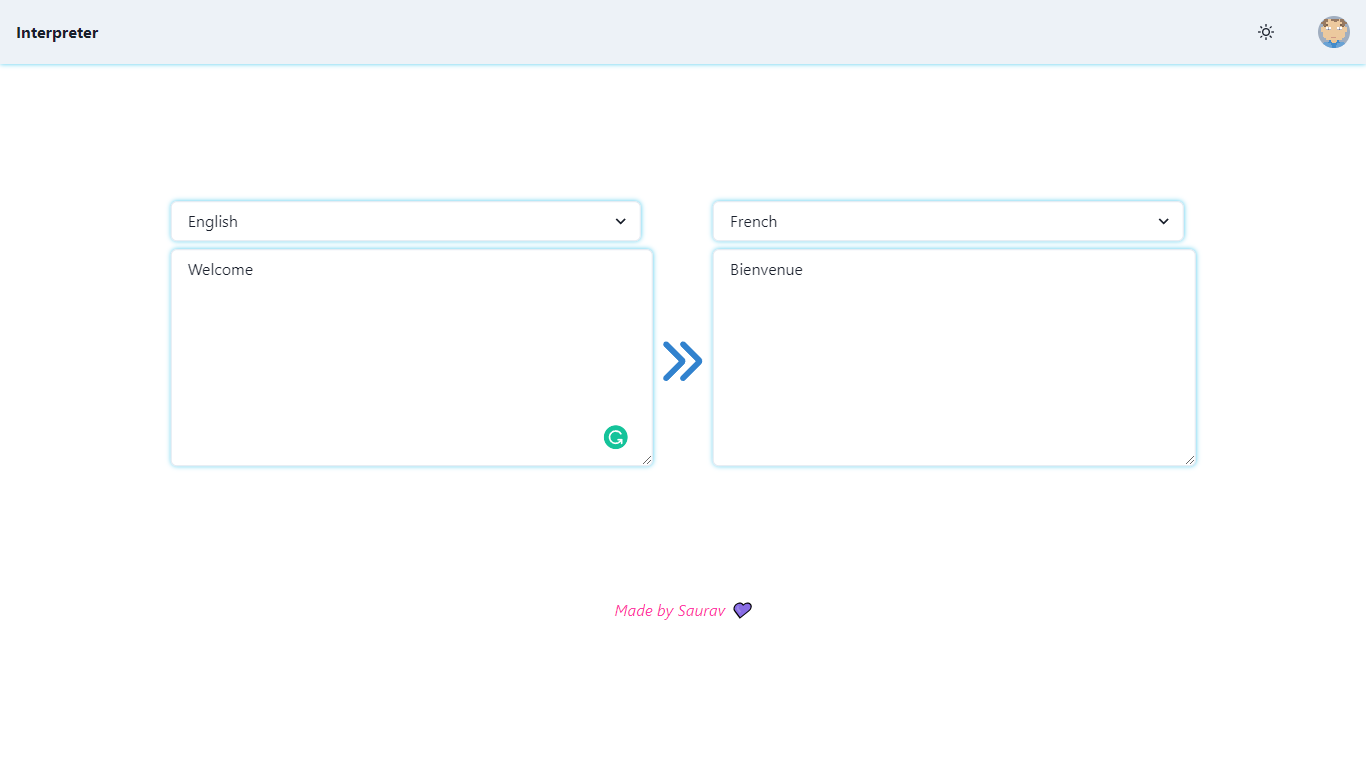
- Translate automatically without clicking on any button
- Throttle is used to avoid sending unnecessary network requests
- Responsive for all screen sizes
This project was built using React, Rest API, JavaScript and CSS. It is a web application and for running on your local environment you should follow these guidelines.
- NPM
The project repository can be found in GitHub link or just clone the project using this command.
Using HTTPS

# git clone  https://github.com/sauravbarnwal9/Translator.git
- Open terminal on your workspace with
cd /home/workspace/Translator
Install NPM
Check that you have node and npm installed
To check if you have Node.js installed, run this command in your terminal:
node -v
To confirm that you have npm installed you can run this command in your terminal:
npm -v
To install all the dependences of the project, run the following command:
npm install
To run the application, run the following command:
npm run dev
- Visual Studio Code
- Vite Js React Template
If you want to contact me, you can reach me through below handles.


© 2022 Saurav Barnwal
Give a ⭐️ if you like this project!