2. Components Required
A quick overview of what you'll need before starting your PSPi 6 build.
The PSPi 6 is designed exclusively for the original PSP 1000 series. It replaces the motherboard inside, so you'll need a donor PSP to source the shell and other reusable components.

-
PSP 1000 Series Only
- Compatible with original fat PSP 1000 series
- Includes models: PSP-1000, 1001, 1002, etc.
-
NOT compatible with:
- 2000 series
- 3000 series
- E1000 series
You'll reuse the following parts from your donor PSP:
- Shell - Front and back casing. Genuine PSP shells are recommended as aftermarket versions tend to be lower quality.
- LCD Bracket - Metal bracket that holds the LCD and retains the back cover.
- Control Panel - Located on the LCD bracket, includes the Display, Mute, and Volume buttons.
- Power Board - Houses the power switch and LEDs on the right side of the shell.
- D-pad - The directional pad assembly.
- Button Membranes - Rubber membranes under the buttons.
- Shoulder Buttons and Membrane - The L and R trigger buttons.
- Internal Speakers - The original PSP speakers.
- Joystick and Rubber Interface - The analog stick and the rubber interface underneath.
- WiFi Antenna - The stock PSP WiFi antenna is compatible with CM4.
It's best to buy a complete broken PSP 1000. The motherboard and LCD will be replaced anyway, so they can be broken or defective.
The following Raspberry Pi models fit directly into the PSP shell:
| Raspberry Pi Zero | Raspberry Pi Zero W | Raspberry Pi Zero 2W |
|---|---|---|
 |
 |
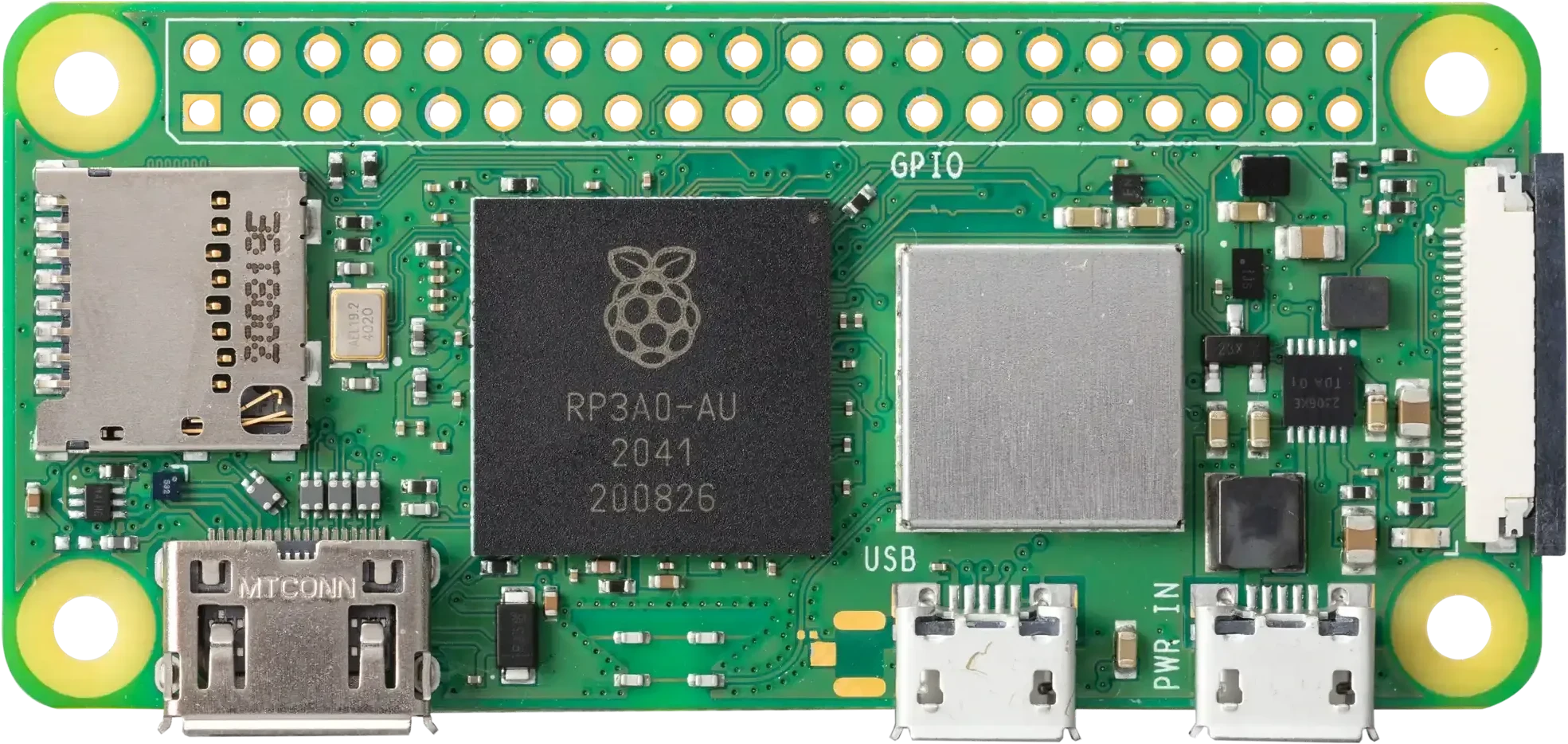 |
Pi 3 and 4 are electrically compatible with the PSPi 6 board but physically too large to fit inside the PSP shell. Pi 5 is also pin-compatible, but not recommended because of power requirements.
- Slightly faster bootup
- Fixed storage size (no flexibility)
- Cannot use SD card
- Uses SD cards for storage
Both require the CM4 Carrier board for installation.
- For Emulation: Any RAM amount is likely sufficient for retro gaming.
- For Full Operating Systems: At least 4GB RAM on CM4 is recommended, with more being better for multitasking and heavier applications.
| Feature | Pi Zero | Zero 2W | CM4 |
|---|---|---|---|
| Gaming | 16-bit era games well, struggles with PS1/N64 | Smooth 16-bit, many PS1 games play well | Wider emulation compatibility, plays PS1 and many PSP games |
| Battery Life | 4-18 hours depending on usage | 3-12 hours depending on screen brightness | 2-4 hours normally, up to 6 hours in some cases |
The Pi Zero 2W is my personal favorite, balancing performance and battery life well.
The main board of the project.
- Order from: othermod.com
The board uses a standard JST PH 2.0mm connector for 3.7V LiPo batteries.
- Order from: othermod.com
The PSPi 6 uses an aftermarket 4.3" 800×480 LCD driven directly from the Raspberry Pi's GPIO pins. The original PSP LCD is not compatible due to pinout and resolution differences.
- Order from: othermod.com
This adapter board lets you use a Compute Module 4 in your PSPi 6. It provides a solder-free setup for CM4 installation.
- Order from: othermod.com
This board enables headphone use with the PSPi 6. It uses pogo pins to make contact with the PSPi 6 mainboard, so no soldering or wiring is required.
- Order from: othermod.com