
Here -> https://github.com/k-m-irfan/simplified_mediapipe_face_landmarks, I tried to isolate and simplify face landmarks for selecting points around specific facial features (eyes, iris, eyebrows, lips, and face boundary). But there's an easier way to do it. We can use the connections argument of the draw_landmarks function of drawing_utils. We can even manually list the points of interest here to make a mesh.
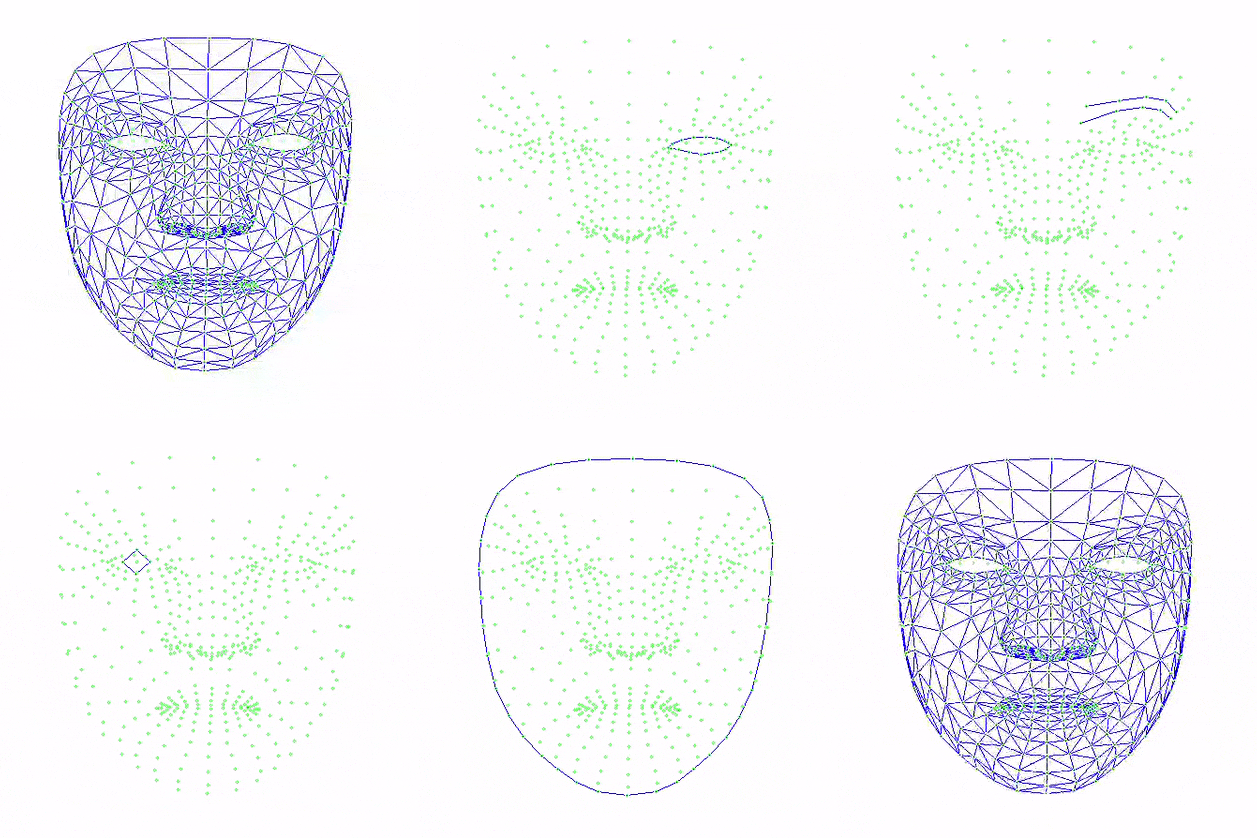

-
For Lips:
mp.solutions.face_mesh_connections.FACEMESH_LIPS -
Left Eye:
mp.solutions.face_mesh_connections.FACEMESH_LEFT_EYE -
Left Iris:
mp.solutions.face_mesh_connections.FACEMESH_LEFT_IRIS -
Left Eyebrow:
mp.solutions.face_mesh_connections.FACEMESH_LEFT_EYEBROW -
Right Eye:
mp.solutions.face_mesh_connections.FACEMESH_RIGHT_EYE -
Right Iris:
mp.solutions.face_mesh_connections.FACEMESH_RIGHT_IRIS -
Right Eyebrow:
mp.solutions.face_mesh_connections.FACEMESH_RIGHT_EYEBROW -
Face Boundary:
mp.solutions.face_mesh_connections.FACEMESH_FACE_OVAL -
Full face mesh:
mp.solutions.face_mesh_connections.FACEMESH_TESSELATION
- python version 3.9.7
- opncv-python version = 4.5.4.6
- mediapipe version = 0.8.9.1