


This work is licensed under a Creative Commons Attribution 4.0 International License.
| Image Dataset Pipeline | Text Dataset Pipeline |
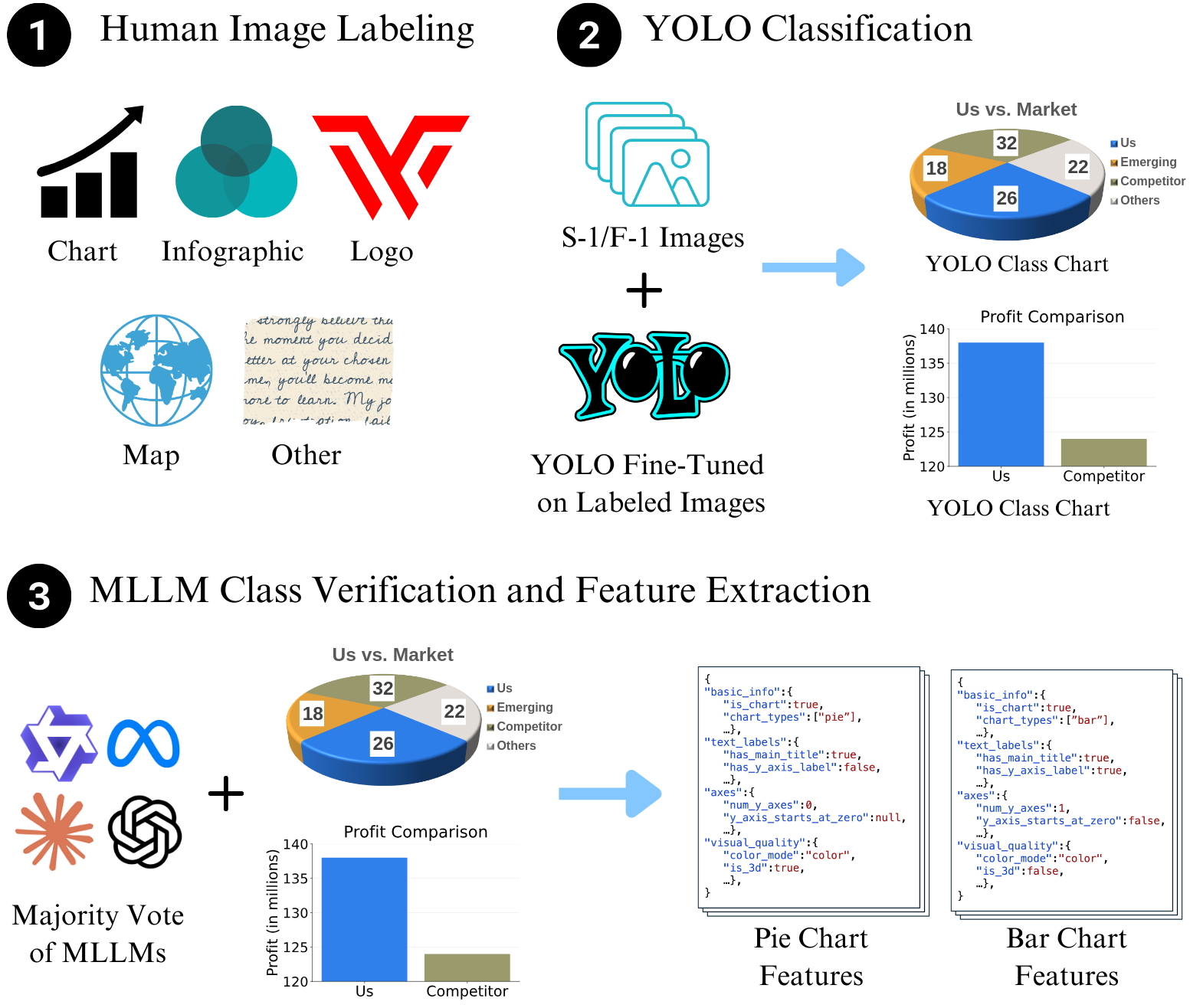
|
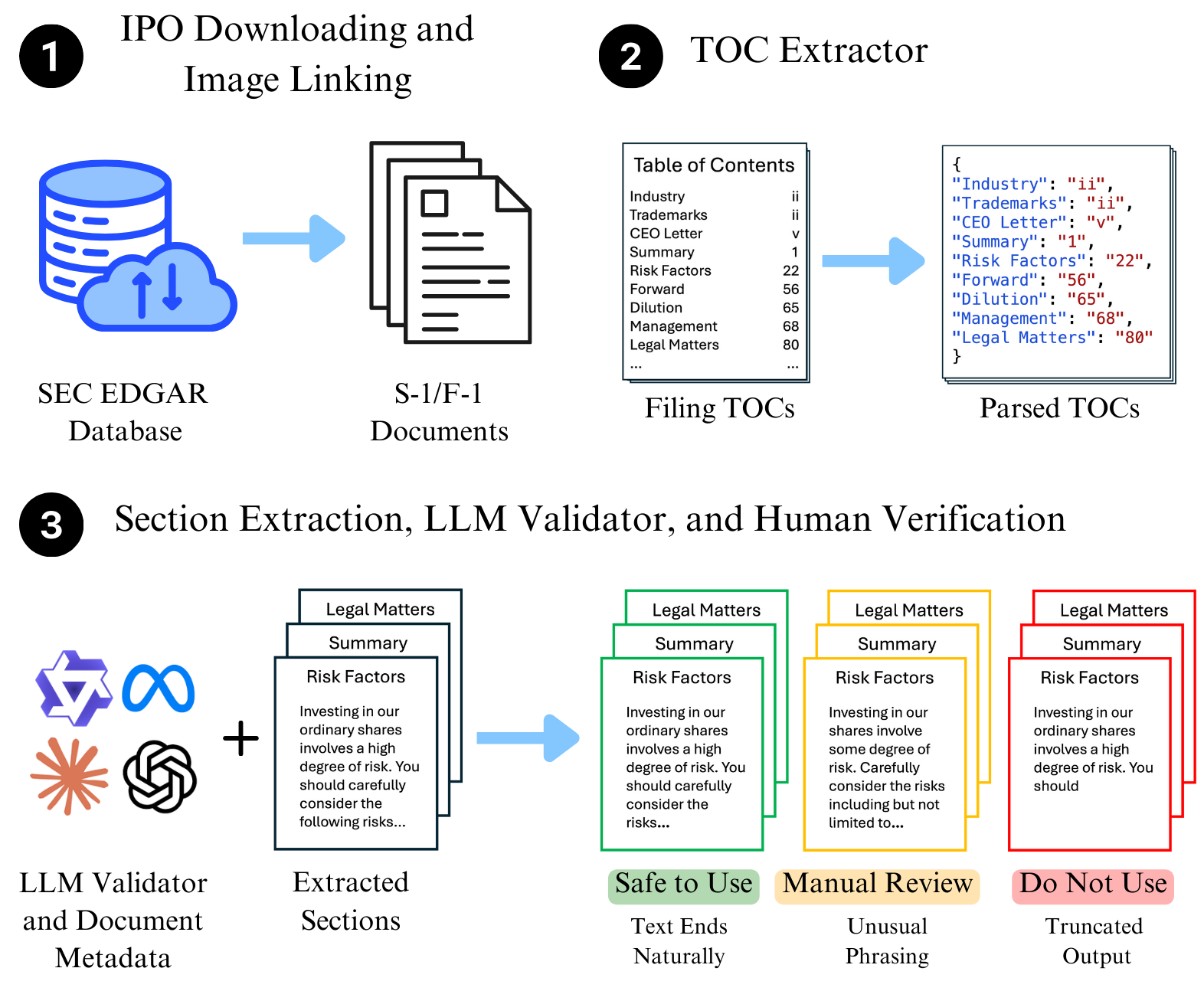
|
pip install ipo-minefrom download import IPODownloader, Company
downloader = IPODownloader(
email="example@gmail.com",
company="Your Example Organization"
)
company = Company.from_ticker("SNOW")
company_filings = downloader.download_ipo(
company,
limit=1,
save_filing=True,
save_images=False,
verbose=True
)
filing = company_filings.filings[0]results = parser.parse_company(
ticker="SNOW",
validate=False
)You can use the command-line interface to download and parse filings without writing Python code.
Download the latest S-1 filing for a company:
ipo-mine download SNOW --email your@email.com --org "Your Org"Options:
--limit N: Download previous N filings (default: 1)--images: Download and extract images from the filing--all: Download all available IPO filings for the ticker
Parse a downloaded filing into section-specific files:
ipo-mine parse SNOWOptions:
--validate: Enable LLM-based validation of extracted sections--provider: LLM provider (anthropic, openai, google, huggingface)--mode: Validation mode (binary, likert)
Run LLM validation on existing parsed text files to check for truncation or completeness.
ipo-mine validate SNOW --provider anthropicYou can choose from the following providers (requires API keys):
| Provider | Argument | Env Variable |
|---|---|---|
| Anthropic (Claude) | --provider anthropic |
ANTHROPIC_API_KEY |
| OpenAI (GPT-4o) | --provider openai |
OPENAI_API_KEY |
| Google (Gemini) | --provider google |
GOOGLE_API_KEY |
| HuggingFace | --provider huggingface |
HUGGINGFACE_API_KEY |
- Binary (
--mode binary): Returns "Yes" (Valid) or "No" (Truncated/Incomplete). Default. - Likert (
--mode likert): Returns a confidence score from 1 (Incomplete) to 5 (Complete).
The CLI will look for API keys in this order:
- Command Line Argument:
--api-key "sk-..." - Environment Variable: e.g.,
export OPENAI_API_KEY="sk-..." - Interactive Prompt: If neither is found, the CLI will securely prompt you to enter the key (input is hidden).
Validate using OpenAI with Likert scale:
ipo-mine validate TSLA --provider openai --mode likertValidate using Google Gemini with explicit key:
ipo-mine validate TSLA --provider google --api-key "your-api-key"- The SEC requires a descriptive User-Agent. Provide a real organization name and your email.
download_iporeturns aCompanyFilingsobject; usecompany_filings.filings[0]to pass aFilinginto the parser.- The parser automatically chooses HTML or text parsing based on the filing URL.