Appointments
- President
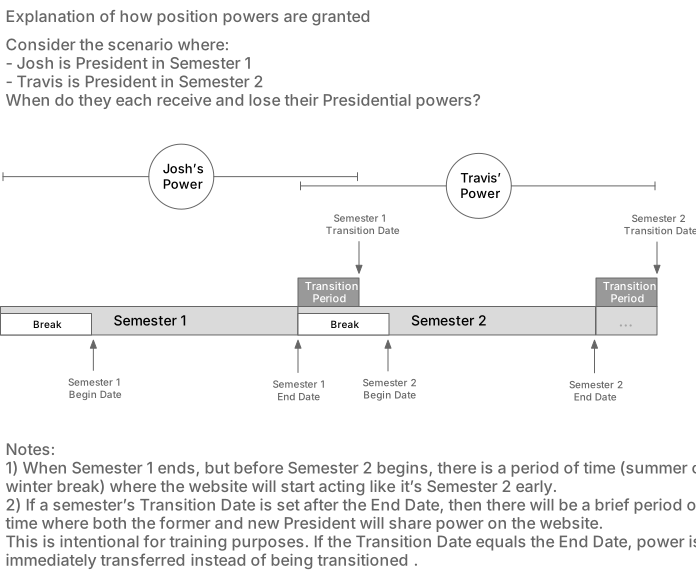
A member in the president position will have access to the appointments page. To gain presidential powers, first, the president of the current semester must appoint a member as the president for the next semester. The drop-down at the top-left of the appointments page can be used to change the semester. Once this is done, the new president will have to wait until the semester transition date specified on the semesters page. During this time, both the current and future appointments will simultaneously have their permissions in order to make transitioning and training easier. The current appointments will end once the semester end date has passed.
With access, the current president can appoint a member to each position by selecting them from the corresponding drop-downs. Each appointment is automatically saved upon selection, and each appointment can be removed by clicking the red button next to their name.