This repository contains a Node.js project that defines an Express API. You'll secure this API with Auth0 to practice making secure API calls from a client application.
Install the client project dependencies:
npm installCreate .env file under the project directory:
touch .envPopulate .env as follows:
SERVER_PORT=6060
CLIENT_ORIGIN_URL=http://localhost:4040
AUTH0_AUDIENCE=
AUTH0_DOMAIN=
Get the values for AUTH0_AUDIENCE and AUTH0_DOMAIN from your Auth0 API in the Dashboard.
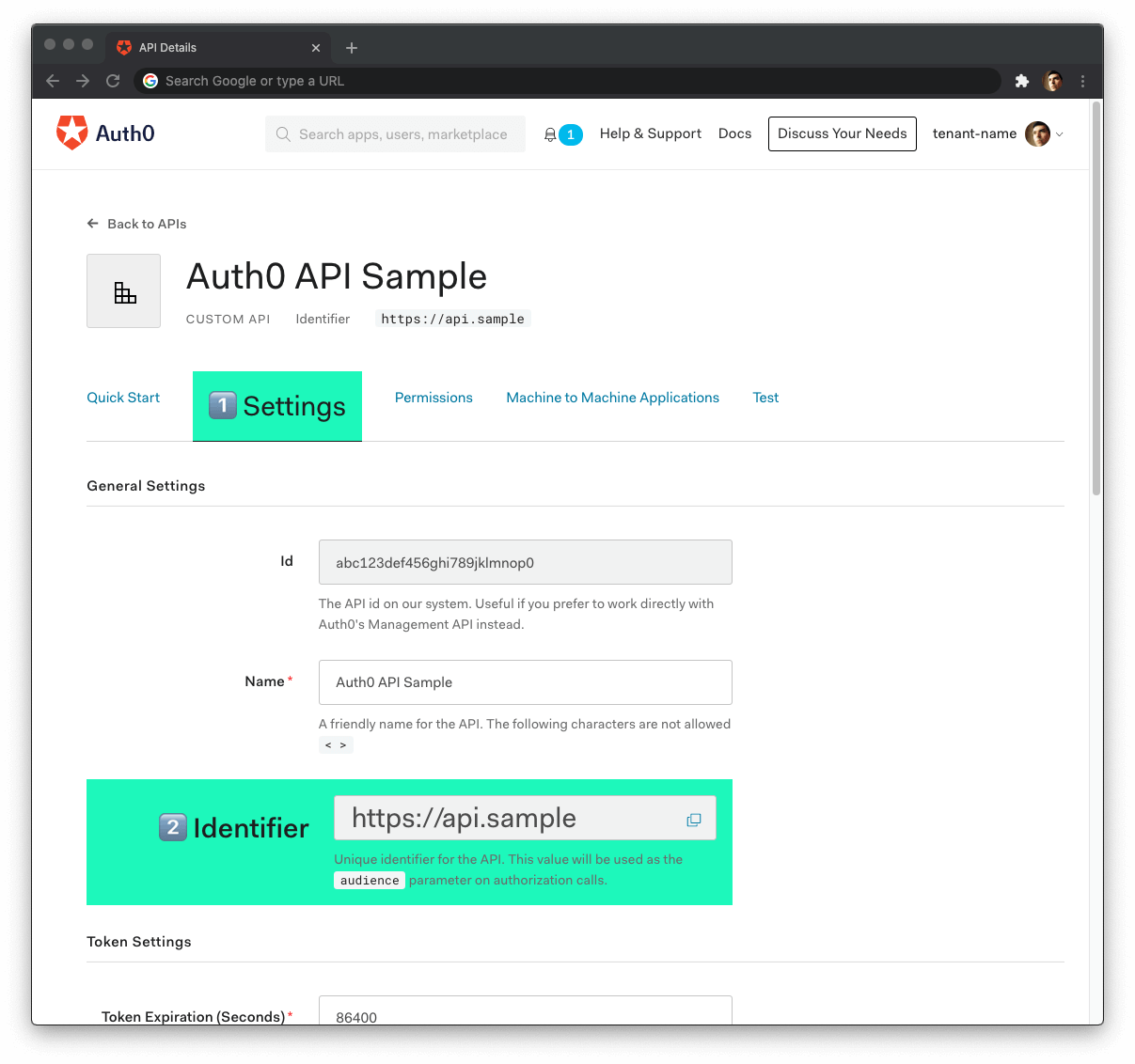
Head back to your Auth0 API page, and follow these steps to get the Auth0 Audience:
-
Click on the "Settings" tab.
-
Locate the "Identifier" field and copy its value.
-
Paste the "Identifier" value as the value of
AUTH0_AUDIENCEin.env.
Now, follow these steps to get the Auth0 Domain value:
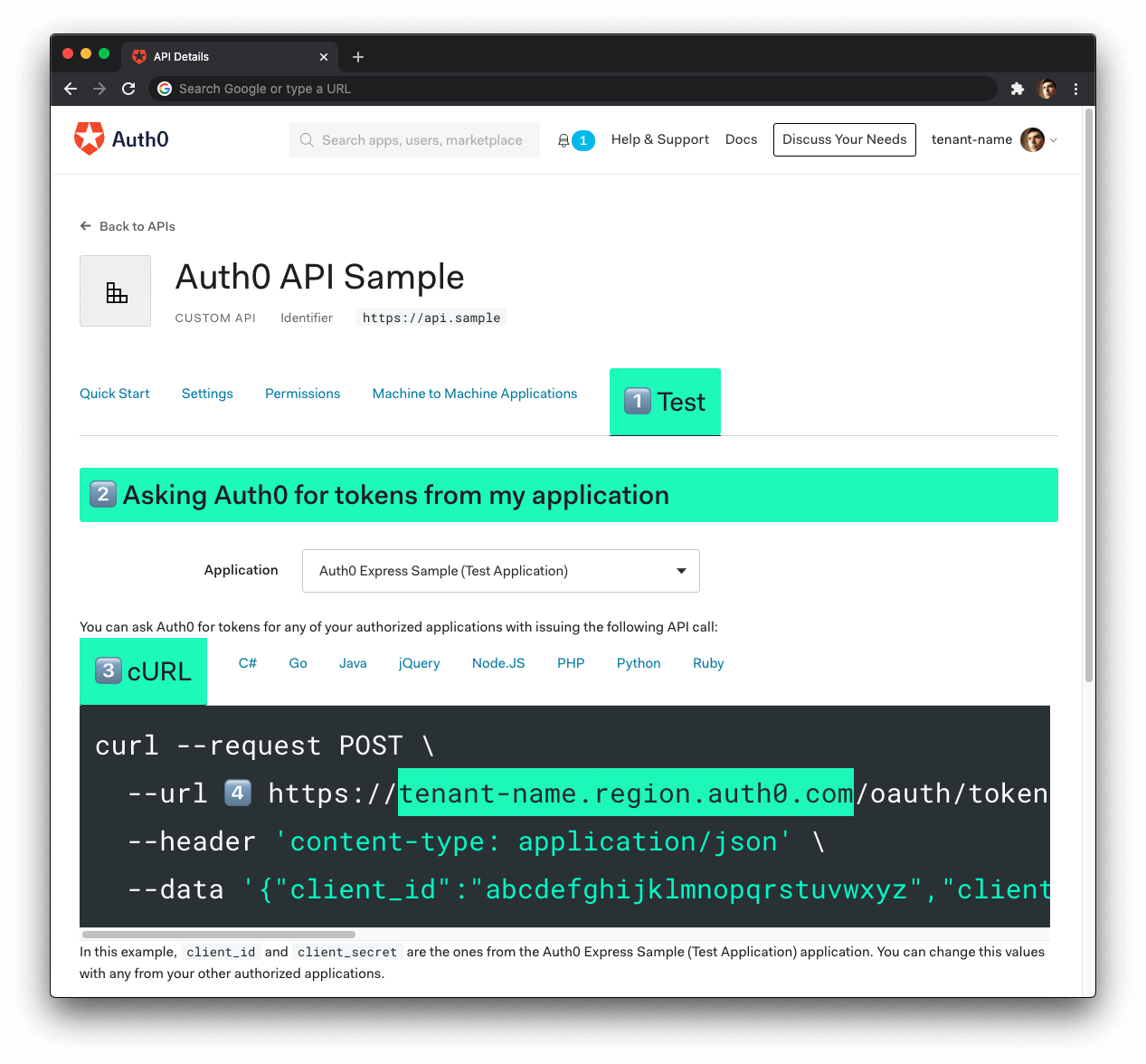
- Click on the "Test" tab.
- Locate the section called "Asking Auth0 for tokens from my application".
- Click on the cURL tab to show a mock
POSTrequest. - Copy your Auth0 domain, which is part of the
--urlparameter value:tenant-name.region.auth0.com. - Paste the Auth0 domain value as the value of
AUTH0_DOMAINin.env.
Tips to get the Auth0 Domain
-
The Auth0 Domain is the substring between the protocol,
https://and the path/oauth/token. -
The Auth0 Domain follows this pattern:
tenant-name.region.auth0.com. -
The
regionsubdomain (au,us, oreu) is optional. Some Auth0 Domains don't have it. -
Click on the image above, please, if you have any doubt on how to get the Auth0 Domain value.
With the .env configuration values set, run the API server by issuing the following command:
npm start