
ℹ A Command-Line Utility Tool for Installing Mods from Mod Workshop
With the new addition of the Modworkshop.net API. I am in the process of cleaning up the code to implement these new additions (removes the tedious web scraping, YES!). This will be in the form of a version 2. View the Development Branch Here
mkdir "C:\Program Files (x86)\Modworkshop-DL"
setx PATH "C:\Program Files (x86)\Modworkshop-DL;%PATH%"
curl https://github.com/WillKirkmanM/modworkshop-dl/releases/download/v1.5.0/modworkshop-dl.exe -o "C:\Program Files (x86)\Modworkshop-DL\modworkshop-dl.exe"
powershellmkdir "C:\Program Files (x86)\Modworkshop-DL";setx PATH "C:\Program Files (x86)\Modworkshop-DL;%PATH%";curl https://github.com/WillKirkmanM/modworkshop-dl/releases/download/v1.5.0/modworkshop-dl.exe -o "C:\Program Files (x86)\Modworkshop-DL\modworkshop-dl.exe";echo "";echo "Installed! Run the Command 'modworkshop-dl --help'";echo "";echo "Restarting Terminal";echo "";powershell- Run the tool with the
searchflag followed by your query
$ modworkshop-dl --search low violence mode
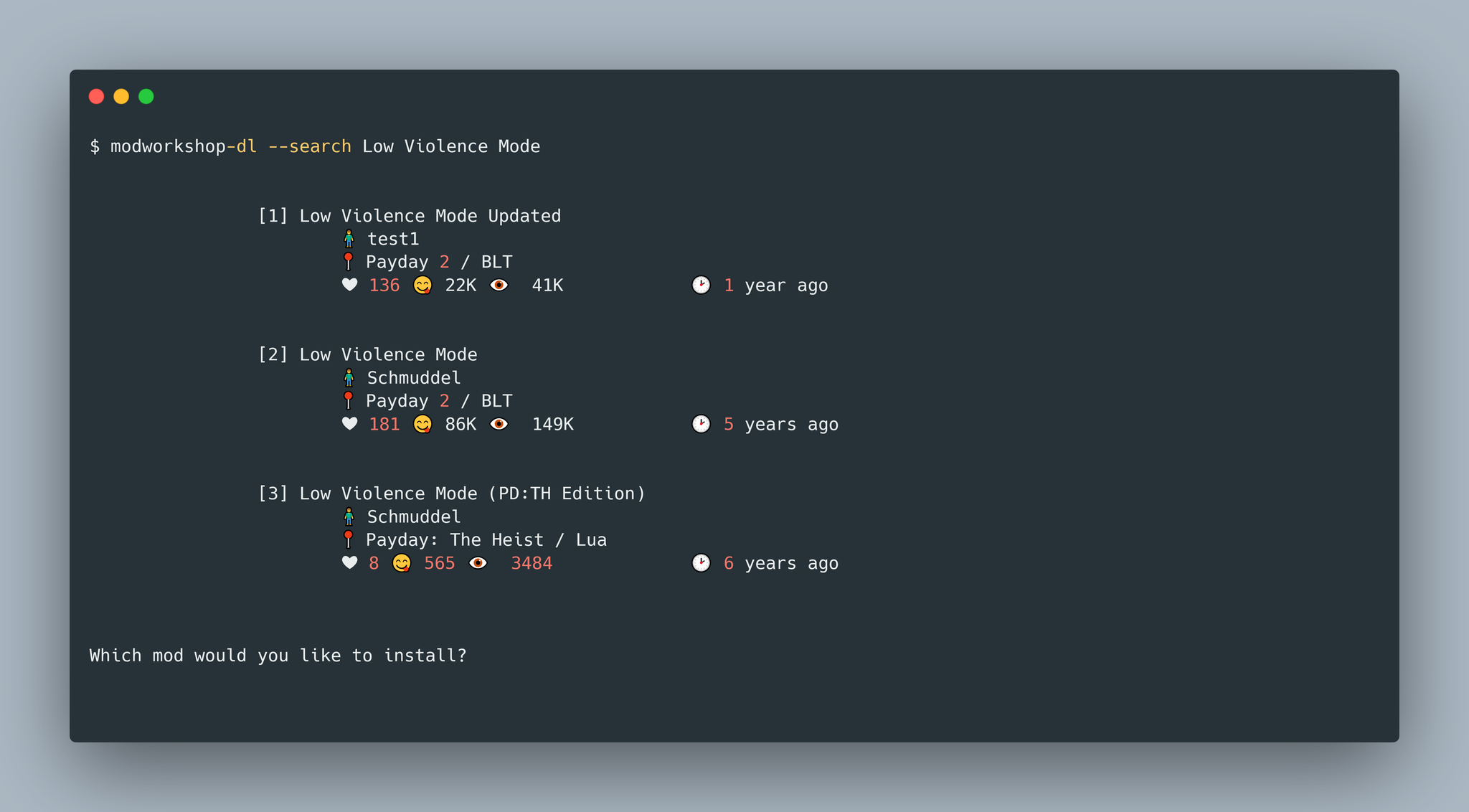
- From the list of mods returned, write the index of the mod you would like to download (The mod will now be downloaded into your mods folder)
- Launch
PAYDAY 2!
- Run the tool with the
installflag followed by the link to the mod (The mod will now be downloaded into your mods folder)
$ modworkshop-dl --install https://modworkshop.net/mod/25629
- Launch
PAYDAY 2!
- Create / Open the
modlist.txtfile (In the same directory as the executable). - Paste the desired mods in the "
Mods" header - Paste the desired assets in the "
Assets" header - Start the tool
$ modworkshop-dl --file modlist.txt
- Launch
PAYDAY 2!
Below is an example of the mod list text file that you will be supplied with the --file flag. Note that the mods links are under the Mods header and the assets links are below the Assets header.
# modlist.txt
Mods
https://modworkshop.net/mod/40265
https://modworkshop.net/mod/40992
https://modworkshop.net/mod/41000

Assets
https://modworkshop.net/mod/41001
https://modworkshop.net/mod/40586
See the usage by running:
$ modworkshop-dl --help
Modworkshop-dl allows for installing mods with ease.

usage: modworkshop-dl [<command>] [<argument>]

The following commands are available:
search, S                       The mod to search                               [-S <Name>]
file, f                         The text file containing the mods               [-f <File>]
install, I                      The Link / ModID To Be Installed                [-I <Link / ModID>]
help, h                         Display this Help Message                       [-h]
version, v                      Display the Current Version                     [-v]
update, u                       Update Modworkshop-DL                           [-u]
installSBLT, is                 Install SuperBLT                                [-is]
| Game | Windows | Mac | Linux | Mod Install Path |
|---|---|---|---|---|
| Payday 2 | 🟩 | 🟥 | 🟥 | 🟩 |
| Noita | 🟩 | 🟥 | 🟥 | 🟩 |
| Enter the Gungeon | 🟩 | 🟥 | 🟥 | 🟩 |
| Payday: The Heist | 🟩 | 🟥 | 🟥 | 🟩 |
| Final Fantasy XV | 🟩 | 🟥 | 🟥 | 🟥 |
| Stolen Realm | 🟩 | 🟥 | 🟥 | 🟥 |
| RAID: World War II | 🟩 | 🟥 | 🟥 | 🟥 |
| Aurora | 🟩 | 🟥 | 🟥 | 🟥 |
| Zuma | 🟩 | 🟥 | 🟥 | 🟥 |
| Luxor | 🟩 | 🟥 | 🟥 | 🟥 |
| VRChat | 🟩 | 🟥 | 🟥 | 🟩 |
| Left 4 Dead 2 | 🟩 | 🟥 | 🟥 | 🟩 |
| Hitman 3 | 🟩 | 🟥 | 🟥 | 🟥 |
| Monster Sanctuary | 🟩 | 🟥 | 🟥 | 🟩 |
| Fallout 4 | 🟩 | 🟥 | 🟥 | 🟩 |
| Teardown | 🟩 | 🟥 | 🟥 | 🟩 |
| Black Mesa | 🟩 | 🟥 | 🟥 | 🟥 |
| Yakuza Kiwami 2 | 🟩 | 🟥 | 🟥 | 🟥 |
| Hotline Miami 2: Wrong Number | 🟩 | 🟥 | 🟥 | 🟩 |
| Friday Night Funkin' | 🟩 | 🟥 | 🟥 | 🟥 |
| Hotdogs, Horseshoes & Hand Grenades | 🟩 | 🟥 | 🟥 | 🟥 |
| Yakuza Kiwami 1 | 🟩 | 🟥 | 🟥 | 🟥 |
| 100% Orange Juice | 🟩 | 🟥 | 🟥 | 🟩 |
| Hyperdimension Neptunia Re;Birth2 | 🟩 | 🟥 | 🟥 | 🟥 |
| Non-games / Plugins | 🟩 | 🟥 | 🟥 | 🟥 |
| Yakuza 0 | 🟩 | 🟥 | 🟥 | 🟥 |
| One Step From Eden | 🟩 | 🟥 | 🟥 | 🟥 |
| OVERKILL's The Walking Dead | 🟩 | 🟥 | 🟥 | 🟥 |
| The Elder Scrolls V: Skyrim - Legendary Edition | 🟩 | 🟥 | 🟥 | 🟩 |
| SCP: Containment Breach | 🟩 | 🟥 | 🟥 | 🟥 |
| Fallout: New Vegas | 🟩 | 🟥 | 🟥 | 🟩 |
| OneShot | 🟩 | 🟥 | 🟥 | 🟥 |
| SteamVR | 🟩 | 🟥 | 🟥 | 🟩 |
| Criminal Girls: Invite Only | 🟩 | 🟥 | 🟥 | 🟥 |
| Gal*Gun: Double Peace | 🟩 | 🟥 | 🟥 | 🟩 |
| Warhammer: End Times - Vermintide | 🟩 | 🟥 | 🟥 | 🟩 |
| Tales of Berseria | 🟩 | 🟥 | 🟥 | 🟥 |
| Team Fortress 2 | 🟩 | 🟥 | 🟥 | 🟥 |
| Hyperdimension Neptunia Re;Birth3 | 🟩 | 🟥 | 🟥 | 🟥 |
| Hyperdimension Neptunia Re;Birth1 | 🟩 | 🟥 | 🟥 | 🟥 |
| Metal Gear Solid V: The Phantom Pain | 🟩 | 🟥 | 🟥 | 🟥 |
| Skyrim Special Edition | 🟩 | 🟥 | 🟥 | 🟥 |
| Forspoken | 🟩 | 🟥 | 🟥 | 🟥 |
A Red Square (🟥) in the Mod Install Path section of the table indicates the mod will be downloaded and unzipped in the current directory of the terminal.
To build the files, run the command:
$ go build
If the above does not work try the command:
$ go install
To Test the Tool, Run the command:
$ go test
If you would like code coverage, run:
$ go test -cover
- Web Scraping with Colly
- Downloading with Grab
- Interactive Terminal with Uilive
- Unarchiving .zip / .rar / .tar with Archiver v3
- The "Fundahmentals" of Golang ⏩
- Command Line Tooling (How they are made) 💿
- Web Scraping ✨
- As a person with OCD. Never write all of your code in one file, You'll go Crazy.