Stream247 can either:
- Loop a public or unlisted YouTube playlist or single video as a 24/7 livestream, or
- Relay any Twitch channel (or direct .m3u8 HLS URL) to your target ingest.
All outputs go to virtually any RTMP/RTMPS ingest: YouTube Live, Twitch, Facebook Live, Owncast, Restream, custom Nginx-RTMP, and more. Stream247 automatically selects the best encoder available (NVENC/QSV/AMF with x264 fallback).
- Input sources:
- YouTube playlists (public or unlisted)
- YouTube single videos
- Twitch channels (auto-resolves to HLS via yt-dlp)
- Direct HLS .m3u8 URLs (acts as a generic HLS relay)
- Destinations: any RTMP/RTMPS endpoint
- Examples: YouTube Live, Twitch, Facebook Live, Owncast, Restream, custom RTMP servers
- Supports 480p, 720p, 1080p, 1440p & 4K output (configurable)
- Adjustable bitrate and buffer size; stream buffering presets (Low/Medium/High/Ultra) to smooth network hiccups
- Options to:
- Overlay current title (YouTube) or Twitch channel name
- Shuffle playlist order (for YouTube playlists)
- Save source & key to config file
- Test your RTMP endpoint with a 1s preflight push
- Smart encoder selection: NVENC > QSV > AMF > x264 automatically
- RTMP and RTMPS supported; optional RTMP "live mode" for Owncast compatibility
- Windows convenience: auto-downloads FFmpeg and yt-dlp next to the app if missing
- Paste a Source URL:
- YouTube playlist (list=...), or
- YouTube video (watch?v=...), or
- Twitch channel (e.g.,
https://www.twitch.tv/<channel>), or - Direct HLS
.m3u8URL
- Enter your RTMP/RTMPS ingest URL for the destination (e.g.,
rtmp://a.rtmp.youtube.com/live2,rtmp://live.twitch.tv/app,rtmps://live-api-s.facebook.com:443/rtmp/,rtmp://<your-server>/live). - Enter your destination Stream Key.
- Choose your desired quality and bitrate.
- (Optional) Enable extras like overlays, shuffle (YouTube playlists only), or "RTMP live mode" (Owncast).
- (Optional) Click Test RTMP to verify connectivity.
- Click Start Stream to go live!
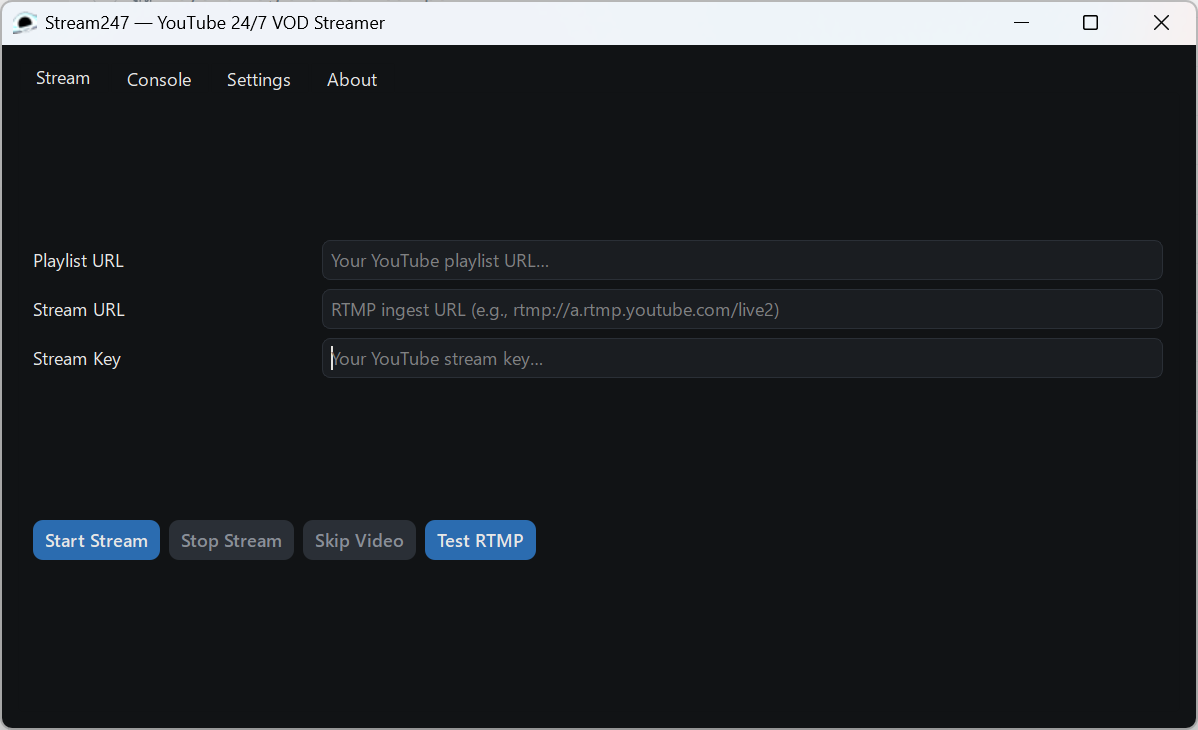
- Destinations: Any platform that accepts RTMP or RTMPS should work. Check your platform’s recommended bitrates and resolutions.
- Input sources:
- YouTube: playlists/videos should be public or unlisted so yt-dlp can fetch them.
- Twitch: paste a channel URL and the app will resolve its HLS automatically; or paste a direct
.m3u8URL.
- Overlay behavior:
- YouTube: shows "<Title> • " with smart truncation
- Twitch: shows "Twitch • "
- Windows: If not found, the app can auto-download FFmpeg and yt-dlp next to the executable.
- Owncast: Enable the "RTMP live mode" toggle for improved compatibility.
- Networking: Ensure outbound traffic to your ingest host/port (commonly 1935 for RTMP or 443 for RTMPS) is allowed.
- Designed for 24/7 operation — great for music channels, replay loops, relays, or archives.
AppImage builds are supported via the helper script in appimage/.
Requirements:
python3with venv supportappimagetoolin your PATH (from AppImageKit releases)- Runtime dependencies on the host:
ffmpegandyt-dlpavailable in PATH
Build:
./appimage/build_appimage.shThe output will be Stream247.AppImage in the repo root.
Stream247 now operates as both a 24/7 VOD streamer (YouTube playlists or single videos) and a stream relay (Twitch channels or direct HLS) to your chosen RTMP/RTMPS destination. More input sources may be considered in the future.
TheDoctorTTV
