
XSS Scanner Made with Amazeng Fingers sweat
-
Start
mitmproxy:python aksasas.py
- The script will listen on port
8088by default. Ensure this port is free or change it to another port if necessary.
- The script will listen on port
-
Configure Your Browser or Application to Use
mitmproxy:- Set your browser or application to use
mitmproxyas the proxy. You can configure the proxy settings to point to127.0.0.1:8088(or the port you've set in the script).
- Set your browser or application to use
When you run the script, you will be prompted to enter the hostnames you want to whitelist for testing (e.g., potato.com,tomato.org,orange.biz). The script will only test requests to your i hosts.
For full SSL interception:
- Generate a certificate:
https://docs.mitmproxy.org/stable/concepts-certificates/
- Install the certificate in your browser:
- Follow the instructions provided by
mitmproxyto install the certificate, enabling the tool to intercept and decrypt HTTPS traffic.
- Follow the instructions provided by
- Run the tool by starting your browser and navigating to the sites you wish to test.
- Check the console output:
- Any potential reflections will be reported in the console with details of the affected URL, parameter, and injected payload.
- Connection errors will also be reported, indicating which domains may not be reachable.
[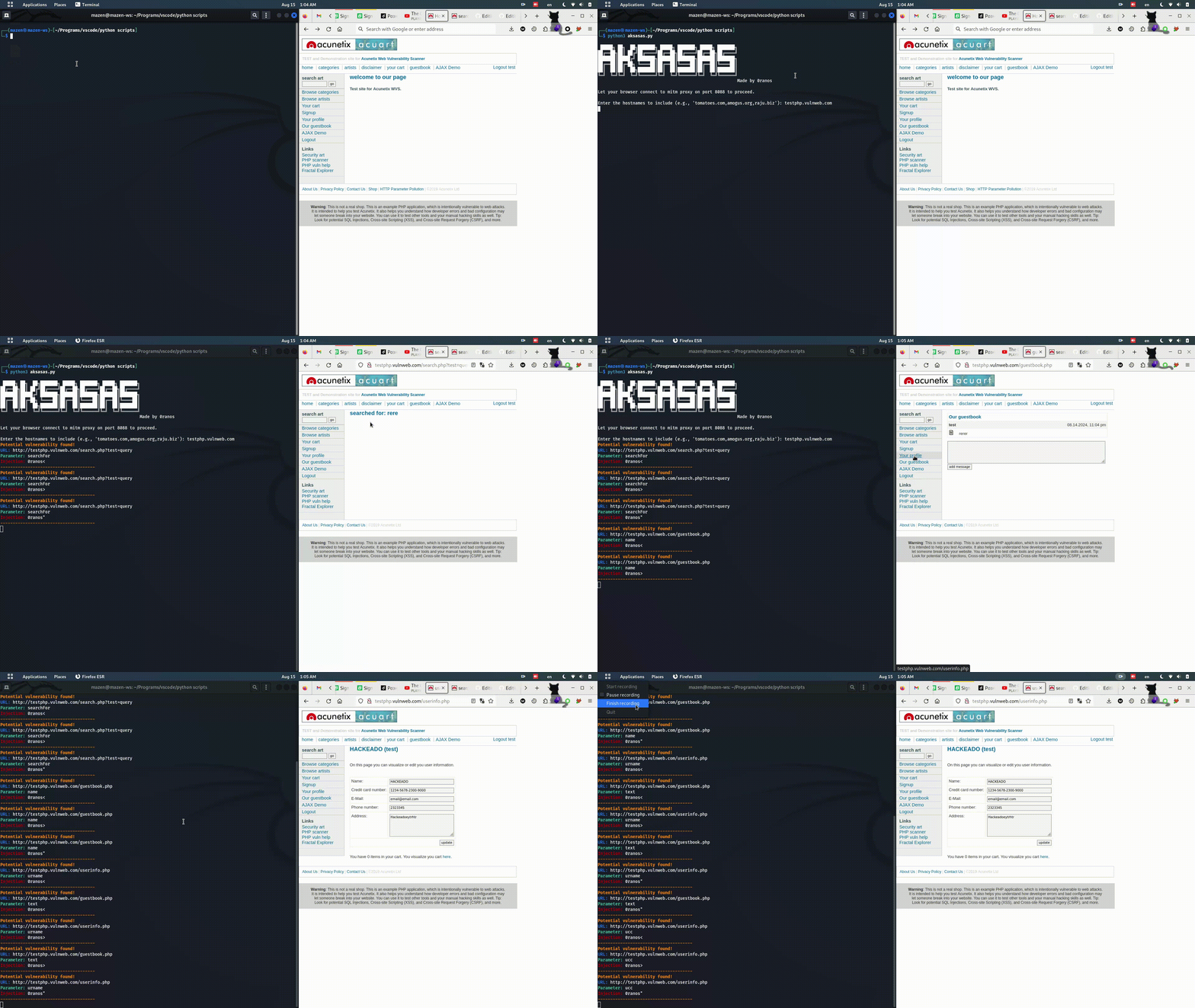 ]
]