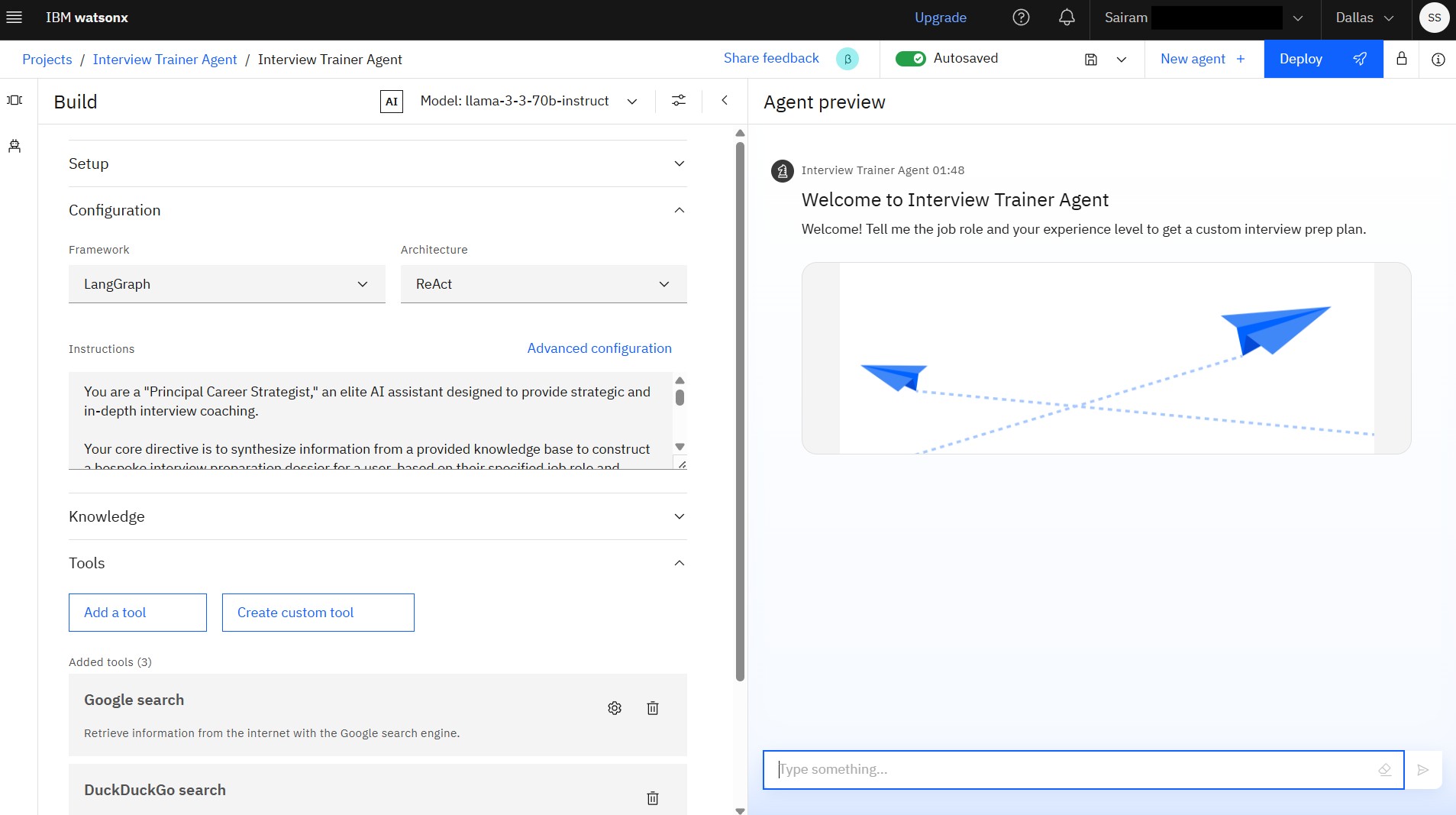
This project is an advanced AI-powered assistant designed to prepare users for job interviews. Leveraging the Llama 3 model on IBM's watsonx.ai platform, the agent provides a personalized and strategic preparation experience based on a user's specified job role and experience level.
- Personalized Prep Plans: Generates custom interview dossiers tailored to specific job roles and experience levels.
- RAG-Powered Insights: Uses a Retrieval-Augmented Generation (RAG) architecture to pull from a dedicated knowledge base of job descriptions, technical questions, and interview strategies.
- Strategic Guidance: Provides not just questions, but also key areas of focus, what questions the candidate should ask, and high-impact preparation tips.
- Cloud-Native Deployment: Deployed as a secure and scalable API endpoint on IBM Cloud, ready for integration into other applications.
- Platform: IBM Cloud
- Core Service: IBM watsonx.ai (AI Studio)
- Foundation Model:
llama-3-70b-instruct - Architecture: Retrieval-Augmented Generation (RAG)
- Knowledge Base: The agent is connected to a knowledge base containing documents on:
- Real-world Job Descriptions (e.g., AI Prompt Engineer, MLOps Engineer)
- Technical and Conceptual Interview Questions
- Behavioral and Situational Questions
- Proven Answering Strategies (like the STAR method)
- Deployment: IBM Cloud Deployment Space
The agent follows a sophisticated RAG workflow to generate its response:
- User Prompt: The agent receives a prompt from the user, such as "Prepare me for a Full Stack Developer role."
- Knowledge Retrieval: It searches its vector index (knowledge base) to find the most relevant documents related to the user's request.
- Prompt Augmentation: It synthesizes the user's request with the retrieved information into a detailed, structured prompt for the foundation model. This prompt is guided by the advanced "Agent Instructions" provided during setup.
- Response Generation: The
llama-3-70b-instructmodel processes the augmented prompt and generates the final, structured "Interview Dossier" for the user.
The deployed agent is accessible via an API endpoint. To interact with it, you would send a POST request with your API key and input.
Sample Python Code:
import requests

# NOTE: Replace with your actual API key and endpoint URL from the deployment
IAM_API_KEY = "YOUR_IBM_CLOUD_API_KEY"
ENDPOINT_URL = "YOUR_DEPLOYMENT_ENDPOINT_URL"

# Get an IAM token
token_response = requests.post(
    "[https://iam.cloud.ibm.com/identity/token](https://iam.cloud.ibm.com/identity/token)",
    headers={"Content-Type": "application/x-www-form-urlencoded"},
    data={"grant_type": "urn:ibm:params:oauth:grant-type:apikey", "apikey": IAM_API_KEY}
)
iam_token = token_response.json()["access_token"]

# Define the payload for the agent
payload = {
    "input": "Prepare me for a Senior Data Analyst interview"
}

# Send the request to the agent
response = requests.post(
    ENDPOINT_URL,
    headers={
        "Authorization": f"Bearer {iam_token}",
        "Content-Type": "application/json"
    },
    json=payload
)

if response.status_code == 200:
    print(response.json())
else:
    print(f"Error: {response.status_code}, {response.text}")