Skip to content
This repository was archived by the owner on May 23, 2023. It is now read-only.

App icon change#614

Open
becksen wants to merge 31 commits intoJon-b-m:mainfrom
becksen:appIcon_change
Open

App icon change#614
becksen wants to merge 31 commits intoJon-b-m:mainfrom
becksen:appIcon_change

Conversation

@becksen
Copy link

@becksen becksen commented Mar 10, 2023

update

Copy link
Owner

@Jon-b-m Jon-b-m left a comment

Choose a reason for hiding this comment

The reason will be displayed to describe this comment to others. Learn more.

Needs some cleaning and refactoring. What does the Test 2.png:s do? Shouldn't it be deleted? Could you please post some screenshots of how the config icon UI Looks like? You have translated the new source string to "AppIcon Wechseln" for every language. You need to create a new config for Icon change instead of using the autotuneConfig. You changed the HomeRootView Icons for Carbs and Settings.

@Jon-b-m
Copy link
Owner

Jon-b-m commented Mar 17, 2023

Please remove the references to Autotune and basal profile etc which you copied from
AutotuneConfig, those are not needed. Please revert the changes you made to iPhone deployment version. Please add a screenshot here for the new app icon config. I would like to see how it looks. I see you removed the option to override the default icon with Config or ConfigOverride. Was this necessary?

@Jon-b-m
Copy link
Owner

Jon-b-m commented Mar 18, 2023

APP_DISPLAY_NAME = FAX AppIcon
This is name of the app in iOS.

@becksen
Copy link
Author

becksen commented Mar 20, 2023

Needs some cleaning and refactoring. What does the Test 2.png:s do? Shouldn't it be deleted? Could you please post some screenshots of how the config icon UI Looks like? You have translated the new source string to "AppIcon Wechseln" for every language. You need to create a new config for Icon change instead of using the autotuneConfig. You changed the HomeRootView Icons for Carbs and Settings.

Hi @Jon-b-m, thanks for the remarks. Testimages have been removed. The view has been implemented and reference to autotuneconfig has been removed. HomeRootView icons have been reverted to default.
I've doubts regarding the translation? What is your recommendation to translate the view into the existing languages?

Regards,
becksen.

@becksen
Copy link
Author

becksen commented Mar 20, 2023

APP_DISPLAY_NAME = FAX AppIcon This is name of the app in iOS.

Displayname has been reverted to FAX default delivery.

@becksen
Copy link
Author

becksen commented Mar 20, 2023

Please remove the references to Autotune and basal profile etc which you copied from AutotuneConfig, those are not needed. Please revert the changes you made to iPhone deployment version. Please add a screenshot here for the new app icon config. I would like to see how it looks. I see you removed the option to override the default icon with Config or ConfigOverride. Was this necessary?

References have been removed.

Not 100% what you mean by
"I see you removed the option to override the default icon with Config or ConfigOverride. Was this necessary?"

BR
becksen

Copy link
Author

@becksen becksen left a comment

Choose a reason for hiding this comment

The reason will be displayed to describe this comment to others. Learn more.

This is not required anymore

Copy link
Author

@becksen becksen left a comment

Choose a reason for hiding this comment

The reason will be displayed to describe this comment to others. Learn more.

Not required

@Jon-b-m
Copy link
Owner

Jon-b-m commented Mar 20, 2023

Not 100% what you mean by "I see you removed the option to override the default icon with Config or ConfigOverride. Was this necessary?"

BR becksen

You hard coded the default App Icons to "AppIcon". Before it was a variable you could change in Config and ConfigOverride. Remove this change, please.

… level. Only thing that is required is to include all available consents.
@becksen
Copy link
Author

becksen commented Mar 20, 2023

Not 100% what you mean by "I see you removed the option to override the default icon with Config or ConfigOverride. Was this necessary?"
BR becksen

You hard coded the default App Icons to "AppIcon". Before it was a variable you could change in Config and ConfigOverride. Remove this change, please.

Understood. Reverted accordingly.

@Jon-b-m
Copy link
Owner

Jon-b-m commented Mar 20, 2023

Still a lot of test icons. I don't understand the need for those?

@becksen
Copy link
Author

becksen commented Mar 20, 2023

Still a lot of test icons. I don't understand the need for those?
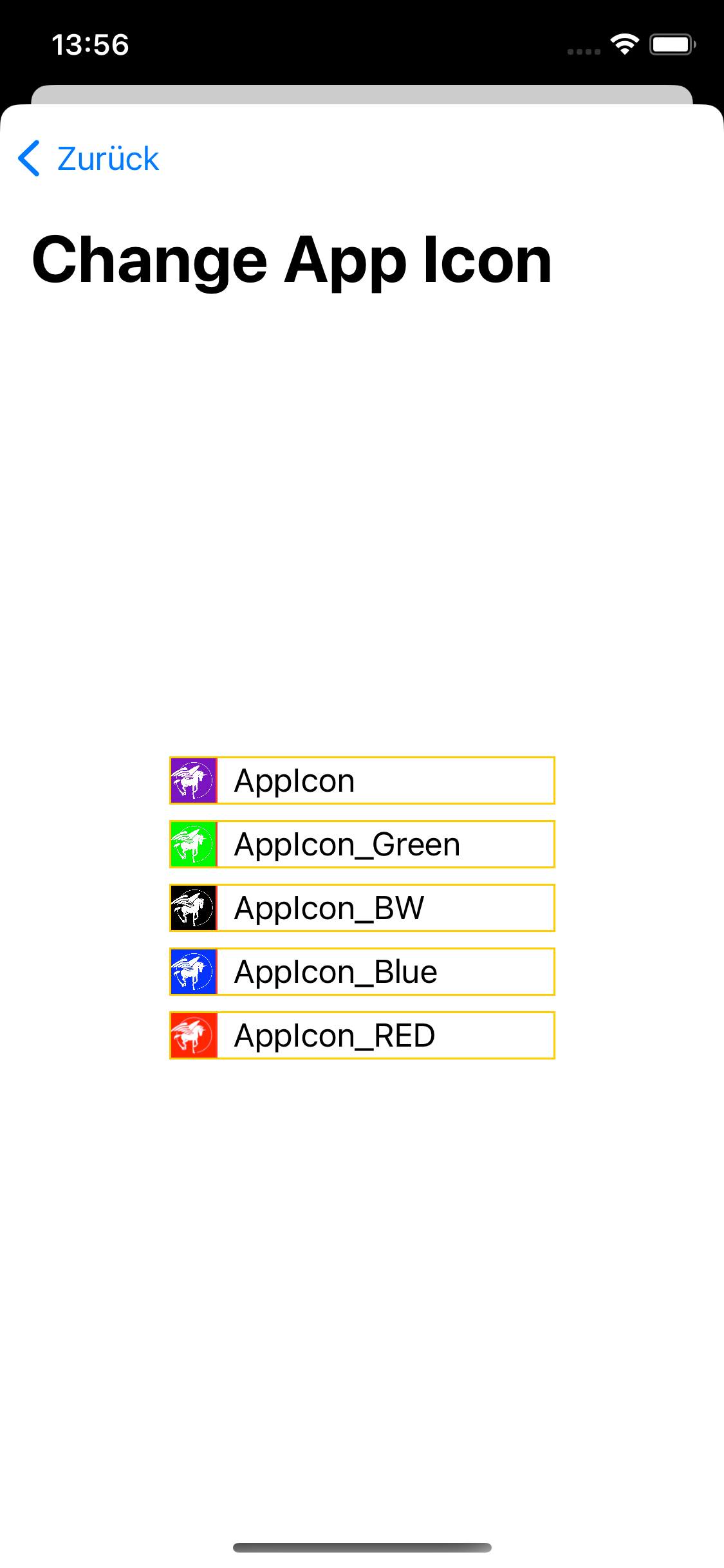
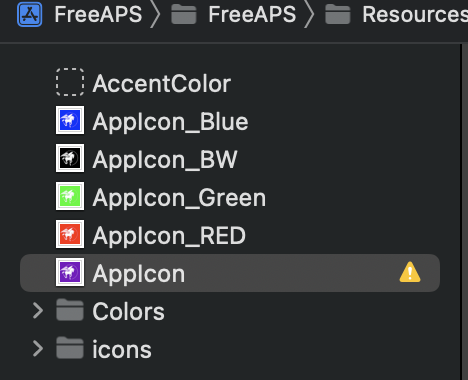
I've removed all testicons. Just a number of different icons have been created as alternative. Being able to change the default purple icon, which is also available in xcassets, the other icons have to be available as well in xcassets. Else you wouldn't have alternative to change to. Hope this is clear now. Added two screenshot to show the dependency of the icons in xcassets. If I get other icons I can add them. But this was selection of 5 different colors. If other colors are desired just let me know.
Simulator Screen Shot - iPhone 11 Pro - 2023-03-20 at 13 56 25

Bildschirm­foto 2023-03-20 um 13 57 56

@Jon-b-m
Copy link
Owner

Jon-b-m commented Mar 20, 2023

The grey test Icons "named Test..." are still there. I have the BW and the purple images already, so you shouldn't have to convert and reduce the resolution? And the other icons are not clean and crisp now. Pixels (noise) in wrong colours and blurry.

@Jon-b-m
Copy link
Owner

Jon-b-m commented Mar 20, 2023

Could you make the icons bigger? Too small now in the icon setting view

@becksen
Copy link
Author

becksen commented Mar 20, 2023

The grey test Icons "named Test..." are still there. I have the BW and the purple images already, so you shouldn't have to convert and reduce the resolution? And the other icons are not clean and crisp now. Pixels (noise) in wrong colours and blurry.

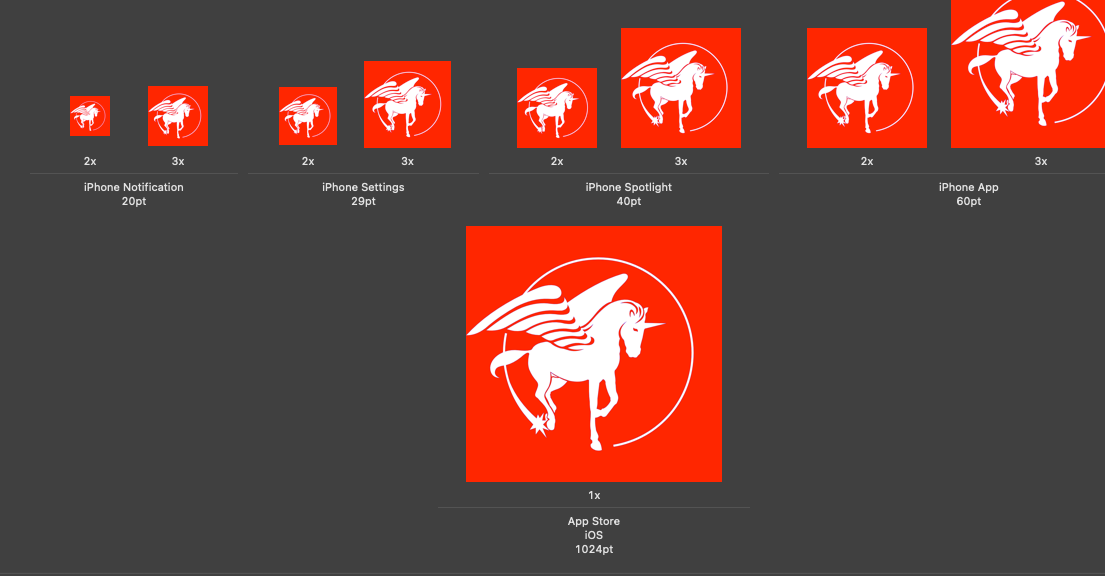
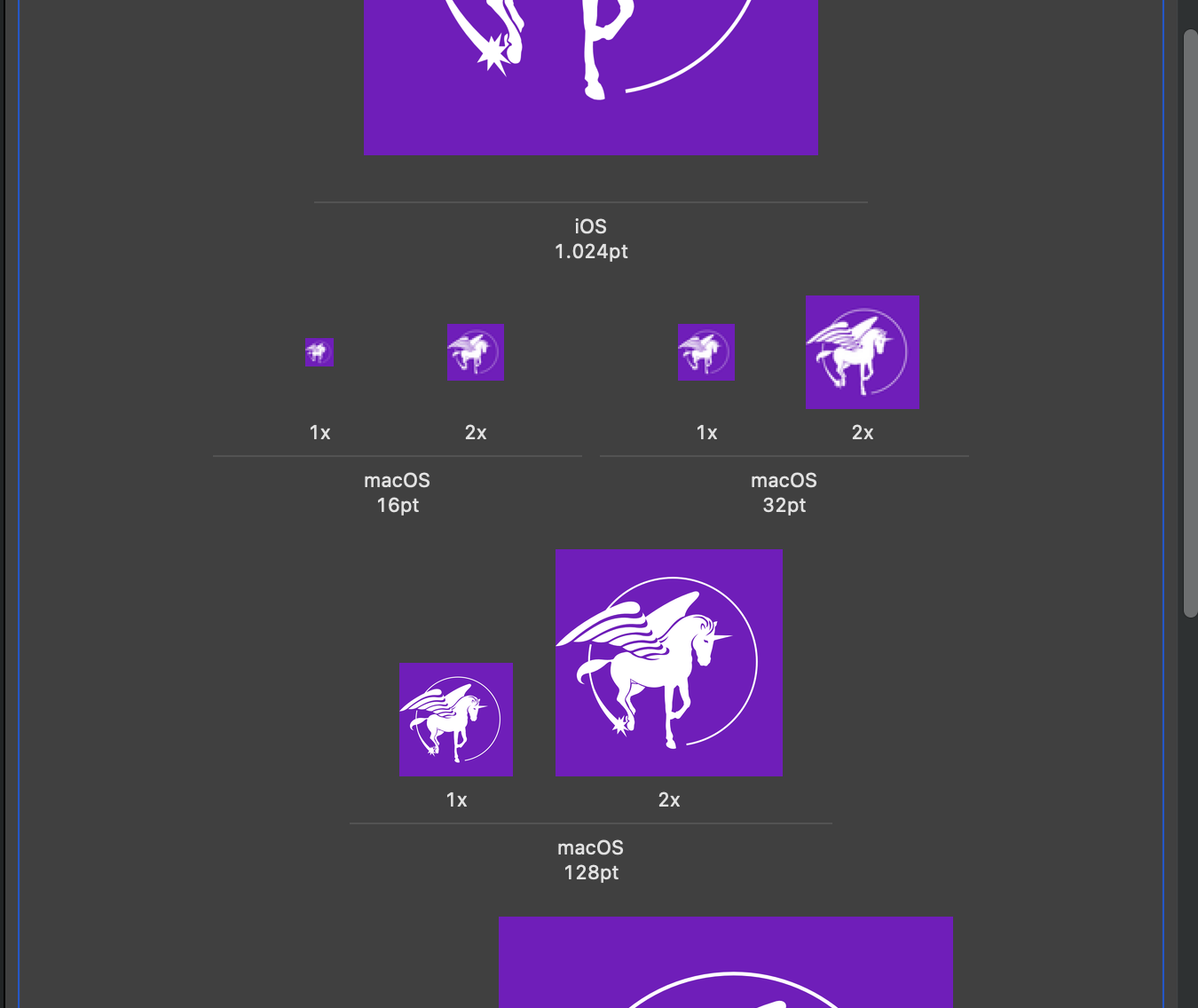
This is a wrong assumption. Purple and Black is already there, but I haven't touched them. This is from original repo. I assume it is not sufficiently assigned. Means there is just one icon for iOS the others are all mapped to MacOS. My new icons have been properly sized and assigned. Hence they look better when scaled in SwifUI. I can change it for the default icons Purple and Black/White when accepted. Else they will probably look not that nice compared to the new ones.

Bildschirm­foto 2023-03-20 um 15 40 16
Bildschirm­foto 2023-03-20 um 15 39 49

@Jon-b-m
Copy link
Owner

Jon-b-m commented Mar 20, 2023

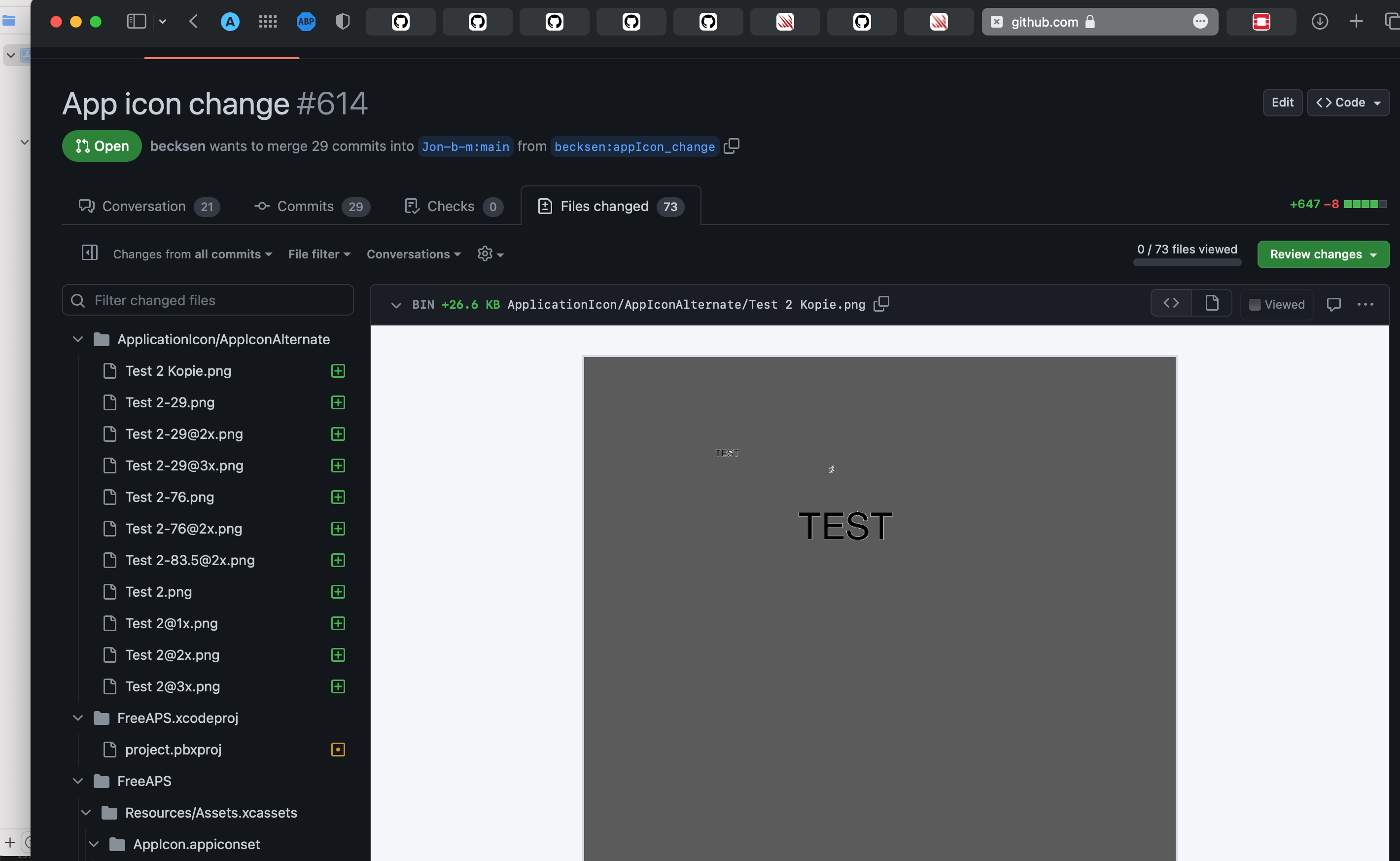
I meant in your screenshot. You still have "Test 2" gray icons. in your PR

@Jon-b-m
Copy link
Owner

Jon-b-m commented Mar 20, 2023

Are the Watch Icons changed also with this setting?

@Jon-b-m
Copy link
Owner

Jon-b-m commented Mar 20, 2023

A segmented Picker with Icon images perhaps would look better? And we don't need the Xcode names of icons or the orange borders. Could you please polish the UI a bit?

@becksen
Copy link
Author

becksen commented Mar 20, 2023

I meant in your screenshot. You still have "Test 2" gray icons. in your PR

I've cleaned it up. All Icons contain Test or Test2 have been deleted. I don't see it anymore in the fork.

@becksen
Copy link
Author

becksen commented Mar 20, 2023

Are the Watch Icons changed also with this setting?

No didn't find any way to do it for watchOS. Only the app icon on iPhone is changed, affected

@Jon-b-m
Copy link
Owner

Jon-b-m commented Mar 20, 2023

Are the Watch Icons changed also with this setting?

No didn't find any way to do it for watchOS. Only the app icon on iPhone is changed, affected

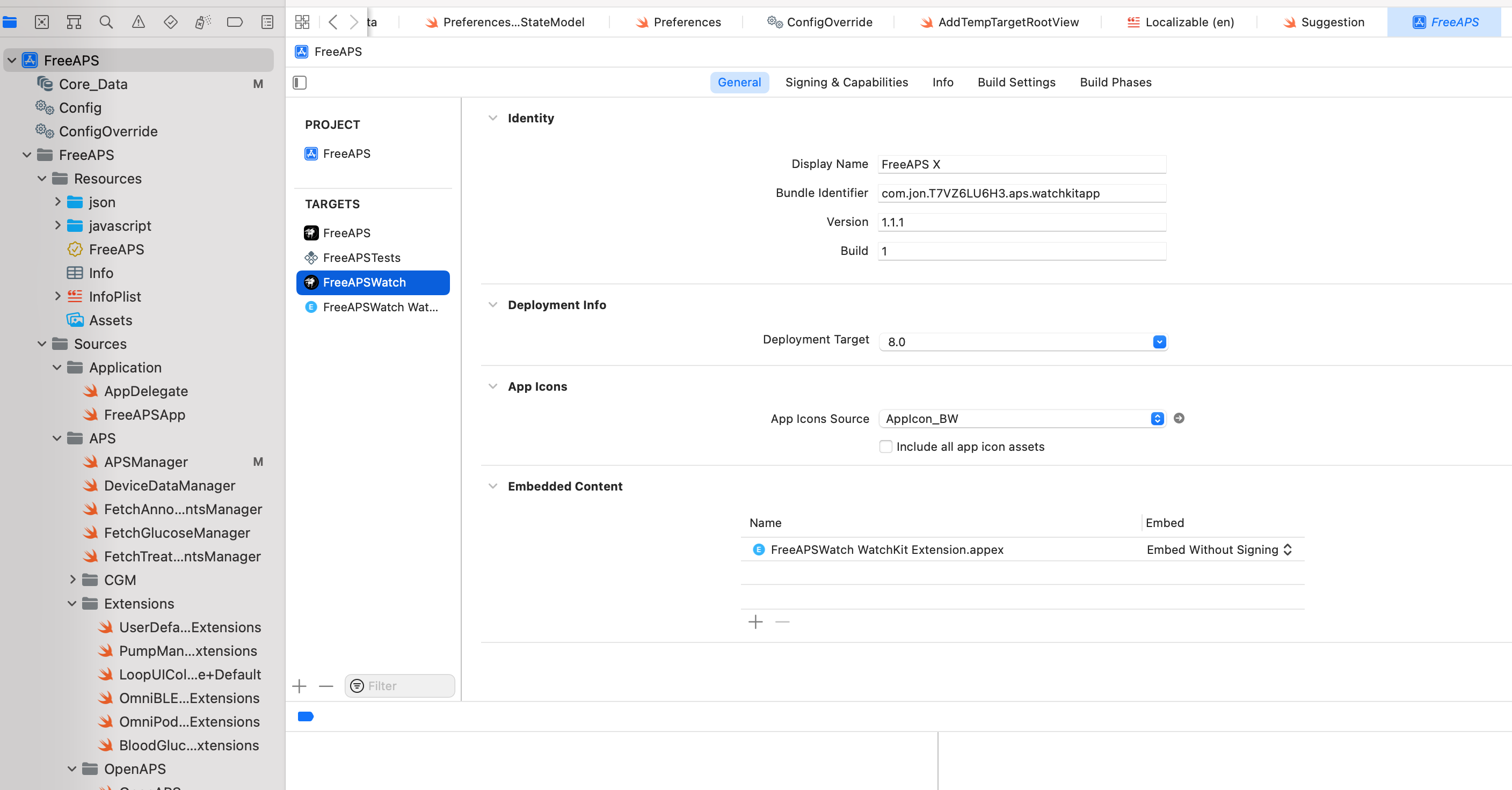
You change the Watch Icons in Xcode here:
image

@Jon-b-m
Copy link
Owner

Jon-b-m commented Mar 20, 2023

I meant in your screenshot. You still have "Test 2" gray icons. in your PR

I've cleaned it up. All Icons contain Test or Test2 have been deleted. I don't see it anymore in the fork.

image

Sign up for free to subscribe to this conversation on GitHub. Already have an account? Sign in.

Labels

None yet

Projects

None yet

Development

Successfully merging this pull request may close these issues.

2 participants