Home


This is the documentation of the "Gamedistribution.com Unity HTML5 SDK plugin" project for adding the SDK within your Unity WebGL game.
Gamedistribution.com is the biggest broker of high quality, cross-platform games. We connect the best game developers to the biggest publishers.
Running into any issues?
Check out the F.A.Q. within the Wiki of the github repository before mailing to [email protected].
-
Download and import the .unitypackage into your game (download here).
-
Drag the prefab "GameDistribution" into your scene.
-
Copy your GAME_KEY in your GameDistribution developer's control panel (in the 'Upload' tab), at developer.gamedistribution.com
-
Open the prefab and replace the GAME_KEY value with your own key.
-
Use GameDistribution.Instance.ShowAd() to show an advertisement.
-
Use GameDistribution.Instance.ShowRewardedAd() to show a rewarded advertisement.
-
Use GameDistribution.Instance.PreloadRewardedAd() to preload a rewarded advertisement
-
Make use of the events
GameDistribution.OnResumeGameandGameDistribution.OnPauseGamefor resuming/pausing your game in between ads. -
Make use of the event GameDistribution.OnPreloadRewardedVideo for checking the availability of rewarded advertisement after called GameDistribution.Instance.PreloadRewardedAd()


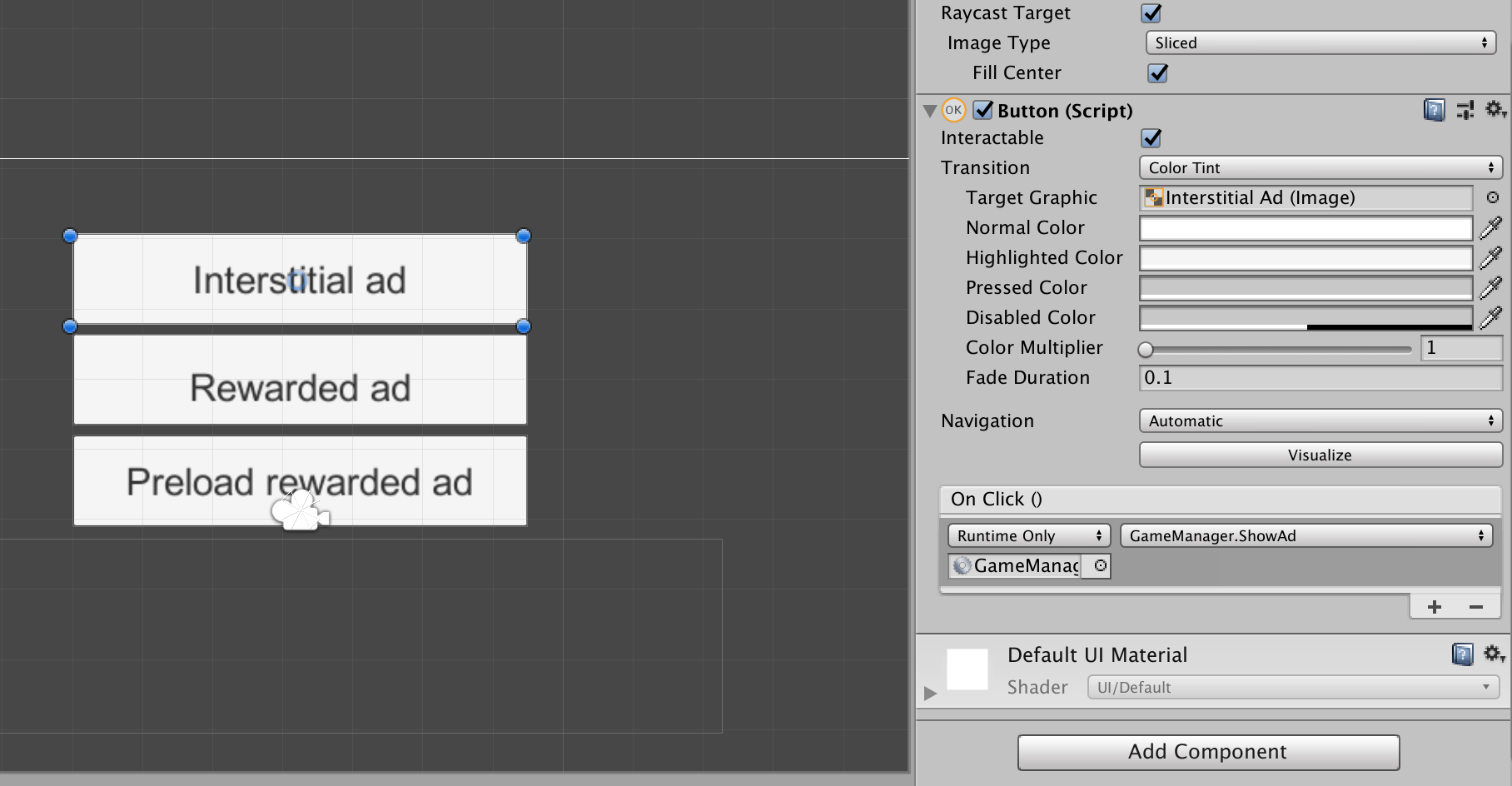
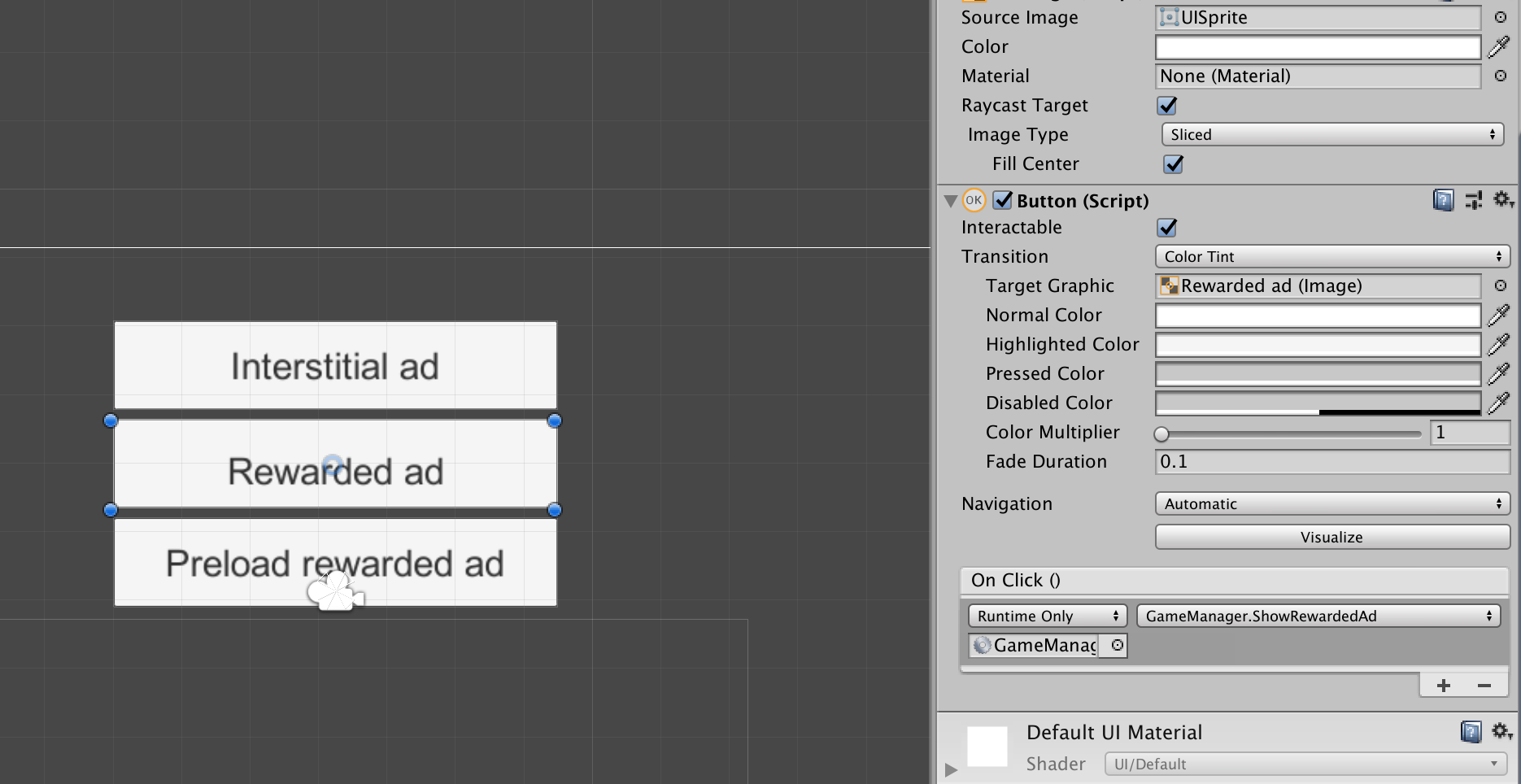

Correct ad-placement is key for a higher revenue potential of your game. Before you submit, make sure that your game includes a pre-roll and mid-rolls:
Pre-roll: an ad shown before the user starts playing the game.
What you basically want to do is display the pre-roll as fast as possible to the user, so they don’t have the time to change their minds and close the game.
Best practice: placing the pre-roll on buttons in the loading/splash screen (Start, Play, Continue).
Mid-roll: an ad shown in between game sessions.
Ideally placed on all non-gameplay buttons, to spread the chance that users will see ads.
Best practice: placing the mid-rolls on each button in the Game Over/Win screen (Replay, Next, Menu).
To get the most out of your game revenue and to maintain a user friendly experience, we ask you to keep these requirements in mind when deciding on the placement of the ads:
- Ads only display upon user input, e.g. when clicking a button
- Ads display outside of the gameplay only, to not disrupt the game experience
- Game audio is muted when the ad is displayed
- The game pauses when the ad is displayed
Don’t worry about spamming users with ads by placing ad-calls on too many buttons: we regulate the ad-interval through the SDK, so users will only see an ad when the set time-frame has passed.
public class ExampleClass: MonoBehaviour {

    void Awake()
    {
        GameDistribution.OnResumeGame += OnResumeGame;
        GameDistribution.OnPauseGame += OnPauseGame;
        GameDistribution.OnPreloadRewardedVideo += OnPreloadRewardedVideo;
        GameDistribution.OnRewardedVideoSuccess += OnRewardedVideoSuccess;
        GameDistribution.OnRewardedVideoFailure += OnRewardedVideoFailure;
        GameDistribution.OnRewardGame += OnRewardGame;
    }

    public void OnResumeGame()
    {
        // RESUME MY GAME
    }

    public void OnPauseGame()
    {
        // PAUSE MY GAME
    }

    public void OnRewardGame()
    {
        // REWARD PLAYER HERE
    }

    public void OnRewardedVideoSuccess()
    {
        // Rewarded video succeeded/completed.;
    }

    public void OnRewardedVideoFailure()
    {
        // Rewarded video failed.;
    }

    public void OnPreloadRewardedVideo(int loaded)
    {
        // Feedback about preloading ad after called GameDistribution.Instance.PreloadRewardedAd
        // 0: SDK couldn't preload ad
        // 1: SDK preloaded ad
    }

    public void ShowAd()
    {
        GameDistribution.Instance.ShowAd();
    }

    public void ShowRewardedAd()
    {
        GameDistribution.Instance.ShowRewardedAd();
    }

    public void PreloadRewardedAd()
    {
        GameDistribution.Instance.PreloadRewardedAd();
    }
}using System;
using System.Collections;
using System.Collections.Generic;
using System.Runtime.InteropServices;
using UnityEngine;
using System.Text.RegularExpressions;
public class GameDistribution : MonoBehaviour
{
public static GameDistribution Instance;
public string GAME_KEY = "YOUR_GAME_KEY_HERE";
public static Action<string> OnEvent;
public static Action OnResumeGame;
public static Action OnPauseGame;
public static Action OnRewardGame;
public static Action OnRewardedVideoSuccess;
public static Action OnRewardedVideoFailure;
public static Action<int> OnPreloadRewardedVideo;
[DllImport("__Internal")]
private static extern void SDK_Init(string gameKey);
[DllImport("__Internal")]
private static extern void SDK_PreloadAd();
[DllImport("__Internal")]
private static extern void SDK_ShowAd(string adType);
[DllImport("__Internal")]
private static extern void SDK_SendEvent(string options);
[DllImport("__Internal")]
private static extern void SDK_ExecuteStoreAction(string options);
private bool _isRewardedVideoLoaded = false;
void Awake()
{
if (GameDistribution.Instance == null)
GameDistribution.Instance = this;
else
Destroy(this);
DontDestroyOnLoad(this);
Init();
}
void Init()
{
try
{
SDK_Init(GAME_KEY);
}
catch (EntryPointNotFoundException e)
{
Debug.LogWarning("GD initialization failed. Make sure you are running a WebGL build in a browser:" + e.Message);
}
}
internal void ShowAd()
{
try
{
SDK_ShowAd(null);
}
catch (EntryPointNotFoundException e)
{
Debug.LogWarning("GD ShowAd failed. Make sure you are running a WebGL build in a browser:" + e.Message);
}
}
internal void ShowRewardedAd()
{
try
{
SDK_ShowAd("rewarded");
}
catch (EntryPointNotFoundException e)
{
Debug.LogWarning("GD ShowAd failed. Make sure you are running a WebGL build in a browser:" + e.Message);
}
}
internal void PreloadRewardedAd()
{
try
{
SDK_PreloadAd();
}
catch (EntryPointNotFoundException e)
{
Debug.LogWarning("GD Preload failed. Make sure you are running a WebGL build in a browser:" + e.Message);
}
}
internal void SendEvent(string options)
{
try
{
SDK_SendEvent(options);
}
catch (EntryPointNotFoundException e)
{
Debug.LogWarning("GD SendEvent failed. Make sure you are running a WebGL build in a browser:" + e.Message);
}
}
internal void ExecuteStoreAction(string options)
{
try
{
SDK_ExecuteStoreAction(options);
}
catch (EntryPointNotFoundException e)
{
Debug.LogWarning("GD ExecuteStoreAction failed. Make sure you are running a WebGL build in a browser:" + e.Message);
}
}
/// <summary>
/// It is being called by HTML5 SDK when the game should start.
/// </summary>
void ResumeGameCallback()
{
if (OnResumeGame != null) OnResumeGame();
}
/// <summary>
/// It is being called by HTML5 SDK when the game should pause.
/// </summary>
void PauseGameCallback()
{
if (OnPauseGame != null) OnPauseGame();
}
/// <summary>
/// It is being called by HTML5 SDK when the game should should give reward.
/// </summary>
void RewardedCompleteCallback()
{
if (OnRewardGame != null) OnRewardGame();
}
/// <summary>
/// It is being called by HTML5 SDK when the rewarded video succeeded.
/// </summary>
void RewardedVideoSuccessCallback()
{
_isRewardedVideoLoaded = false;
if (OnRewardedVideoSuccess != null) OnRewardedVideoSuccess();
}
/// <summary>
/// It is being called by HTML5 SDK when the rewarded video failed.
/// </summary>
void RewardedVideoFailureCallback()
{
_isRewardedVideoLoaded = false;
if (OnRewardedVideoFailure != null) OnRewardedVideoFailure();
}
/// <summary>
/// It is being called by HTML5 SDK when it preloaded rewarded video
/// </summary>
void PreloadRewardedVideoCallback(int loaded)
{
_isRewardedVideoLoaded = (loaded == 1);
if (OnPreloadRewardedVideo != null) OnPreloadRewardedVideo(loaded);
}
/// <summary>
/// It is being called by HTML5 SDK when it any event triggered
/// </summary>
void EventCallback(string eventData)
{
if (OnEvent != null) OnEvent(eventData);
}
public bool IsRewardedVideoLoaded()
{
return _isRewardedVideoLoaded;
}
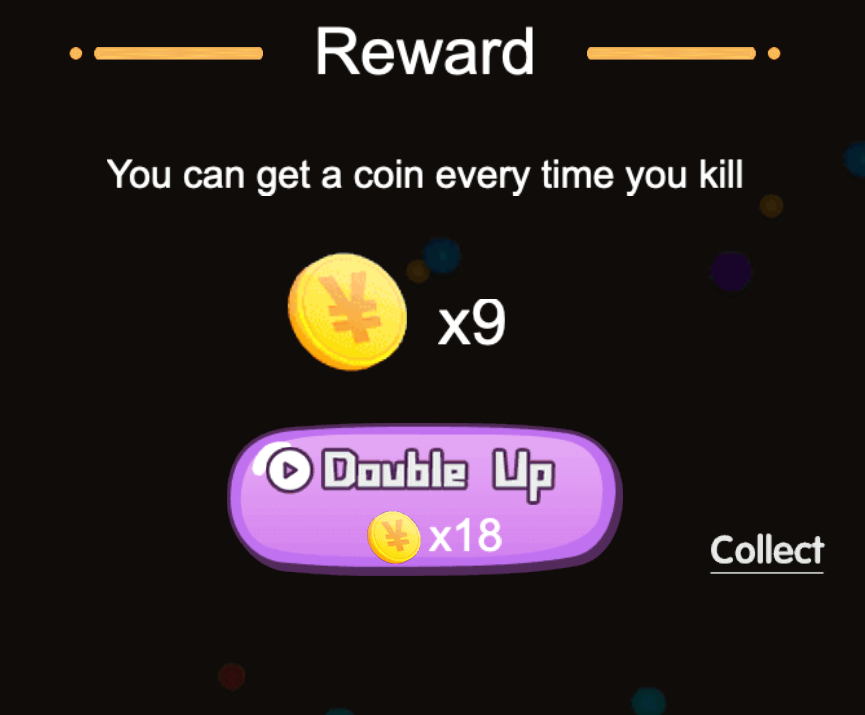
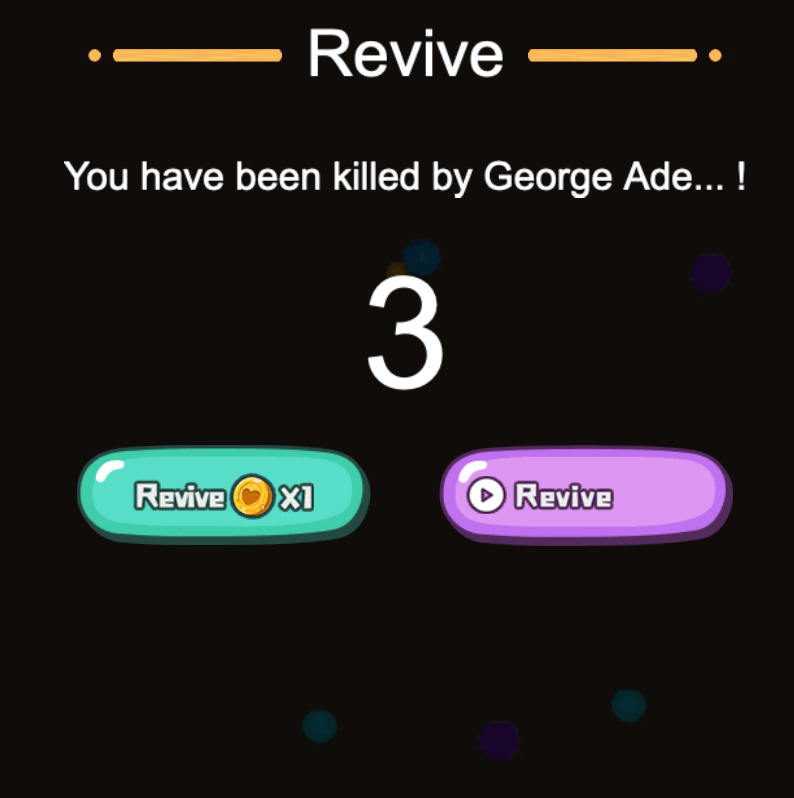
}You can use multiple ad slots for rewarded ads and give your players multiple way of gathering rewards. Samples below is very nice way of implementing this feature.
Let them watch an ad to increase their attacks!

No coin no pain? Oh, it is not. Let them gain some free coins.
Who doesn't want a second chance?
Your players can take their chances to gain some buffs!

You can give away some daily gifts to your players.
