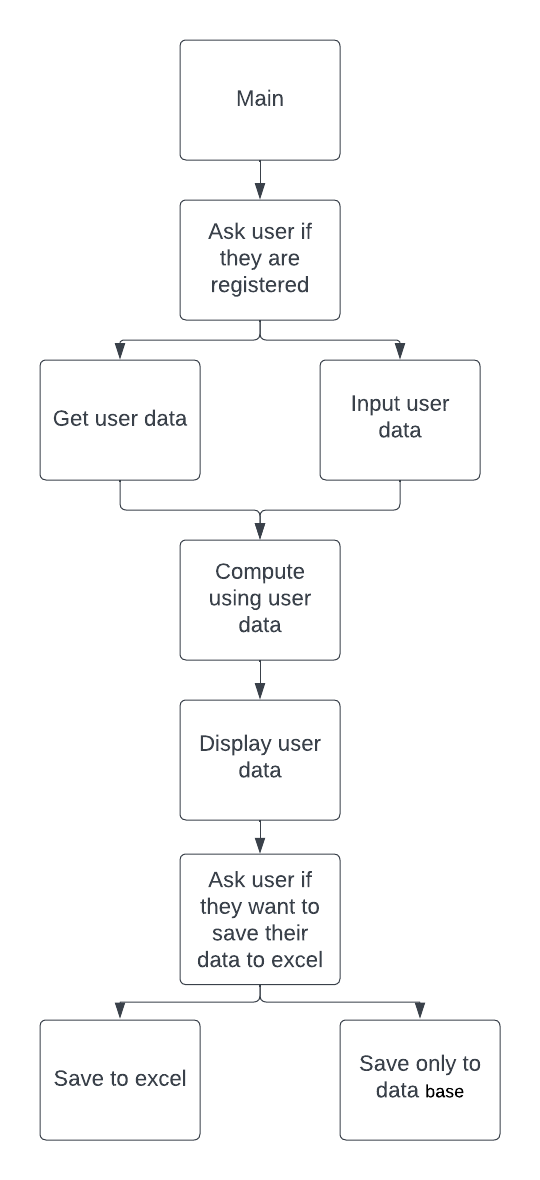
This code is a Python script that automates payroll calculations and management for a given number of employees. It imports the pandas library and displays a welcome message.
It then prompts the user to enter the number of employees for which the payroll needs to be calculated. It creates an empty dataframe with columns for Name, Salary, Dependents, SSS Contribution, PhilHealth Contribution, Pag-IBIG Contribution, Taxable Income, Tax, Deductions, and Net Pay.
For each employee, the code prompts the user to input their name, monthly salary, and number of dependents. It then asks the user to choose from a list of deductible options (SSS, PhilHealth, Pag-IBIG) and calculates the contribution for each option selected. It then calculates the taxable income, tax, deductions, and net pay for the employee based on the given formula.
The employee's payroll information is then appended to the dataframe. Once all employee information has been entered, the payroll information is displayed to the user. The user is then prompted to save the payroll information to an Excel file. If the user selects "y", they are prompted to enter a filename, and the payroll information is saved to an Excel file with the given filename.
Overall, this script provides a simple and efficient way to automate payroll calculations and management for a small number of employees.
- Welcome message displayed to the user.
- Prompt for the number of employees for which payroll needs to be calculated.
- Creation of an empty pandas dataframe with columns for Name, Salary, Dependents, SSS Contribution, PhilHealth Contribution, Pag-IBIG Contribution, Taxable Income, Tax, Deductions, and Net Pay.
- Loop to input employee information and calculate payroll for each employee.
- Prompt for the user to choose deductible options (SSS, PhilHealth, Pag-IBIG).
- Calculation of SSS Contribution, PhilHealth Contribution, Pag-IBIG Contribution based on the user's selection and employee's salary.
- Calculation of taxable income, tax, deductions, and net pay based on the given formula.
- Append employee payroll information to the dataframe.
- Display of payroll information to the user.
- Prompt for the user to save the payroll information to an Excel file.
- Saving of the payroll information to an Excel file if the user selects "y".
- Error handling for user input.