CI for Node#2
Conversation


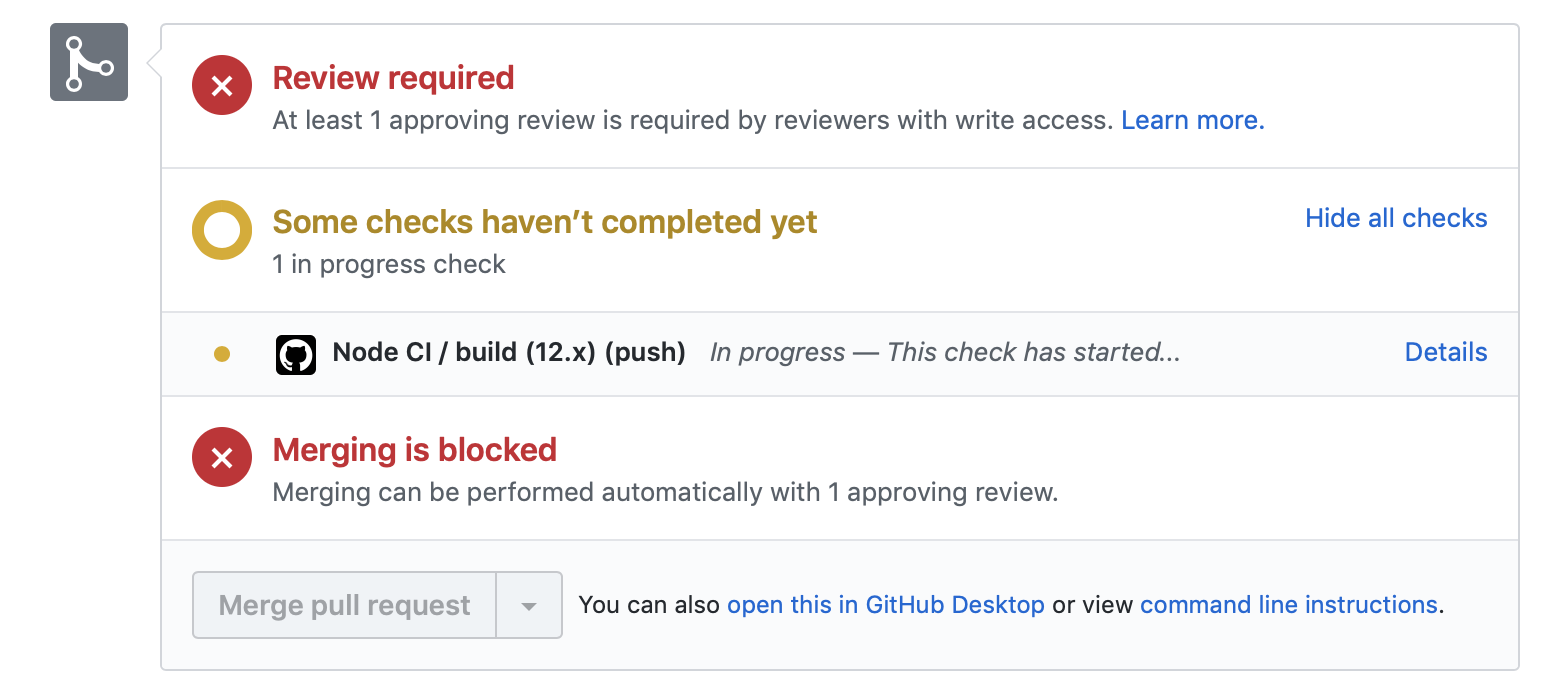
Templated workflow success!Great job adding the templated workflow. Adding that file to this branch is enough for GitHub Actions to begin running CI on your repository. This takes a couple of minutes, so let's take this opportunity to learn about some of the components of the workflow file you just added. We'll dive deeper into some of the key elements of this file in future steps of the course. Step 2: Run a templated workflowI'll respond when GitHub Actions finishes running the workflow. You can follow along in the Actions tab, or by clicking Details on the pending status below. Actions workflow not running? Click hereWhen a GitHub Actions workflow is running, you should see some checks in progress, like the screenshot below.
If the checks don't appear or if the checks are stuck in progress, there's a few things you can do to try and trigger them:
|
![github-learning-lab[bot]](https://avatars.githubusercontent.com/in/10572?s=60&v=4)
Add jest tests
Running - and failing - workflowThe workflow ran! But it failed 😭. But, that's OK. Every time CI fails, it's an opportunity to learn from what's causing it. By running CI with GitHub Actions, we have access to the logs for the attempted build. These are found:
If you navigate over to the build logs, you may notice that the error is "No tests found".
Learning how to read build logs and isolate the cause of the problem is an art on its own. We'll try and cover some of the basics here. In our case, the source of the error is the Step 3: Add your first testNot to worry, I've got you covered! Navigate to the open pull request titled Add Jest tests and merge it into this branch. That'll get us the test files we need. I'll respond when you merge the Add Jest tests pull request into this branch. ⌨️ Activity: Add your first test script for CI to pick up
|

2 participants


No description provided.