| title | Quickstart — Multi-Object Tracking in Python | Trackers |
|---|---|
| comments | false |
| description | Get started with Roboflow Trackers — install SORT, ByteTrack, OC-SORT, BoT-SORT, C-BIoU, and McByte, run your first tracking pipeline, and evaluate results with HOTA, IDF1, and MOTA metrics. |

Roboflow Trackers achieves 64.1 HOTA on MOT17 with McByte, benchmarked across four standard datasets, with ByteTrack and OC-SORT as zero-extra-dependency defaults. Apache 2.0, Python 3.10+.
Current release: v2.6.0 — see the changelog for release history.
Get started by installing the package.
pip install trackersFor more options, see the install guide.

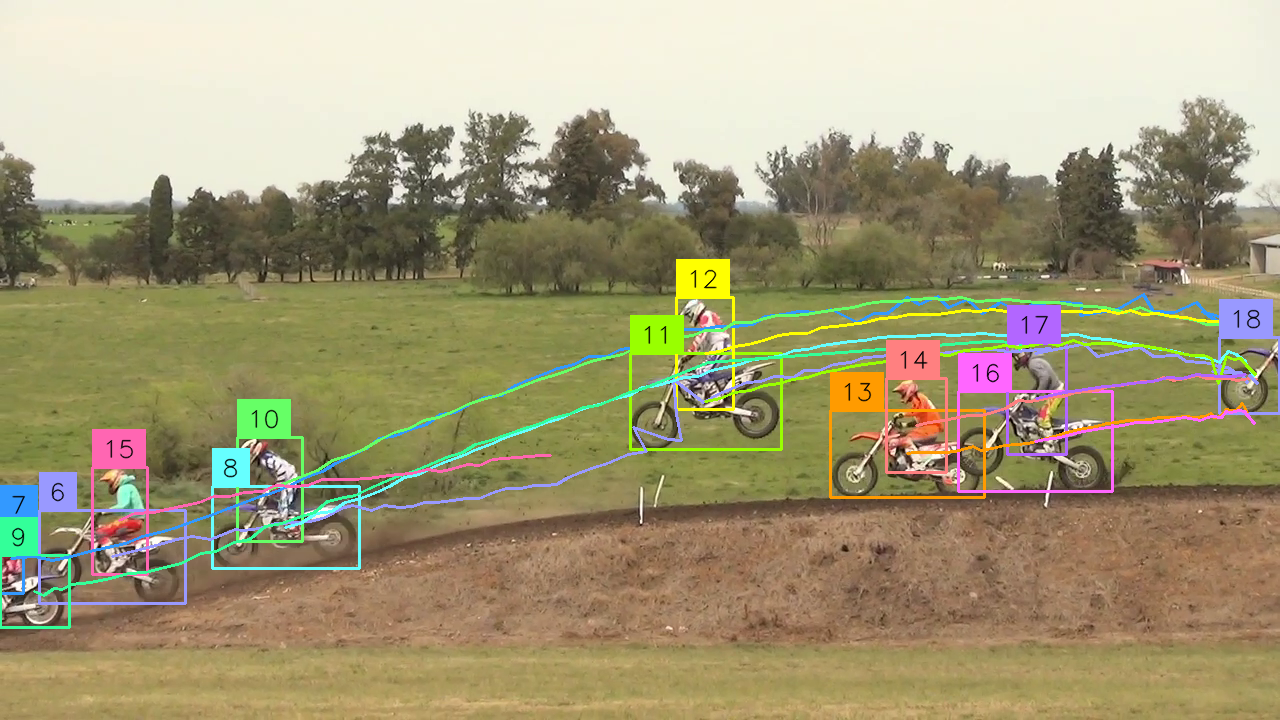
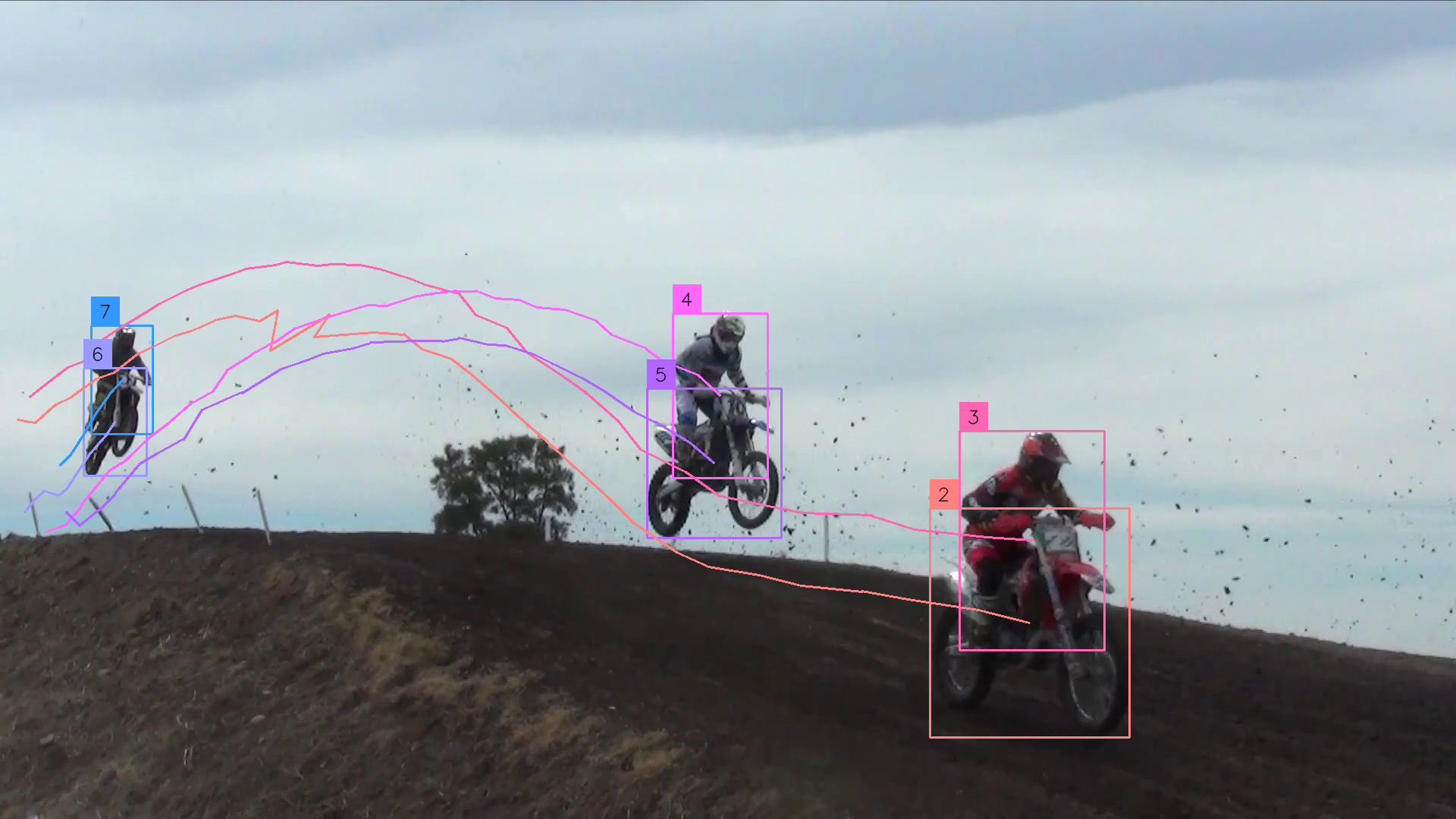
Point at a video, webcam, RTSP stream, or image directory. Get tracked output.
trackers track \
    --source video.mp4 \
    --output.video output.mp4 \
    --detection.model rfdetr-medium \
    --tracker bytetrack \
    --show.labels \
    --show.trajectories
For all CLI options, see the tracking guide.
Plug trackers into your existing detection pipeline. Works with any detector.
This example uses the inference package for detection — install it separately with pip install inference (it is not part of the base trackers install or any of its extras).
import cv2
import supervision as sv
from inference import get_model
from trackers import ByteTrackTracker

model = get_model(model_id="rfdetr-medium")
tracker = ByteTrackTracker()

cap = cv2.VideoCapture("video.mp4")
while cap.isOpened():
    ret, frame = cap.read()
    if not ret:
        break

    result = model.infer(frame)[0]
    detections = sv.Detections.from_inference(result)
    tracked = tracker.update(detections)
For more examples, see the tracking guide.
Benchmark your tracker against ground truth with standard MOT metrics.
trackers eval \
    --gt_dir ./data/mot17/val \
    --predictions_dir results \
    --metrics '[CLEAR,HOTA,Identity]' \
    --columns '[MOTA,HOTA,IDF1]'
Sequence MOTA HOTA IDF1
----------------------------------------------------
MOT17-02-FRCNN 30.192 35.475 38.515
MOT17-04-FRCNN 48.912 55.096 61.854
MOT17-05-FRCNN 52.755 45.515 55.705
MOT17-09-FRCNN 51.441 50.108 57.038
MOT17-10-FRCNN 51.832 49.648 55.797
MOT17-11-FRCNN 55.501 49.401 55.061
MOT17-13-FRCNN 60.488 58.651 69.884
----------------------------------------------------
COMBINED 47.406 50.355 56.600
For the full evaluation workflow, see the evaluation guide.
Clean, modular implementations of leading trackers. All HOTA scores use default parameters.
| Algorithm | Description | MOT17 HOTA | SportsMOT HOTA | SoccerNet HOTA | DanceTrack HOTA |
|---|---|---|---|---|---|
| SORT | Kalman filter + Hungarian matching baseline. | 58.4 | 70.8 | 81.6 | 47.2 |
| ByteTrack | Two-stage association using high and low confidence detections. | 60.1 | 73.0 | 84.0 | 53.3 |
| OC-SORT | Observation-centric recovery for lost tracks. | 61.9 | 71.7 | 78.4 | 54.1 |
| BoT-SORT | Camera motion compensation. | 63.7 | 73.8 | 84.5 | 57.8 |
| C-BIoU | Cascaded buffered IoU matching for fast or irregular motion. | 63.0 | 73.1 | 82.6 | 56.7 |
| McByte | Mask-conditioned tracking — adds propagated SAM/Cutie masks as a cue.* | 64.1 | 76.5 | 85.0 | 67.2 |
!!! note
\*McByte needs optional heavyweight deps (`torch`, SAM, Cutie) not installed by default. It tops HOTA on all four benchmarks above — see the [McByte docs](trackers/mcbyte.md) for setup.
For detailed benchmarks and tuned configurations, see the tracker comparison.
Pull benchmark datasets for evaluation with a single command.
trackers download --name mot17 \
    --split val \
--asset annotations,detections| Dataset | Description | Splits | Assets | License |
|---|---|---|---|---|
mot17 |
Pedestrian tracking with crowded scenes and frequent occlusions. | train, val, test |
frames, annotations*, detections |
CC BY-NC-SA 3.0 |
sportsmot |
Sports broadcast tracking with fast motion and similar-looking targets. | train, val, test |
frames, annotations* |
CC BY 4.0 |
*test splits withhold ground-truth annotations for held-out evaluation. sportsmot ships no pre-computed detections asset at any split.
For more download options, see the download guide.
Try trackers in your browser with our Hugging Face Playground.
-
How to Track Objects with SORT
End-to-end example showing how to run RF-DETR detection with the SORT tracker.
-
How to Track Objects with ByteTrack
End-to-end example showing how to run RF-DETR detection with the ByteTrack tracker.
-
How to Track Objects with OC-SORT
End-to-end example showing how to run RF-DETR detection with the OC-SORT tracker.
-
How to Tune Tracker Hyperparameters
Optimize tracker settings with Optuna to maximize HOTA, MOTA, or IDF1 on your dataset.
What is multi-object tracking and how does it differ from object detection?
Object detection finds and classifies objects in a single image frame. Multi-object tracking assigns a persistent ID to each detected object across video frames, maintaining continuity through occlusions, re-entries, and camera motion. Trackers use a detect-then-track approach: a detector runs on each frame, and the tracker links detections across time using motion models and spatial matching.
Which tracker should I use?
Start with ByteTrack — it's the default, has no extra dependencies, handles variable-confidence detectors well, and runs at real time latency. For the highest accuracy, McByte leads HOTA on every benchmark at default parameters but requires optional SAM/Cutie mask dependencies; BoT-SORT is the best lightweight option when camera motion is significant. Use SORT if speed or device constraints require the lightest possible tracker. See the tracker comparison for benchmark scores.
Do I need a specific detector?
No. Roboflow Trackers works with any detector that outputs supervision.Detections objects. The library ships example pipelines using RF-DETR but is compatible with YOLO, Detectron2, and any custom model. The tracker never inspects the detection model directly.
What MOT datasets does the library support?
MOT17 and SportsMOT are supported for download and evaluation. Use trackers download --name <dataset> to pull the assets available for that dataset and split: MOT17 ships frames, annotations, and pre-computed detections (test split has no annotations); SportsMOT ships frames and annotations only, with no pre-computed detections asset (test split has frames only). DanceTrack and SoccerNet-tracking support is coming soon. See the download guide for asset options.
How do I evaluate my tracker?
Run trackers eval against a directory of ground-truth MOT-format text files. The evaluation pipeline computes HOTA, IDF1, and MOTA and prints a per-sequence and combined score table. See the evaluation guide for the full workflow.
- New to tracking? Start with the tracking guide — it walks through the Python API and CLI end to end.
- Want benchmarks? The tracker comparison covers all six algorithms across all four datasets, at default and tuned parameters.
- Building a research pipeline? The evaluation guide covers the full offline benchmarking workflow.
- Full API reference → API reference
- Questions? Find us on Discord.