How to generate a gcode preview
This firmware allows to show a preview of g-codes that have a thumbnail automatically embedded using a script in the slicer. Warning! if you send the g-code file to the µSD using Octoprint, the thumbnail and any other information additional to pure g-code will be stripped.
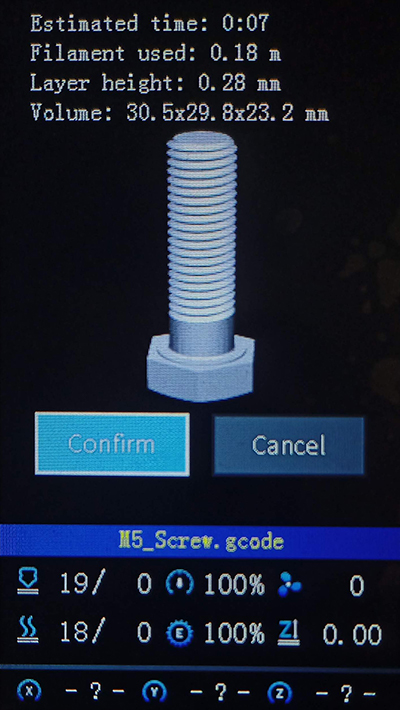
For be able to generate g-code with thumbnail it is necessary to install Python and a script/plugin in your slicer
First download the correct script/plugin:
Use right-click and select "save link as..."
Save the downloaded script in a known location
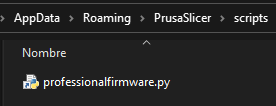
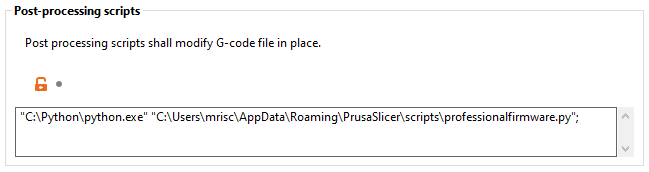
Write the location of your Python installation and script on the slicer Print settings / Output options:
In printer settings / General write 230x180 for the G-code thumbnails. The firmware only recognizes thumbnails with a size of 230x180 pixel

Close Cura and save the downloaded script in the custom script folder of Cura inside of your user profile folder: C:\Users\NameOfUser\AppData\Roaming\cura\..., AppData could be a hidden folder, therefore, you must to write it on the address bar of the file explorer.
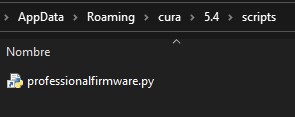
Open Cura and press "Add a script", then select the script from the post processing plugin popup
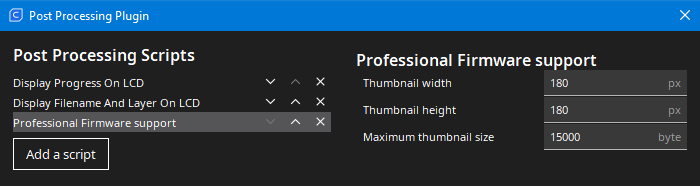
The firmware only recognizes thumbnails with a size of 230x180 pixel
