ClipChain
Available as of CL3 v1.5
The CL3 ClipChain plugin allows you to cycle through a predefined clipboard history.
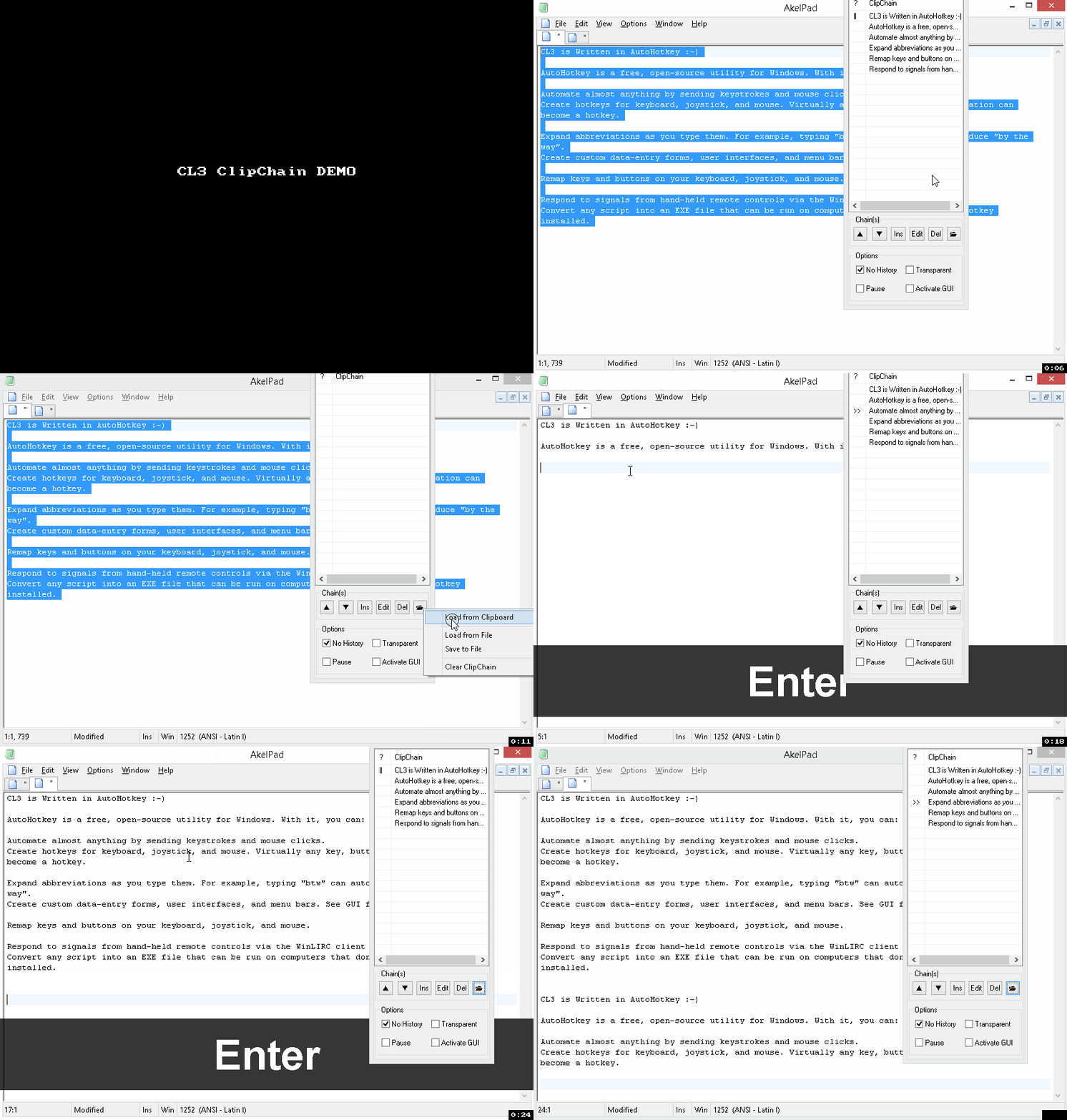
With each paste it advances to the next item in the chain. When the last item is reached it moves back to the start.
This can be useful if you need to paste the same data into several documents or programs in a particular order.
Usage:
- Bring up the ClipChain GUI by pressing ctrl+win+F11
- Using double click you can start at a specific point in the chain.
- UP and DOWN buttons: Change the order of the items in the listview of the chain.
- Load/save various chains from the clipboard and to files. The last used chain is loaded again when you call the ClipChain plugin.
- You can edit an item in the chain, click on the item and use the Edit button.
- You can insert an item in the chain, click on an item, use the Ins button. The new item will be inserted BELOW the selected item.
- You can pause the chain by ticking the Pause checkbox.
- By default each time you paste an item it would be added to the normal CL3 Clipboard History, you can avoid that by ticking the No History checkbox.
Load from Clipboard:
Empty lines are used to separate items when you load a chain from the clipboard so you can prepare your chain first, copy it to the clipboard and then load it.
Demo: