Project Pulse is a digital audio workstation (DAW) developed in Tauri (Rust + React). Similar software would be FL Studio, Ableton Live, Logic Pro and others. There are many things I hope to improve compared to these programs, including fewer crashes (thanks to Rust) and a snappy interface (thanks to React). I also plan to combine the best features from existing DAWs with some of my own ideas.
There are several goals for this project:
- Hone my React and JS/TS skills
- Learn and better understand the Rust language, especially concepts like ownership and the borrow checker
- Combine my two big hobbies: music production and programming
- Build an actual product that people would enjoy using
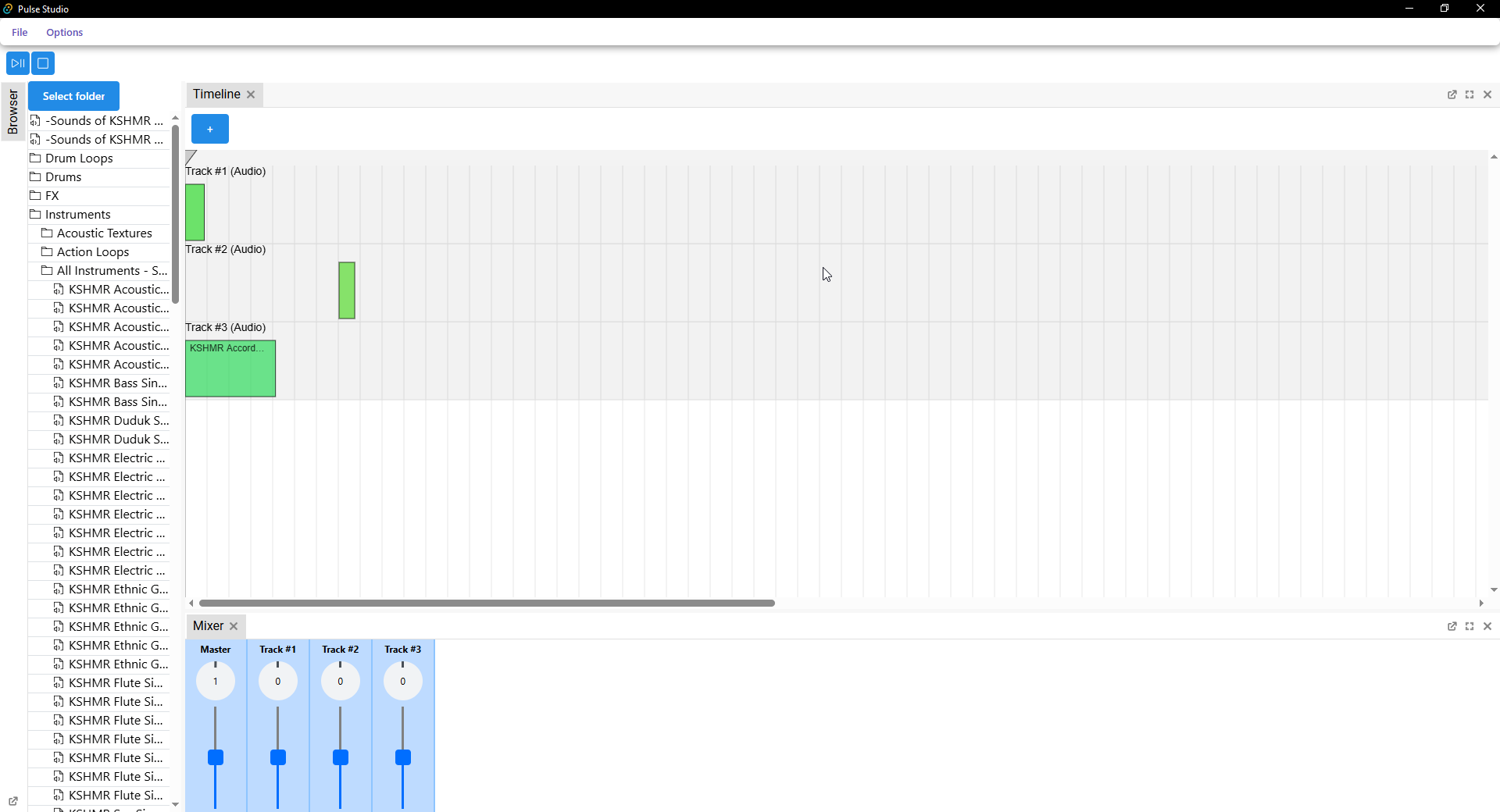
For now, my focus is on the complex parts first. In the timeline panel, you can only drag and drop audio files from the browser panel, move them around and remove them. This was done just to be able to test that playback works and that updates to the timeline are registered properly in real-time. For example, there is no snapping, resizing, selecting, duplicating, cutting, undoing, or even a working playhead. Most of that is gonna have to wait until I finish some core parts like volume and panning manipulation, mixer routing, automations, etc. I'm also always thinking of better ways to structure the code for efficiency. Audio programs like this need to be extremely optimized to run without hiccups, and also be real-time and thread safe.
To give a glimpse of how much work goes into this, here's how basic audio previewing works under the hood; audio data is read from a file and then decoded to raw PCM data, which is basically an uncompressed digital representation of analog data. If the audio's sample rate (how many samples per second there is) differs from the output's, it is resampled in real-time. Lastly, the final samples are sent to the audio output (slightly) in advance using a ring buffer. A sample is, for example, just a number between -1.0 and 1.0 for floating-point formats. Since I've chosen f32 format (it's the most common format; some DAWs also use f64, but the performance impact overshadows any sort of advantage in precision so I didn't bother with supporting it just yet) for the underlying audio engine, any other format is converted to f32 before being used by the engine. The engine also uses stereo mode exclusively (2 channels - left and right; a standard in music production) so if an audio file is not in stereo (almost always will be, though), it's downmixed or upmixed using simple well-known math formulas.
- A timeline where users can arrange multiple audio files in time to create a song [DONE]
- Real-time audio mixing (summing all samples for each audio callback using SIMD and multithreading for optimization) [DONE]
- Basic audio manipulation (volume, panning, etc.) for mixing purposes
- Save/load a project
- Settings panel
- Mixer (used to put effects on tracks and mix them together)
- Piano roll (placing notes in time and space, best analogy would be sheet music)
- Automations (change audio manipulation values over time)
- Support for hosting third-party effect plugins and synths (VST3-based)
First, make sure you have all the prerequisites: https://v2.tauri.app/start/prerequisites/. Then run the following commands:
cd tauri-appnpm installnpm run tauri dev