Mirth Connect and Open Integration Engine development in VS Code — channel sync, IntelliSense for Mirth scripting APIs, multi-server connection management, and a one-command local Mirth Docker stack for offline testing.
By Saga IT, LLC — full details on the MirthSync for VS Code product page.
Note: This is a community extension developed by Saga IT, LLC. It is not affiliated with or endorsed by NextGen Healthcare. Mirth and Mirth Connect are trademarks of NextGen Healthcare.
-
Channel & Template Sync - Pull/push individual channels, channel groups, code template libraries, or sync all at once
-
Connection Management - Multi-server connection profiles with secure credential storage (VS Code Secrets API)
-
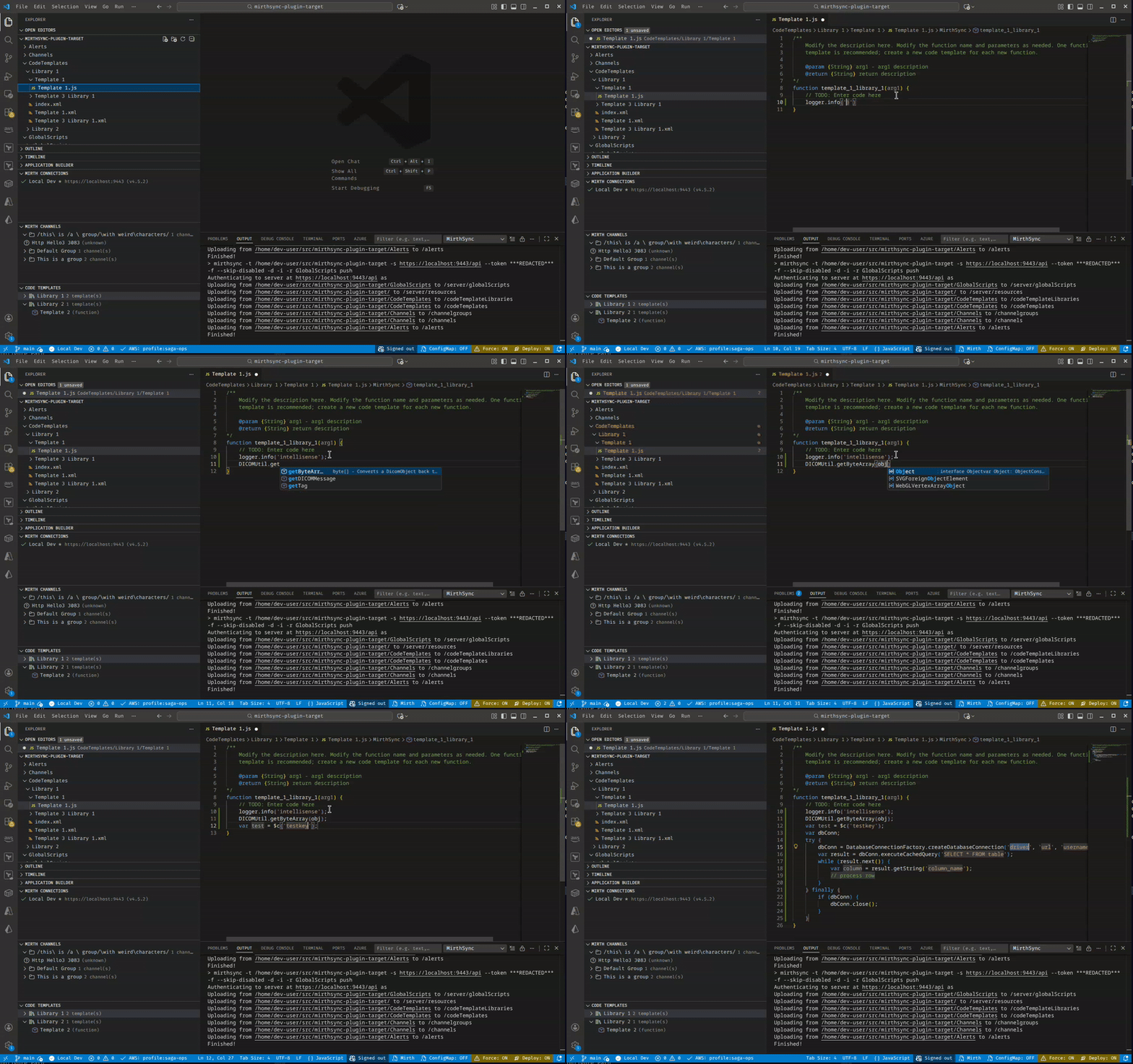
IntelliSense - Autocomplete and hover documentation for Mirth JavaScript APIs
-
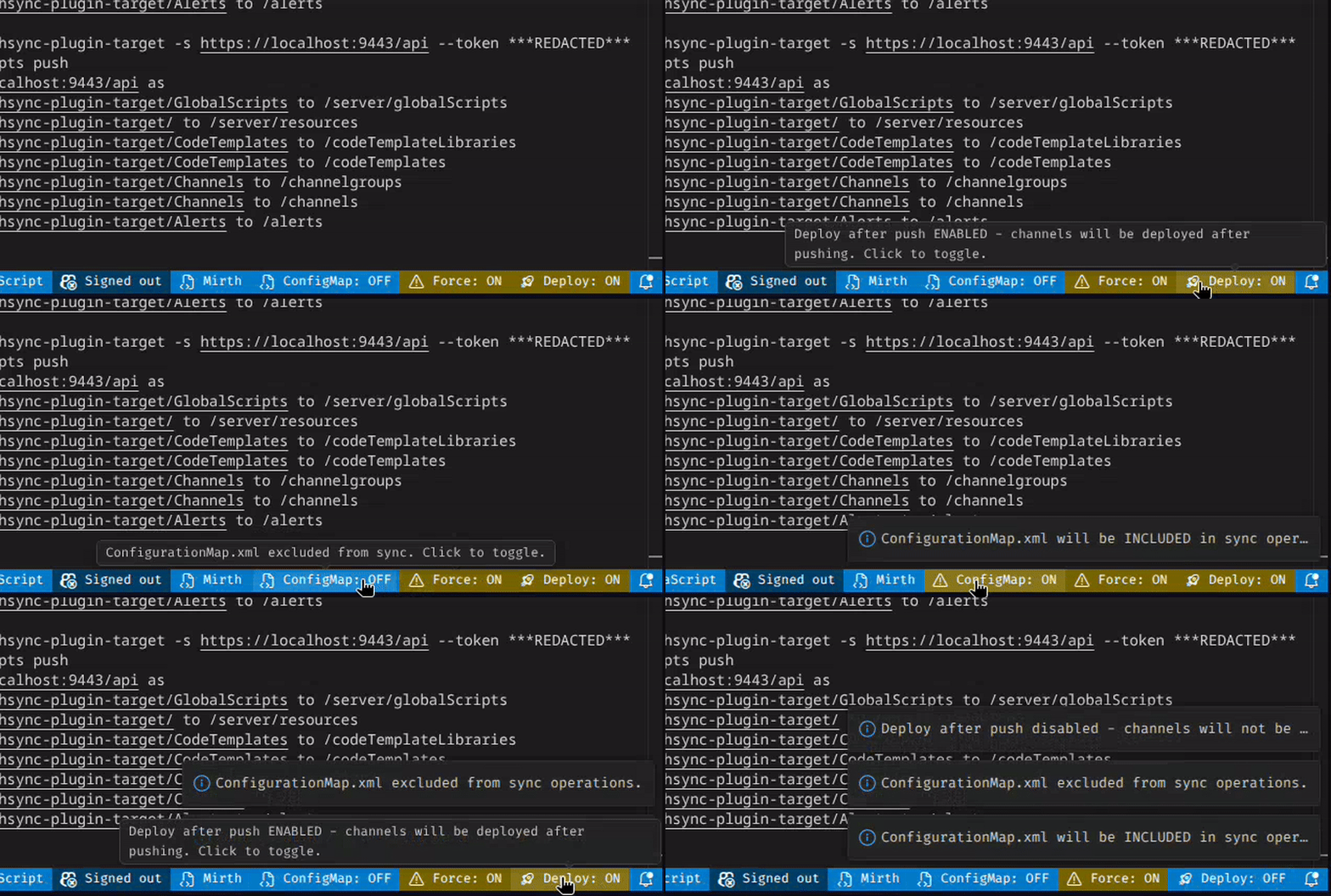
Status Bar Controls - Quick toggles for ConfigMap inclusion, Force sync, and Deploy after push
-
File Explorer Integration - Right-click on Channels/CodeTemplates folders to pull/push directly
-
Tree Views - Browse channels and code templates hierarchically with context menu actions
-
Local Mirth - One-command Docker Compose stack with Open Integration Engine + Postgres, for testing this workspace against a throwaway local Mirth
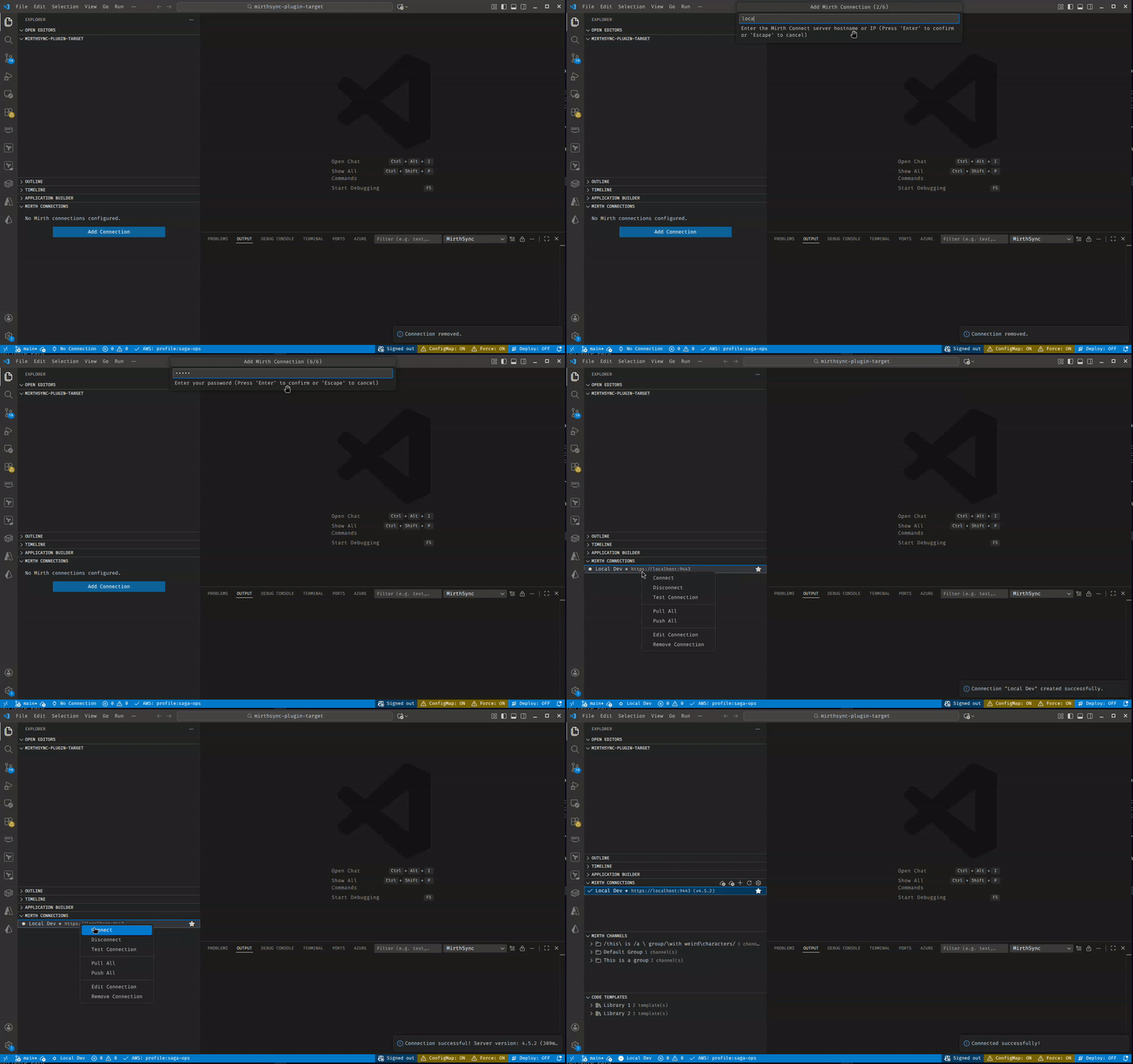
- Install the extension from the VS Code marketplace (or from VSIX)
- Open Command Palette (
Ctrl+Shift+P/Cmd+Shift+P) - Run MirthSync: Add Connection and enter your Mirth server details
- Set the connection as active and connect
- Use tree views or commands to pull/push channels
| Command | Description |
|---|---|
MirthSync: Add Connection |
Add a new Mirth server connection |
MirthSync: Test Connection |
Test the selected connection |
MirthSync: Refresh Connections |
Refresh the connections tree view |
| Command | Description |
|---|---|
MirthSync: Pull All |
Pull all channels and templates from server |
MirthSync: Push All |
Push all local changes to server |
MirthSync: Git Status |
Show git status of mirthsync workspace |
MirthSync: Git Diff |
Show git diff of changes |
MirthSync: Toggle ConfigurationMap Inclusion |
Toggle whether to include ConfigurationMap.xml |
MirthSync: Toggle Force Sync |
Toggle force overwrite on conflicts |
MirthSync: Toggle Deploy After Push |
Toggle automatic deployment after push |
| Command | Description |
|---|---|
Pull Channel |
Pull a specific channel from server |
Push Channel |
Push a specific channel to server |
Pull Channel Group |
Pull all channels in a group |
Push Channel Group |
Push all channels in a group |
Pull Code Template Library |
Pull a template library from server |
Push Code Template Library |
Push a template library to server |
Pull Global Scripts |
Pull global scripts from server |
Push Global Scripts |
Push global scripts to server |
| Command | Description |
|---|---|
MirthSync: Deploy Channel |
Deploy a channel on the server |
MirthSync: Undeploy Channel |
Undeploy a channel on the server |
MirthSync: Import Channel |
Import a channel from file |
MirthSync: Export Channel |
Export a channel to file |
MirthSync: Server Status |
Show Mirth server status |
| Command | Description |
|---|---|
MirthSync: Initialize Local Mirth |
Scaffold .mirthsync/local/ (compose stack + tools container) into the workspace |
MirthSync: Start Local Mirth |
Build the tools image and start Mirth + Postgres + tools containers (auto-falls back to an alternate host port if 8443 is busy) |
MirthSync: Stop Local Mirth |
Stop the containers without deleting state |
MirthSync: Reset Local Mirth (Delete State) |
Stop the stack and wipe its Postgres + appdata volumes |
MirthSync: Remove Local Mirth (Delete All) |
Stop the stack, delete its volumes and locally-built tools image, remove .mirthsync/local/, and delete the auto-created Local Mirth connection — pristine "as if it was never initialized" state |
MirthSync: Show Local Mirth Status |
Per-service running/health summary |
MirthSync: Show Local Mirth Logs |
Tail Mirth container logs into the MirthSync output channel |
MirthSync: Show Local Mirth Info |
URL, credentials, files location, launcher links — with copy actions |
| Setting | Type | Default | Description |
|---|---|---|---|
mirthsync.mirthsyncPath |
string | "" |
Path to mirthsync executable. Leave empty to auto-detect. |
mirthsync.mirthcliPath |
string | "" |
Path to Mirth CLI executable. Leave empty to auto-detect. |
mirthsync.defaultTimeout |
number | 30000 |
Default timeout for operations in milliseconds. |
mirthsync.outputVerbosity |
number | 1 |
Verbosity level for mirthsync output (0-5). |
mirthsync.autoSavePresets |
boolean | true |
Automatically save preset after successful operations. |
mirthsync.ignoreCertificateWarnings |
boolean | false |
Ignore SSL certificate warnings (development only). |
mirthsync.javadocsUrl |
string | "" |
URL to Mirth javadocs for API generation. |
mirthsync.forceSync |
boolean | false |
Force overwrite when syncing channels/templates. |
mirthsync.promptForForce |
boolean | true |
Prompt to use force option when sync fails due to conflicts. |
mirthsync.deleteOrphaned |
boolean | false |
When pulling, delete local files that no longer exist on the server. Destructive — opt-in. Only applies to Pull All; scoped pulls (single channel/group/library) are unaffected. |
mirthsync.promptForDeleteOrphaned |
boolean | true |
When deleteOrphaned is enabled, show a confirmation prompt at the start of each Pull All. Disable for unattended automation. |
mirthsync.includeConfigurationMap |
boolean | false |
Include the Configuration Map when pulling or pushing. |
mirthsync.deployAfterPush |
boolean | false |
Deploy channels immediately after pushing. |
mirthsync.skipDisabled |
boolean | false |
Skip disabled channels when pushing. |
mirthsync.localMirth.mirthImageTag |
string | "4.5.2-ubuntu-jre" |
Image tag for the Local Mirth server (sagait/engine — Saga-packaged Open Integration Engine). |
mirthsync.localMirth.mirthsyncVersion |
string | "3.5.2" |
mirthsync release version baked into the Local Mirth tools image. |
mirthsync.localMirth.additionalPorts |
array | [] |
Additional ports to forward from the Mirth container to localhost (e.g., MLLP/HTTP listener ports). The extension writes these to an auto-managed docker-compose.override.yml on Start. |
The extension adds three tree views to the Explorer sidebar:
Manage your Mirth server connections. Right-click for options:
- Connect/Disconnect
- Test Connection
- Set as Active
- Edit/Remove
Browse channels organized by channel groups (visible when connected). Right-click to:
- Pull/Push individual channels
- Pull/Push entire channel groups
Browse code template libraries (visible when connected). Right-click to:
- Pull/Push individual templates
- Pull/Push entire libraries
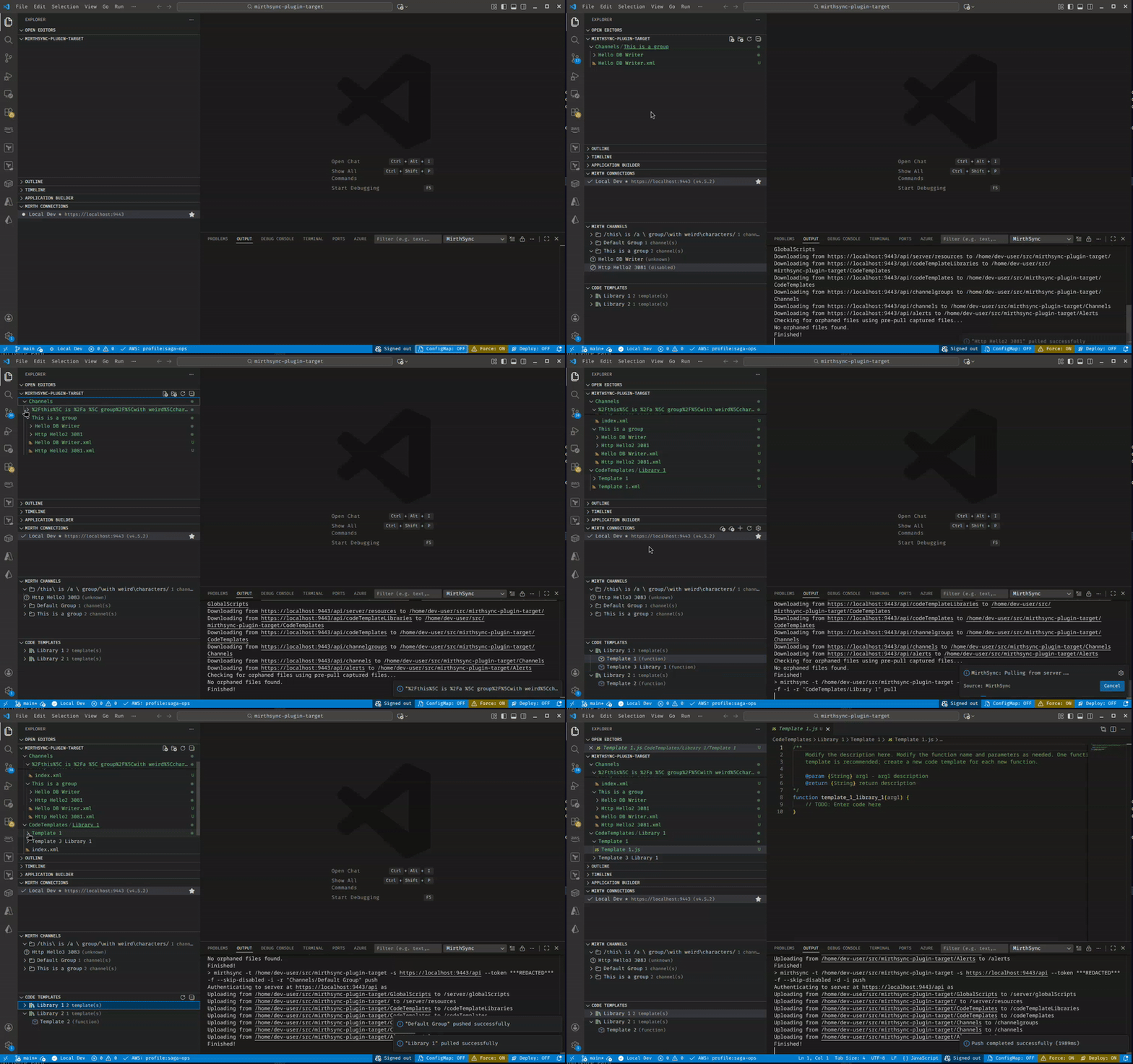
When connected, right-click on folders in the file explorer to sync:
Channels/- Pull or push channel configurationsCodeTemplates/- Pull or push code template librariesGlobalScripts/- Pull or push global scriptsConfigurationMap.xml- Pull or push configuration mapResources.xml- Pull or push resources
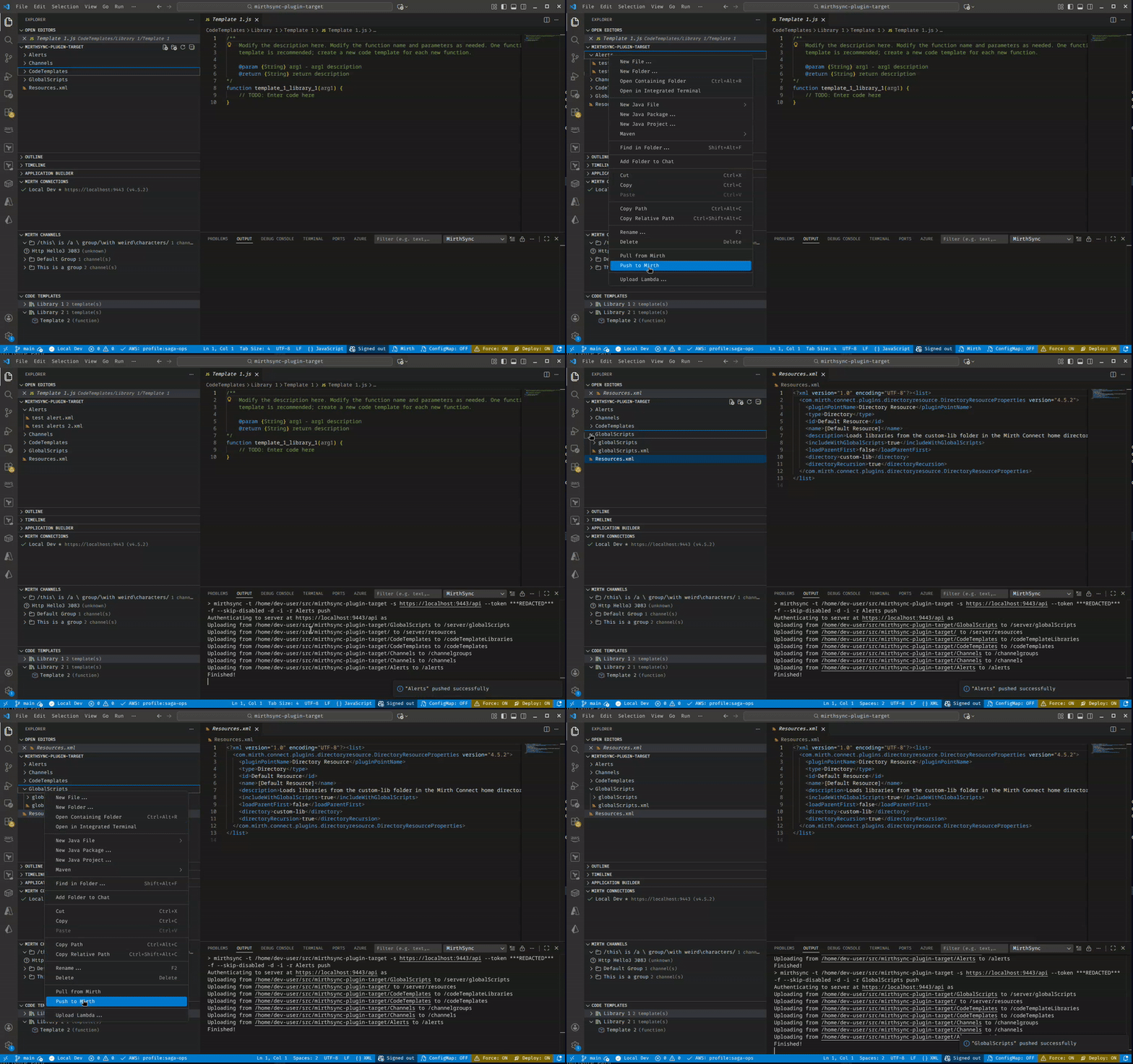
The status bar shows:
- Connection status - Current active connection and state
- ConfigMap - Whether Configuration Map is included (click to toggle)
- Force - Whether force sync is enabled (click to toggle)
- Deploy - Whether deploy after push is enabled (click to toggle)
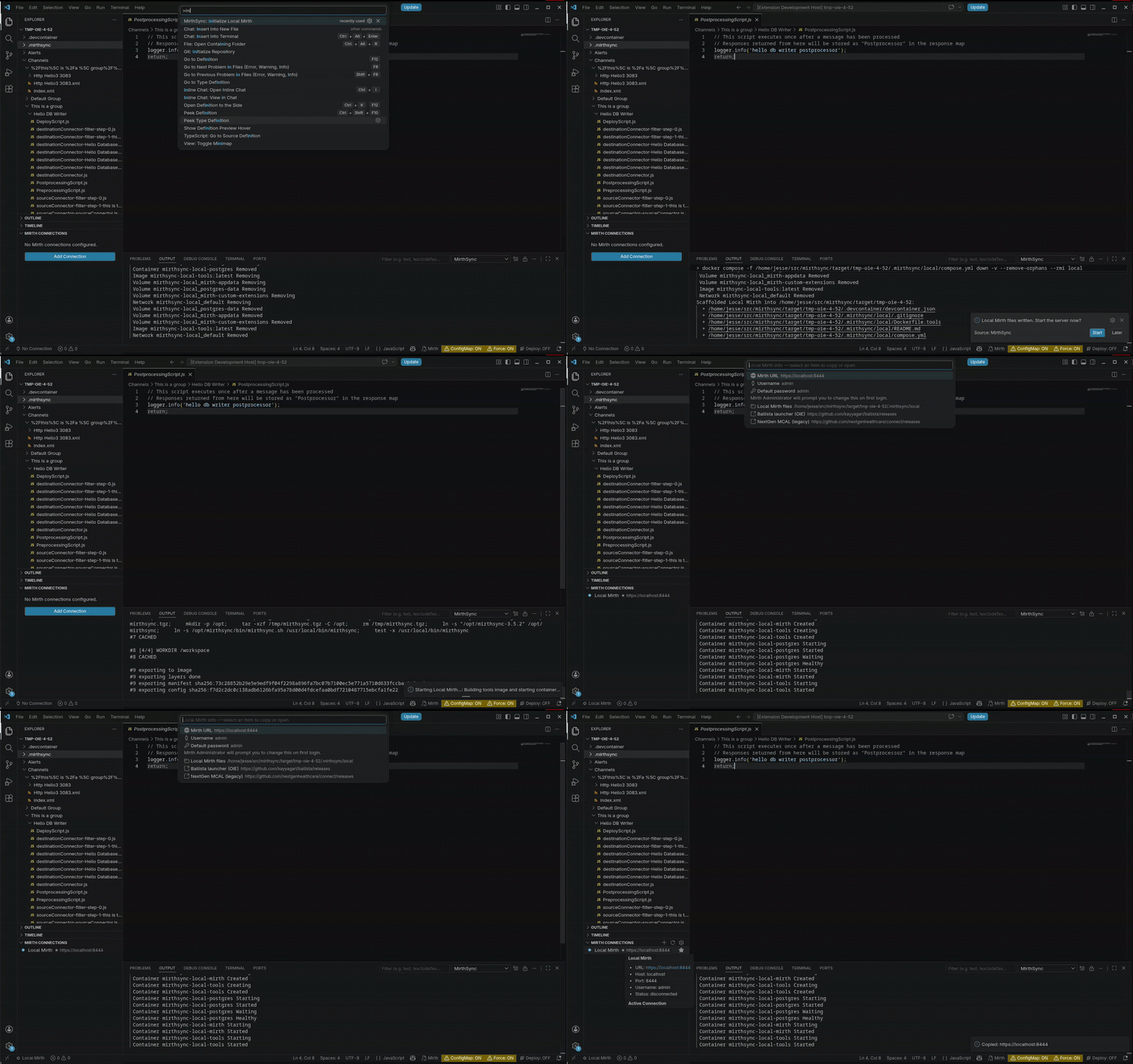
For testing this workspace against a throwaway local Mirth without installing anything on the host beyond Docker, run MirthSync: Initialize Local Mirth. It scaffolds .mirthsync/local/ with a compose stack:
mirth— Saga-packaged Open Integration Engine (sagait/engine, OIE with Saga plugins preinstalled), exposed on127.0.0.1:8443(or an auto-chosen fallback if 8443 is busy)postgres— Mirth's backing database, on a named volumetools— Alpine + JRE +mirthsync(and curl/git/jq) for running CLI operations inside the stack
Set mirthsync.localMirth.mirthImageTag to switch to a different sagait/engine tag, or edit compose.yml to point at openintegrationengine/engine for vanilla OIE.
Then run MirthSync: Start Local Mirth. The extension auto-creates a Local Mirth connection and routes its mirthsync calls into the tools container, so you don't need mirthsync on your host for this workflow. If 8443 is already in use on your machine, the extension will detect the conflict, suggest an alternate port, and remember the choice in .mirthsync/local/.env for next time.
To open the Mirth Administrator against the local server, install a launcher on your host and point it at the URL shown in Show Local Mirth Info:
- Ballista — community launcher used with Open Integration Engine. Requires a host JRE 8+.
- NextGen MCAL — legacy NextGen Mirth Connect Administrator Launcher. Bundles its own JRE.
Default credentials are admin / admin; the Administrator will prompt you to change the password on first login.
Prefer a standalone engine outside VS Code? Saga's five-minute Docker quickstart walks through running Mirth/OIE locally.
- VS Code 1.85.0 or higher
- mirthsync CLI tool (for sync operations against non-local Mirth servers)
- Open-source Mirth Connect (4.5.2, the last open-source release), Open Integration Engine (OIE), or BridgeLink
- Docker (only required for the Local Mirth feature)
MirthSync talks to the standard Mirth Connect REST API, so it works with the open-source lineage of the engine — not the closed-source commercial product:
- Mirth® Connect (open source) — the open-source releases through 4.5.2, the last open-source version
- Open Integration Engine (OIE) — the community fork of that last open-source release
- BridgeLink — a community distribution built on the same lineage
It does not target the closed-source commercial version (NextGen Connect 4.6 and later). Not sure which engine is right for you? See OIE vs BridgeLink vs Mirth Connect.
The preferred method is via npm:
npm install -g @saga-it/mirthsyncAlternatively, download from GitHub releases. New to the CLI? Start with getting started with mirthsync.
This extension sends a small amount of anonymous usage data — command IDs and durations, success/failure outcomes, numeric error codes, non-default-setting booleans, and VS Code's standard environment identifiers. We never send channel/template/script content, server URLs, usernames, credentials, file paths, or subprocess output.
Opt out with either:
telemetry.telemetryLevel=off(VS Code-wide), ormirthsync.telemetry.enabled=false(this extension only).
Data lands in Azure Application Insights (Saga IT, LLC), 90-day retention. See TELEMETRY.md for the full collected / never-collected lists and how to audit events live via the MirthSync Telemetry output channel.
- mirthsync - CLI tool for syncing Mirth configurations
- Open Integration Engine (OIE) - Open source integration engine
Saga IT builds and maintains MirthSync, and provides Mirth Connect & OIE integration consulting:
- Mirth Connect consulting & development
- Healthcare integration-engine services
- Why we publish to two marketplaces (VS Code + Open VSX)
Copyright (c) 2024-2026 Saga IT, LLC. All Rights Reserved.
This is proprietary software. Use is governed by the license shipped inside the extension package; contact saga-it.com for licensing inquiries.