Change colour form element doens't work with drawed line inkscape #116


-
|
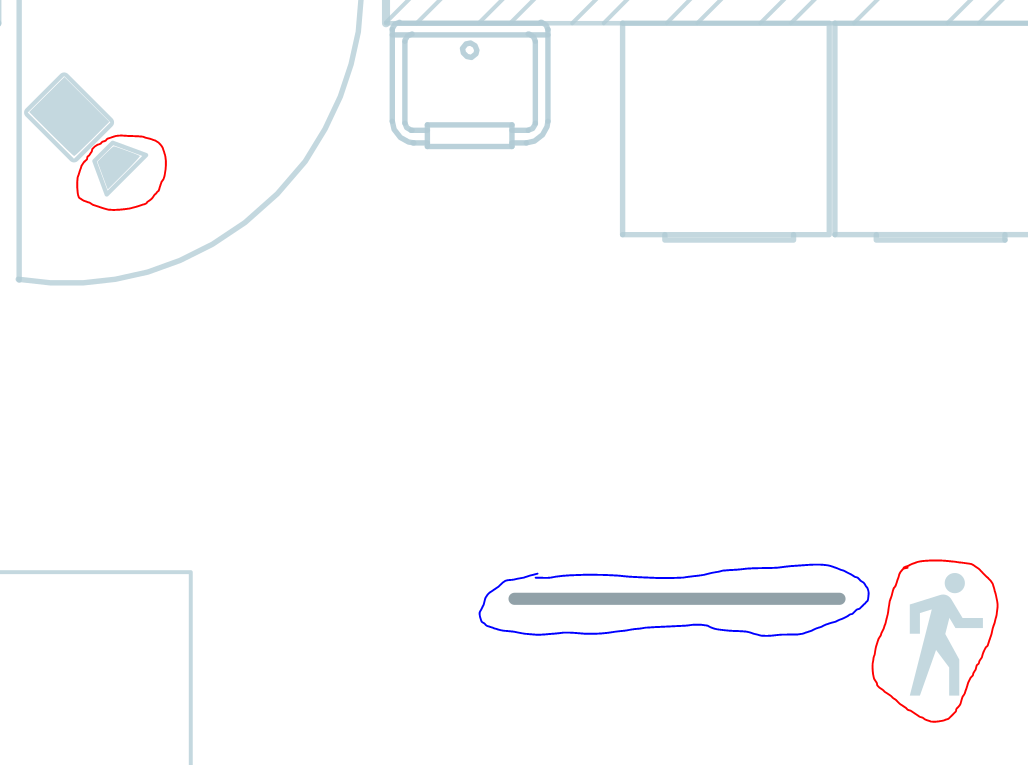
Helo, I am since last week busy with the floorplan card. I tried it on a empty page because i was thinking about the layers but stays the same… Can somebody explain me how i can solve this?? I have some lines (led strip/neon) in the floorplan that i would lighten up but it doesn’t work… it disappears. The flat line (blue circle) not working and disappears… this line is a straight line downloaded from noun and it's not working either. The rest of the lines are from inkscape. Cleared cache everytime i made a change.
below the files. You will see that I starting from the examples and build this up step by step. code yaml code css `/* SVG size */ #floorplan { #floorplan > svg { /* SVG elements */ svg * { /* Hover over */ .floorplan-shape:hover, /* Layers */ .layer-visible { .layer-hidden { /* Animation */ .spinning { @Keyframes spin { /* Binary sensors */ .binary-sensor-on { .binary-sensor-off { /* Buttons */ .button-on rect { .button-off rect { .button-on tspan, svg file css file yaml file lightspot file |
Beta Was this translation helpful? Give feedback.
Replies: 1 comment 6 replies

-
|
First thing I notice is that you have grouped lots of your objects together. For example all of the cameras and motion symbols and your line and dots. So I would ungroup all of those so you can select them directly. I only group things if I want to assign an ID to the whole group and control them all togther in floorplan.
So how should you be doing this? You need to find a light or switch in your home assistant that you want to control. I cant find any So what that will do is when you tap/click the line with the ID then your YAML could be So try and do something simple like that. Just take one object, assign it the label of one of your HA lights and add the YAML above and you should find you can tap/click on it and it will turn on and off and the SVG object will change colour. |
Beta Was this translation helpful? Give feedback.

-
|
Great we are making progress. To make it work for your line I think you just need to add a line to the CSS to account for this: .light-off { .light-on { |
Beta Was this translation helpful? Give feedback.
-
|
As for the question about the shading you can do this. Place a picture such as this https://thenounproject.com/term/fluorescent-tube/210348/ in your SVG. Size and rotate it to your needs. Do NOT give it an ID. Then draw a rectangle in inkscape around the picture. Give this rectangle the ID of your light. Then I think you have two possibilities. In both cases you will use the FILL AND STROKE (Shift+Ctrl+F) tab. Make your YAML for this light: In this case the picture of the light should always be visible. The rectangle (whatever you chose to make it look like) will be invisible when the light is OFF. This is OK because even though you can't see it you can still tap/click on it. Since the picture is behind the rectangle when you go to tap/click on the picture you are actually interacting with the rectangle. So as you tap/click on the picture of the light the rectangle will come in and out of view to show when the light is on or off. |
Beta Was this translation helpful? Give feedback.
-
Personally I don't use the functionality of image_set for lights. I only use it when I don't know what the image to insert is going to be. Weather icons are a good example. I get the weather forecast and then select a appropriate icon and insert it with image_set. I provide an similar example here #91 |
Beta Was this translation helpful? Give feedback.

-
|
thank you very much for this extensive explication! best regards |
Beta Was this translation helpful? Give feedback.
-
|
Great news. Please mark this question as answered |
Beta Was this translation helpful? Give feedback.


First thing I notice is that you have grouped lots of your objects together. For example all of the cameras and motion symbols and your line and dots. So I would ungroup all of those so you can select them directly. I only group things if I want to assign an ID to the whole group and control them all togther in floorplan.
binary_sensor.m1_garage_werkbankis a group of two objects, a line and the end of the camera so I am not sure what you are trying to do there? If you are trying to turn a light on with the binary sensor then what you should do is have an automation in HA to do that and then floorplan will just respond to the change in state of the light.light.garagedoes not exist in yo…