This is the stock look-and-feel Pixel Streaming player web page you are served out of the box with the shipped Pixel Streaming plugin. It is widely tested and is a fully featured Pixel Streaming experience.
This is great starting point for building your UI or studying the Pixel Streaming feature set.
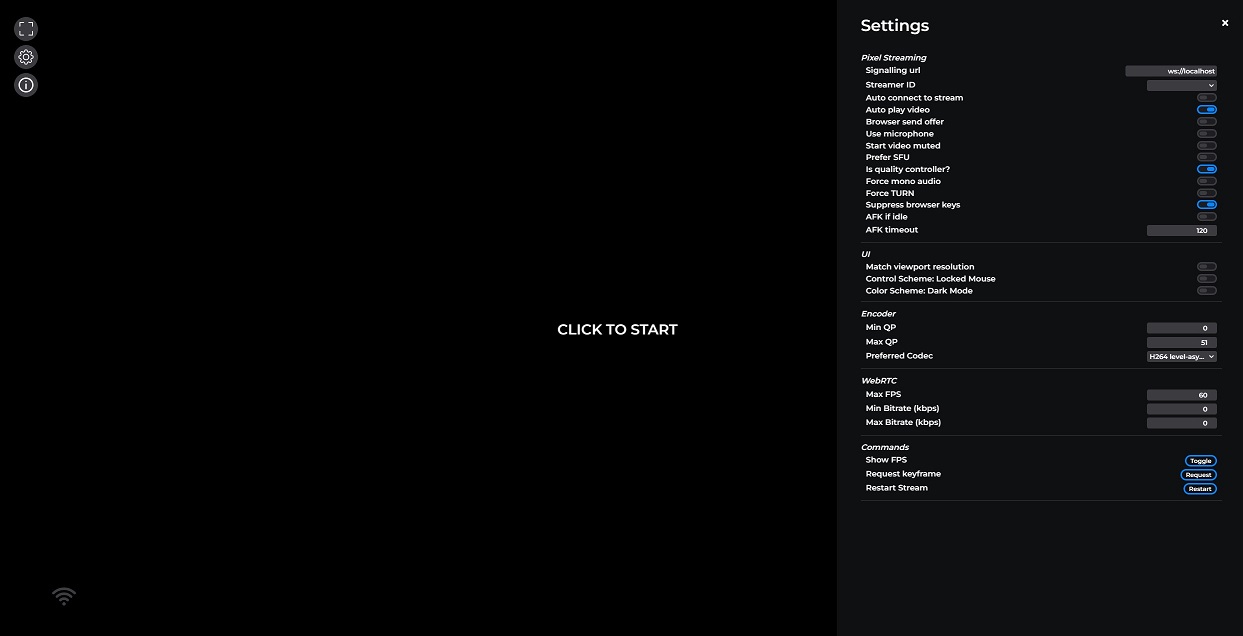
The reference frontend uses:
- The base
lib-pixelstreamingfrontendlibrary for all core streaming functionality. - The reference UI library
lib-pixelstreamingfrontend-uifor all the UI.
Using these two libraries gives a fully functional (and customizable) Pixel Streaming experience.
This package is also a good example of how to include the frontend libraries as dependencies and bundle/minify the final application you ship.
- An info panel (screen right) that provides a UI for displaying live statistics to the user.
- A settings panel (screen right) that provides a UI for all the settings.
- A set of controls (screen left) to maximize the video, open the settings panel, open the info panel, and enter VR mode.
- Ability to display overlays that present information or errors to the user, or present prompts for the user to interact with.
cd Frontend/implementations/typescript
npm install
npm run build
Note: You will need to build the Frontend/library and Frontend/ui-library first.
Building the reference frontend using the commands above will place it in the SignallingWebServer/www directory.
# Serve the reference frontend
cd SignallingWebServer/platform_scripts/cmd
start.bat
# Navigate to http://localhost in your browser to see the reference frontend
Note: You can also run start.bat --build to build all the dependent libraries.